
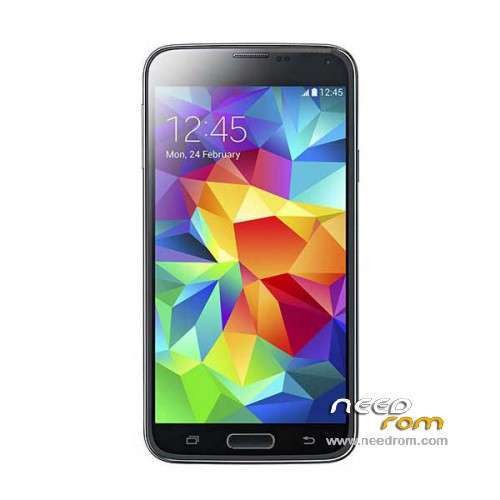
- Title: HDC S5 SM-G900S
- Listed: June, 2014
- Last modified: 12/17/2014 6:20 pm
- Version: ROM Android 4.4.2
You must be logged for ROM download.
100141 total views, 15 today
167 Total favorites
 Member Info
DESCRIPTION
ROM Mobile HDC S5 SM-G900S – ROM Android 4.4.2
ONLY MT6582
Config HDC : MT6582 + 2G Ram (real 1G) + 4G Rom + 1280×720 + Single sim
Update Official ROM HDC S5 SM-G900S version: KOT49H.G900SKSU1AND3 – S105_XLF – SM-G900S_V16
———————————————————————————————————————————————
Update Official ROM HDC S5 SM-G900S version: KOT49H.G900SKSU1AND3 – S105_XLF – SM-G900S_V10
———————————————————————————————————————————————
Update Official ROM HDC S5 SM-G900S version: KOT49H.G900SKSU1AND3 – S105_XLF – SM-G900S_V09
———————————————————————————————————————————————
Official ROM HDC S5 SM-G900S version: KOT49H.G900SKSU1AND3 – S105_XLF – SM-G900S_V08
Gapps include - No Rooted
Language support : Multilang
Install ROM :
- Unpack FlashTools, and Click on Flash_tool.exe
- Select a the MT6582_Android_scatter_emmc.txt in ROM
- Wait file to be added into Flash Tool
- choose Option->USB Model,click USB Model
–> Choose Option->DA DownLoad All->Speed->High Speed, click High Speed
- Turn off your phone, remove the battery.
- "Press F9 (hit Download button)" OR " if upgrade ROM Firmware->Upgrade "
- and connect your phone into the computer via USB data cable.
- The process will start and a red progress bar will appear after color purple, yellow.
- And green circles display
- Finish !
- You can now safely disconnect your phone and turn it on.
※Please make a backup of your device before installing or updating ROM
Hello I have the same phone, I have problems with the multi toch, when I have to enlarge a photo does not work almost completely ..
but strange thing just connect the charger fuonziona almost correctly, could depend on what?
Do you have any solution, it would be appreciated, thanks
Definitely not 4.4.2. Why? Check build.prop, the API version is 17 (KK has 19) and KK ROMS don't have vold.fstab and vold.fstab.nand in system/etc. This is JB.
get a imei number first.(you can get it from your phone,remove the battery you can see it)
step 1: remove the sim card
step 2: Enter the number *#364015# (input in dialing)
step 3: press "IMEI"
step 4: enter your imei number,then press write imei
step 5: restart your phone
ok
So much thank you!
v_16 не ставьте,постоянно ошибка гугл сервис
good morning !! I'm from Brazil my BEPA g900w is missing the myfiles folder already download the ROM and installed again is giving stick someone can help me there !!
Hardware : MT6582 ( MT6592 is false ) ! Model : Bepa G900W the build number : KOT49H.G9008SKSU1AND3 Building UTC date : 20140808-073417 All v Android : 4.4.2 Baseband v: MOLY.WR8.W1315.MD.WG.MP.V15 , 02/18/2014 02:04 Kernel v: 3.4.5 ( dpi @ SWDD5708 ) ( gcc version 4.6.x google – 20120106 ( prerelease ) (GCC ) ) # 1 SMP Wed August 5 22:58:59 CST 2014 Uboot build v: —– the root shell needs LCD driver IC : 1- rm68200a_hd720_dsi
MERCI HDC S5 SM-G900S – Update v10
this is 4.4.2 or 4.2.2
hello my friend my phone has got just like turned on and no picture
pppleeease help me fix these error
Necesito la rom para
Hardware : MT6572 (UNIVERSAL5410 is Fake!)
Model : SM-G900
Build number : KOT49H.G900DKEU1ANCC
Build date UTC : 20141117-083711
Android v : 4.4.2
Baseband v: MOLY.WR8.W1315.MD.WG.MP.V1, 2013/07/04 15:16
Kernel v : 3.4.0-1590669 (se.infra@SEP-136) (gcc version 4.6.x-google 20120106 (prerelease) (GCC) ) #1 SMP Mon Nov 17 16:33:47 CST 2014
Uboot build v : —–
LCD Driver IC : 1-otm8019b_dsi_vdo_lcm_drv