
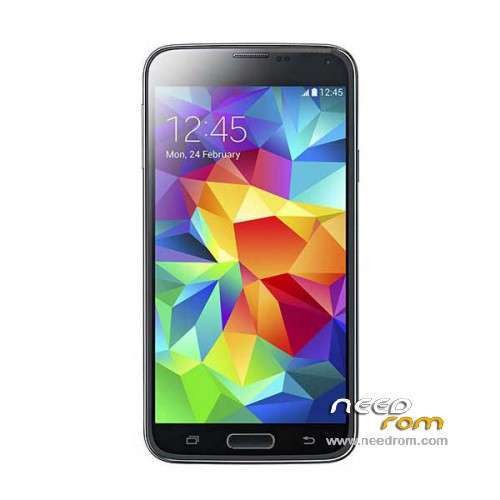
- Title: HDC S5 SM-G900S
- Listed: June, 2014
- Last modified: 12/17/2014 6:20 pm
- Version: ROM Android 4.4.2
You must be logged for ROM download.
100133 total views, 7 today
167 Total favorites
 Member Info
DESCRIPTION
ROM Mobile HDC S5 SM-G900S – ROM Android 4.4.2
ONLY MT6582
Config HDC : MT6582 + 2G Ram (real 1G) + 4G Rom + 1280×720 + Single sim
Update Official ROM HDC S5 SM-G900S version: KOT49H.G900SKSU1AND3 – S105_XLF – SM-G900S_V16
———————————————————————————————————————————————
Update Official ROM HDC S5 SM-G900S version: KOT49H.G900SKSU1AND3 – S105_XLF – SM-G900S_V10
———————————————————————————————————————————————
Update Official ROM HDC S5 SM-G900S version: KOT49H.G900SKSU1AND3 – S105_XLF – SM-G900S_V09
———————————————————————————————————————————————
Official ROM HDC S5 SM-G900S version: KOT49H.G900SKSU1AND3 – S105_XLF – SM-G900S_V08
Gapps include - No Rooted
Language support : Multilang
Install ROM :
- Unpack FlashTools, and Click on Flash_tool.exe
- Select a the MT6582_Android_scatter_emmc.txt in ROM
- Wait file to be added into Flash Tool
- choose Option->USB Model,click USB Model
–> Choose Option->DA DownLoad All->Speed->High Speed, click High Speed
- Turn off your phone, remove the battery.
- "Press F9 (hit Download button)" OR " if upgrade ROM Firmware->Upgrade "
- and connect your phone into the computer via USB data cable.
- The process will start and a red progress bar will appear after color purple, yellow.
- And green circles display
- Finish !
- You can now safely disconnect your phone and turn it on.
※Please make a backup of your device before installing or updating ROM
How can i boot it into recovery?
Close the phone and then press
Power button + home button + vol up
OK.
There is a small yellow menu!
which option i have to choose?
Νοw it requires a back up do you have one ? Didn’t you taken when it was alive?
It needs zip file like clockwork mod not scatter as you flash with sp tools
lol
nope, i didn't take any back-up!
But i have another same exactly phone.
Shall i backup the other phone into a sd card and then apply the update to broken phone from sd?
Yes It may work or better use mtk droid tools to back up
Where shall i back up?
In sd card?
What options MTK-droid will give me?
sd card has 2 partitions, 1 for apps and 1 for files, i did it for link2sd.
Shall i format sd again in one partition?
I'm gonna try it and i'll let you know.
Thanks a lot man!
'Back up' solution is grey, i can't chose it!
Only 'recovery & boot'.
OK now, building the back up file.
you will mess it pal use mtk droid tools to make a back up
since you did not unlock the recovery mode ( to unlock it https://www.youtube.com/watch?.....v=lEFcsQ8gC1E )
it will make 2 back ups first will be the one with scatter file for sp tools use
and then it will ask you to make the zip file
the zip file is for cwm use
finished, i have the files: zip + scatter.txt
it may be usefull to bare i mind this
Is there any links in myphone forum?
last thing i forgot to mention is this
to back up your nvram