
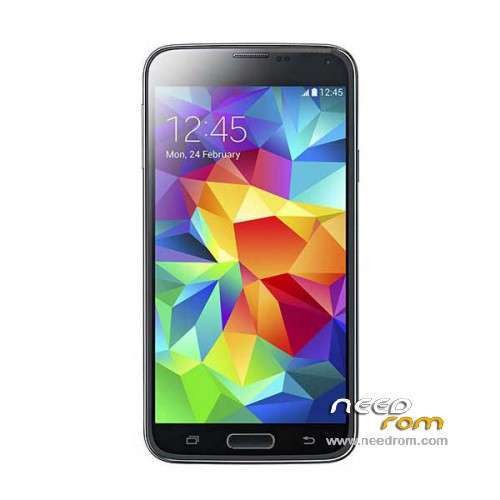
- Title: HDC S5 SM-G900S
- Listed: June, 2014
- Last modified: 12/17/2014 6:20 pm
- Version: ROM Android 4.4.2
You must be logged for ROM download.
100137 total views, 11 today
167 Total favorites
 Member Info
DESCRIPTION
ROM Mobile HDC S5 SM-G900S – ROM Android 4.4.2
ONLY MT6582
Config HDC : MT6582 + 2G Ram (real 1G) + 4G Rom + 1280×720 + Single sim
Update Official ROM HDC S5 SM-G900S version: KOT49H.G900SKSU1AND3 – S105_XLF – SM-G900S_V16
———————————————————————————————————————————————
Update Official ROM HDC S5 SM-G900S version: KOT49H.G900SKSU1AND3 – S105_XLF – SM-G900S_V10
———————————————————————————————————————————————
Update Official ROM HDC S5 SM-G900S version: KOT49H.G900SKSU1AND3 – S105_XLF – SM-G900S_V09
———————————————————————————————————————————————
Official ROM HDC S5 SM-G900S version: KOT49H.G900SKSU1AND3 – S105_XLF – SM-G900S_V08
Gapps include - No Rooted
Language support : Multilang
Install ROM :
- Unpack FlashTools, and Click on Flash_tool.exe
- Select a the MT6582_Android_scatter_emmc.txt in ROM
- Wait file to be added into Flash Tool
- choose Option->USB Model,click USB Model
–> Choose Option->DA DownLoad All->Speed->High Speed, click High Speed
- Turn off your phone, remove the battery.
- "Press F9 (hit Download button)" OR " if upgrade ROM Firmware->Upgrade "
- and connect your phone into the computer via USB data cable.
- The process will start and a red progress bar will appear after color purple, yellow.
- And green circles display
- Finish !
- You can now safely disconnect your phone and turn it on.
※Please make a backup of your device before installing or updating ROM
V9 isn't drain the battery or fast drain too ?
I need drivers for this.
@panagiotisf:
Φίλε Παναγιώτη, το PC μου δεν αναγνωρίζει το κινητό και δεν μπορώ να προχωρήσω με το sp tools.
Ο καραγκιόζης ο brotech μου έστειλε λάθος drivers.
Μπορείς σε παρακαλώ πολύ να ξανανεβάσεις κάπου τους drivers?
Σ'ευχαριστώ πολύ.
@LarryAN
send me pm your email so i will send it to you
You have PM.
Thanks Panagioti!
Τελικά το φλάσαρα Παναγιώτη!
Ήθελε την μπαταρία πάνω του.
Όλα καλά, ευχαριστώ για το ενδιαφέρον και τον χρόνο σου.
να σαι καλα φιλαρακι !!!!!!!!!!! καλη συνεχεια
you are welcome pal , take care !!!!!
va rog sa ma informeze careva cu problema sm-g900s cu butonul back iese singur din meniu sau orice aplicatie in care intru in rest este OK.
please inform any problem g900s sm-button goes back one meniu or any application where go the rest is OK.
Phone is broken!
i was trying to restore IMEI, i couldn't find any solution and i tried to flash it again.
After flashing, i had only the android logo.
I took out many times the battery and at the end, black screen!
Now, even laptop can't recognise the drivers, i always hear the sound of inserting and ejecting the usb cable.
Same cable in another exactly the same hdc s5 clone, works fine.
so, without connection between laptop and phone, i can't do anything!!
Maybe mobile's usb port is broken, i don't know.
Larry to restore emei it needs nvram back up
not to flash with sp tools
Also if you were rooted you may re write the emei with a program called mobile uncle tools
Probably you damage the bootloader
sendit back to where you got it if you havewwarranty
No the mobile USB is not broken your software is broken
if you are lucky and boots into recovery you will fix it
if it doesn’t boot into recovery then send it back to where you got it
Now changed, inserting usb cable in laptop, i can see the battery logo charging and then stucks in "android" logo!
WTF!!?