
- Title: Lenovo A820 KK
- Listed: February, 2015
- Last modified: 03/25/2015 2:49 am
- Version: Android 4.4.2 AOSP
You must be logged for ROM download.
68961 total views, N/A today
40 Total favorites
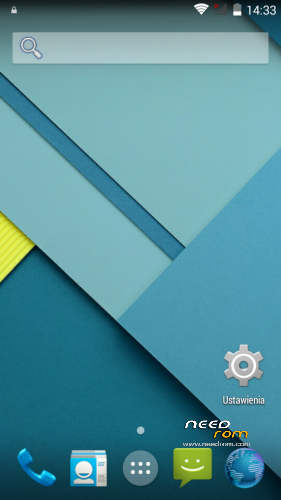
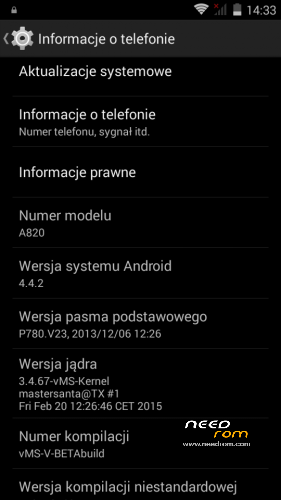
 Member Info
DESCRIPTION
Android: 4.4.2
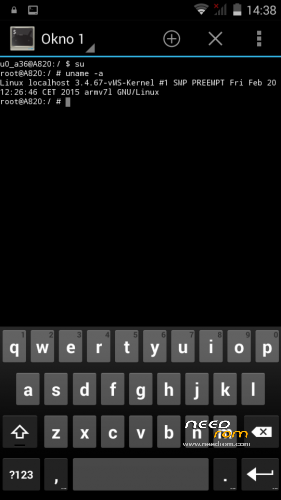
Kernel: build from source
RadioROM: from P780 like in previous vMS ROMs
Root: yes
WARNING!
This is for test only build! It can damage the device if you do something wrong!
What you need:
- Phone, best if it will be the Lenovo A820
- ZIP from this site
- ~250MB free space on SD card (internal/external)
- recovery like TWRP, may be older, but it's good to have a new one like this (CWM is not recomended/tested) https://www.needrom.com/download/twrp-2-8-4-0-themes/
- MAKE A BACKUP OF YOUR FILES! You can use TWRP for it. Select all partition! All!
How to install:
- enter into TWRP recovery
- in advanced wipe option select data, dalvik and cache and erase it. You can wipe secure and system for sure too
- back to install option and select ZIP file
- wait…
- reboot device
OMG I get bootloop! What to do? How to live?
As I said at the beginning… ROM/Kernel may not work on any device… Especially if it is not the Lenovo A820. Sometimes there are problems by replaced display. The first thing you should do then is wipe data/davlik/cache again in recovery – it's sometimes help. You can also use the kernel from the infrared (4pda.ru) because it may contain more fix.
What not work:
- network location (GPS work well)
- root make sometimes the problem with mouuntpoints so be watchful
- if SIM cards not work just try to reenable it in options few times
- tell me in comments…
※Please make a backup of your device before installing or updating ROM

|
How to fix this error(7): some symlinks failed? I can't install ths rom
Having the same issue.
The beta3 version give following error. Now I installed beta2 and its working fine.
I got the same problem of this post
https://www.needrom.com/downlo.....#comment-159046 – IMEI missing and unknown baseband (engineer mode show me Radio off), and i dont have a backup of my nvram.
I used this solution = https://www.needrom.com/downlo.....#comment-159458 .(i Flashed Stock rom with Flash Tool, install TWRP and root again).
Using "IMEI & SN Writer v1.5.3" i got "SN=PASS and IMEI1=PASS", but after reboot still "NO SIM CARD detected and IMEI uknown".
Could someone give me a backup of NVRAN for TWRP recovery?
Also, sorry for my english.
I used this and work
—-
hi, atlast i have found a solution of the "radio off" problem. It will definitely work………..just follow my instructions…………
1. First of all you need to have the stock rom for your phone which you can easily find by googling.
2. Now run the sp flash tool in your pc.
3. click on the "scatter loading" botton and select the .txt file by browsing your downloaded stock rom.
4. Now click the "format" option on top of the flash tool.
5. Now switch off your phone and connect it to your pc via usb cable and press the up/down volume bottons for detecting.
6. once detected, your phone will be formatted.
7. now disconnect your phone from pc and close the sp tool. Then repeat the steps from 2 to 3.
8. Now click on the "download" option on top of the sp flash tool.
9. and again connect your phone and make it detected in the same process described earlier.
10. once the flashing is completed you will see a green o .
11. now disconnect your phone and switch it on, and the radio of your phone will be turned on.
12. also you need to rewrite the imei nos going to engineer mode by simply dialing *#3646633#*#*
Source: http://forum.zopomobileshop.co.....d-1427-2-1.html
thx