
- Title: Lenovo A820 KK
- Listed: February, 2015
- Last modified: 03/25/2015 2:49 am
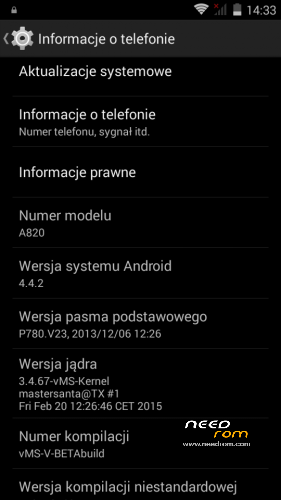
- Version: Android 4.4.2 AOSP
You must be logged for ROM download.
68961 total views, N/A today
40 Total favorites
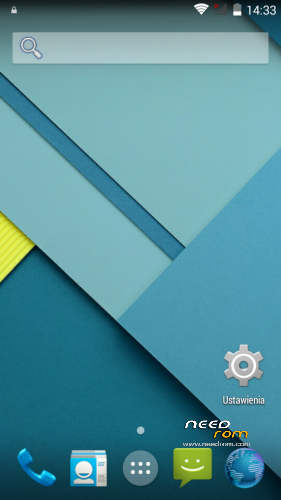
 Member Info
DESCRIPTION
Android: 4.4.2
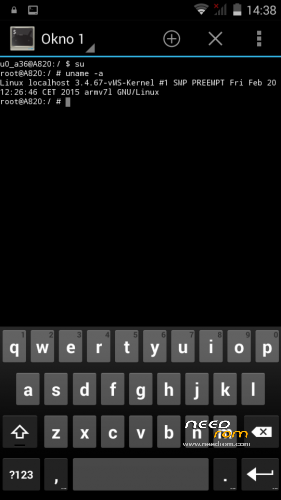
Kernel: build from source
RadioROM: from P780 like in previous vMS ROMs
Root: yes
WARNING!
This is for test only build! It can damage the device if you do something wrong!
What you need:
- Phone, best if it will be the Lenovo A820
- ZIP from this site
- ~250MB free space on SD card (internal/external)
- recovery like TWRP, may be older, but it's good to have a new one like this (CWM is not recomended/tested) https://www.needrom.com/download/twrp-2-8-4-0-themes/
- MAKE A BACKUP OF YOUR FILES! You can use TWRP for it. Select all partition! All!
How to install:
- enter into TWRP recovery
- in advanced wipe option select data, dalvik and cache and erase it. You can wipe secure and system for sure too
- back to install option and select ZIP file
- wait…
- reboot device
OMG I get bootloop! What to do? How to live?
As I said at the beginning… ROM/Kernel may not work on any device… Especially if it is not the Lenovo A820. Sometimes there are problems by replaced display. The first thing you should do then is wipe data/davlik/cache again in recovery – it's sometimes help. You can also use the kernel from the infrared (4pda.ru) because it may contain more fix.
What not work:
- network location (GPS work well)
- root make sometimes the problem with mouuntpoints so be watchful
- if SIM cards not work just try to reenable it in options few times
- tell me in comments…
※Please make a backup of your device before installing or updating ROM

|
When I switch on my phone, it write: Forbit charge, use Lenovo standard battery!
Please add the Ukrainian language.
titanium restore is not working in the beta2 version even by @leetron method
Is it the real KitKat or Jelly Bean?
Seems like awesome job, KK is a need, Jelly bean is shi…
Anyone installed this using CWM?
I have modded version from XDA – 4.1.2 with partition fix (using full 2.7GB internal space) and connected SD card which acts like primary internal datastore => Internal Memory = 32GB Might any of this be a problem?
I just installed this using CWM 6.0.3.0 (and added pa_gapps-modular-mini-4.4.2-20140608-signed.zip), working good so far. Previously I had infrared's Lamba v2.3.5. My partitions are fixed so that I have 2.46GB internal storage, couldn't get the full 2.7GB working for some reason. My real SD card works just as a normal external card, so can't help you with that.
yes its worrking
CWM based Recovery v6.0.1.2
Wiatm
Jak możesz to zrób wersję z google play już żeby była zainstalowana bo wgrywałem chyba z 20 gappsów i nic ciągle coś nie tak nie chce się włączyć
ja wgrywałem Twój system przez CWM based Recovery v6.0.1.2 i wszystko działa
System stabilny nie ma żadnych problemów wszystko działa tylko brak tego google
dobra poradziłem sobie wgrłem slim google i jest super dzięki za androida 4.4
Thank you Mastersanta, that it's a superb job
Jak wgrac to slim google? skad pobrac?
dobra robota!
Wejdz na gorna zakladke tam masz gapps i cos tam jeszcze jest to ostatni plik na 3stronie w nazwie ma slim pamietaj zeby pobrac wersje 4.4.2 pozdro
Dokladnie robuisz tak wchodzisz tu na tej stronie na zakladke gapps &apk&tools&tuto i na samym koncu masz GApps Slimroms wgrywasz tak samo jak rom pamietaj zeby pobrac wersje 4.4.2
i'm using for 24 hours this rom and i didnt see any bug without warning about battery on the restarting screen, thanks for 4.4.2 santa!