
- Title: Lenovo A820 KK
- Listed: February, 2015
- Last modified: 03/25/2015 2:49 am
- Version: Android 4.4.2 AOSP
You must be logged for ROM download.
68960 total views, N/A today
40 Total favorites
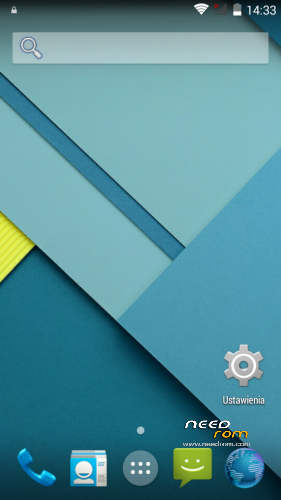
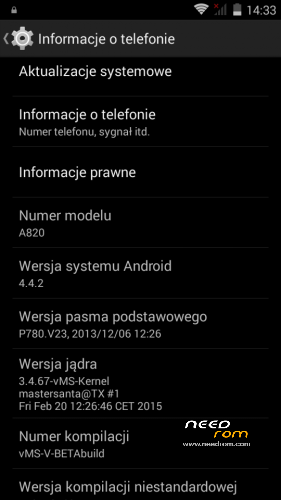
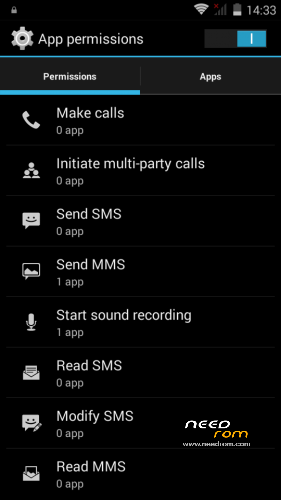
 Member Info
DESCRIPTION
Android: 4.4.2
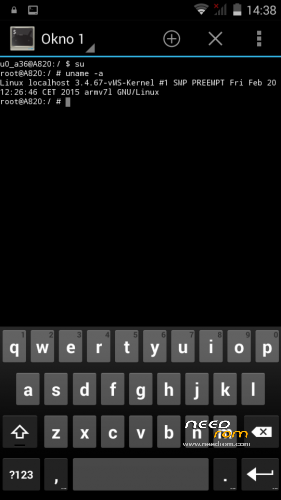
Kernel: build from source
RadioROM: from P780 like in previous vMS ROMs
Root: yes
WARNING!
This is for test only build! It can damage the device if you do something wrong!
What you need:
- Phone, best if it will be the Lenovo A820
- ZIP from this site
- ~250MB free space on SD card (internal/external)
- recovery like TWRP, may be older, but it's good to have a new one like this (CWM is not recomended/tested) https://www.needrom.com/download/twrp-2-8-4-0-themes/
- MAKE A BACKUP OF YOUR FILES! You can use TWRP for it. Select all partition! All!
How to install:
- enter into TWRP recovery
- in advanced wipe option select data, dalvik and cache and erase it. You can wipe secure and system for sure too
- back to install option and select ZIP file
- wait…
- reboot device
OMG I get bootloop! What to do? How to live?
As I said at the beginning… ROM/Kernel may not work on any device… Especially if it is not the Lenovo A820. Sometimes there are problems by replaced display. The first thing you should do then is wipe data/davlik/cache again in recovery – it's sometimes help. You can also use the kernel from the infrared (4pda.ru) because it may contain more fix.
What not work:
- network location (GPS work well)
- root make sometimes the problem with mouuntpoints so be watchful
- if SIM cards not work just try to reenable it in options few times
- tell me in comments…
※Please make a backup of your device before installing or updating ROM

|
Can't restore any program via Titanium backup, the process starts but continues like forever I think this problem with root(already unchecked the thing in supersu).No reboot menu.Dialer without russian characters and the table of numbers isn't open always.I fixed the dialer and reboot menu with xposed installer help but I think it's better do all the things without it.
Change supersu to superuser.
Disable "Mount namespace separation" from SuperSu settings.
Oh, I see you unchecked it. I guess you have rebooted, too.
Disable "Mount namespace separation" , then power off and remove battery, put it back on, power on and titanium backup restore will work.
Or just disable "quick boot" in settings and then reboot.
Hi again,
I can't flash this rom beta3, TWRP returns error: "symlink: some symlinks failed E: Error executing updater binary in zip '/sdcard/vMS-4.4.2-V-beta3.zip'". I tried to flash the beta21 and this flash OK.
Thanks.
! It's my fail… ROM is so big (~615MB) and partition for system is only 600MB in default. You must open ZIP file and remove i.e. GoogleMaps and Youtube apk (/system/apk). Then ROM will be fit into partition without problems :-)
При очистки clean master выдаёт ошибки приложения beta3
Why on earth someone would want CleanMaster on his smarthone?
It is pure malware, better uninstall it.
Diabox,
Uncheck "Zip File Signature verification" before Swipe to flash.
Mastersanta,
Proximity sensor ok. No problem. Tracking to install any improvements you make. They all work well. Thanks!
EN: I've done it, I have already given wipe > advanced in all partitions, rewrote all the stock rom whit SP Flash tool, nothing works.
PT: já fiz isso, já dei wipe > avançado em todas as partições, reescrevi toda a rom stock com SP Flash tool, nada funciona.
Everything seems to be working well with the beta 3. Good job Mastersanta Just a suggestion: if it's possible, icon size would be perfect a littke smaller in the final version.
Many thanks for your job.
removed apps "/system/app", now is all OK, great job mastersanta.
Does it support:
1) USB OTG
2) miracast
3) smart bluetooth low emission
??
Thanks you forma the great work!
Will try it ASAP!
"- if SIM cards not work just try to reenable it in options few times"
How can I do that?
In settings.