
- Title: Lenovo A820 KK
- Listed: February, 2015
- Last modified: 03/25/2015 2:49 am
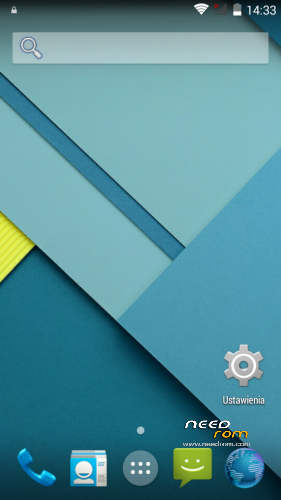
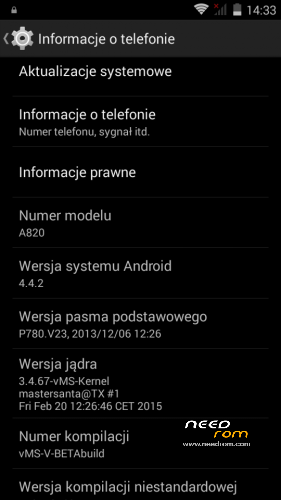
- Version: Android 4.4.2 AOSP
You must be logged for ROM download.
68961 total views, N/A today
40 Total favorites
 Member Info
DESCRIPTION
Android: 4.4.2
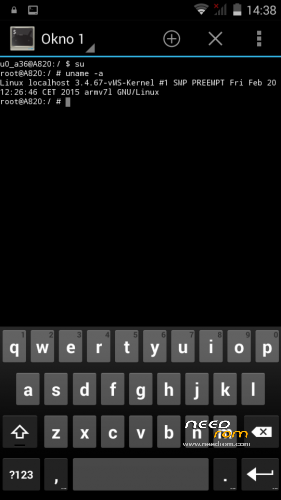
Kernel: build from source
RadioROM: from P780 like in previous vMS ROMs
Root: yes
WARNING!
This is for test only build! It can damage the device if you do something wrong!
What you need:
- Phone, best if it will be the Lenovo A820
- ZIP from this site
- ~250MB free space on SD card (internal/external)
- recovery like TWRP, may be older, but it's good to have a new one like this (CWM is not recomended/tested) https://www.needrom.com/download/twrp-2-8-4-0-themes/
- MAKE A BACKUP OF YOUR FILES! You can use TWRP for it. Select all partition! All!
How to install:
- enter into TWRP recovery
- in advanced wipe option select data, dalvik and cache and erase it. You can wipe secure and system for sure too
- back to install option and select ZIP file
- wait…
- reboot device
OMG I get bootloop! What to do? How to live?
As I said at the beginning… ROM/Kernel may not work on any device… Especially if it is not the Lenovo A820. Sometimes there are problems by replaced display. The first thing you should do then is wipe data/davlik/cache again in recovery – it's sometimes help. You can also use the kernel from the infrared (4pda.ru) because it may contain more fix.
What not work:
- network location (GPS work well)
- root make sometimes the problem with mouuntpoints so be watchful
- if SIM cards not work just try to reenable it in options few times
- tell me in comments…
※Please make a backup of your device before installing or updating ROM

|
seems to have problem with quality of call via BT headset, I can hear somebody clear, but sound from my bt headset is corrupted. no problems on diffrent roms.
Could you fix that problem?
There is no way to set Google account because the GAPPS is missing. I have downloaded the lates version and installed manually but not helps. Something is wronf with this ROM, Sadly
Yes, ROM is without ggaps and is test only for now. But you can download ZIP from XDA (for KK 4.4.2) and its works fine. Maybe check other ZIP/version. I wrote on previous pages what i use and is OK.
http://d-h.st/2abw download this zip and install with recovery, i'm using and there is no problem about gApps:)
Perfect job,it’s beta but work fine.thanks
Nie masz żadnych problemów z Google maps ? Po chwili korzystania wyrzuca, że aplikajca przestała działać.
Installed this KITKAT ROM and so far so good , thank you developer! There is no Croatian language available but I'm ok with english anyway.
I had big problems with restoring applications with Titanium Backup, restore process was hanging at 0%. The solution was to install superuser app by clockworkmod (tried supersu from chainfire and superuser from chainsdd – neither worked). Download superuser.zip from http://www.koushikdutta.com/po.....st/superuser , flash it though recovery and get superuser apk from market by Clockwordmod – after that, Titanium worked flawlessly.
Unfortunately, the link is dead…
Do you mention this app? Play Store link :
https://play.google.com/store/.....dutta.superuser
maybe this is the correct link to directly download:
http://download.clockworkmod.c.....r/superuser.zip
Tell me if I'm wrong.
you just have to disable a setting which says something like "create a different filesystem for some root apps" or something like that, then titanium works with the default one
I have problem with Google Maps. After minute or two app stops working. Did you notice this problem?
Please read OP
What not work:
- network location (GPS work well)
Ok, I "temporarily" fixed the network location bug, but remember this is not a proper way to get location!
little expernation from 4.4.x google used new geo location api , Fused Location provider. Maybe you can get the right location from the newtest google map app from google play store, but 3rd party location service won't work with new fusedlocation.apk.
So I put back 4.2.x's location service "NetworkLocation.apk" from older version gapps from internet, thanks to google :p
Step 1. get NetworkLocation.apk
get the apk from pa_gapps-full-4.2-20130710-signed.zip
https://docs.google.com/file/d.....HlrV0hzRGs/edit
DON'T FLASH IT!!!
just drag the apk to any folder from /system/app/NetworkLocation.apk
Step 2. put it in the right place
copy the apk to your A820's /system/app/
Step 3. this is the most important steps
reboot into recovery and wipe only dalvik cache, then reboot
You're done!
plus one step, set right permission after you put the apk in the folder to rw-r–r–
Could you please tell me how do you copy apk file to /system/app/ on your phone?
I handled copying file but unfortunately this doesn't help with Google Maps issue.
you have to flash supersu or other root app to grant root access then you can set the partition to RW
after the copied, you have to set permission to rw-r–r–, then reboot into recovery wipe just dalvik cache.
Then go to opeion->location-> select bettery saving mode.
I'm trouble. After I reboot device (turn off and turn on, before this everything all right), SIM management on Settings get unable, the phone can't connect to phone network, i've tried reflash rom and gapps, but not success, what wrong? ( before first flash of this rom, I was using cappa72 5.3 rom with data partition to 2.7GB)
Thanks.
This trick with repartition is weak and boring… You change the partition layout without thinking, not known which way, and then crying that something does not work on NORMAL system. @Diabox – do you have copy of NVRAM partition? Restore it. If you dont have NVRAM backup you brick the phone. The good news is that you can use NVRAM from someone else, but then you will have the IMEI and serial numbers of another phone.
I will soon write instructions and give the files to properly repartition the phone. My layout is now: )
)
BOOTIMAGE (Kernel) – from 6MB to 16MB size
RECOVERY - from 6MB to 16MB size
ANDROID (system) - from 600MB to 900MB size
USERDATA (/data partition for apps) – from 680MB to 1150MB size
Kernel and Recovery is for future updates (maybe themed TWRP by infrared). System partition is for crazy people who test VibeOS and other lags-generators from russians. Userdata is for everybody because more apps is better than less apps
There are problems with root and navigation. I know it and I'm trying to fix it.
I have on a file backup: NVRAM.img, but cant find a way to restore it
Как поменять радио модуль, через рекавери не получается