
- Title: Lenovo A820 KK
- Listed: February, 2015
- Last modified: 03/25/2015 2:49 am
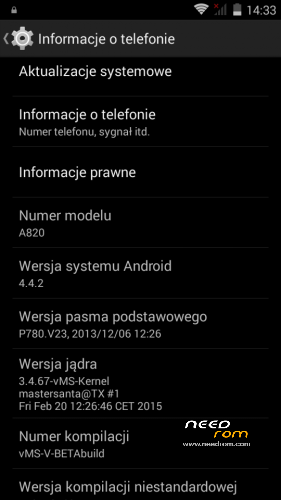
- Version: Android 4.4.2 AOSP
You must be logged for ROM download.
68963 total views, N/A today
40 Total favorites
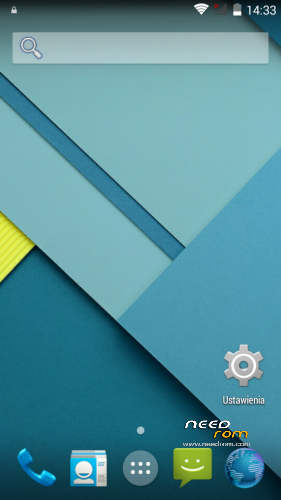
 Member Info
DESCRIPTION
Android: 4.4.2
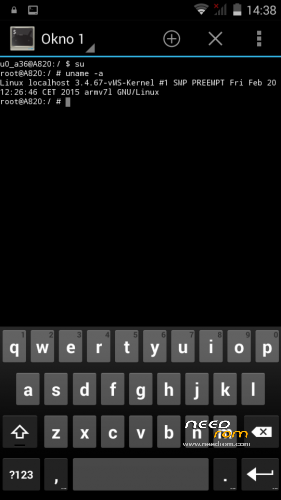
Kernel: build from source
RadioROM: from P780 like in previous vMS ROMs
Root: yes
WARNING!
This is for test only build! It can damage the device if you do something wrong!
What you need:
- Phone, best if it will be the Lenovo A820
- ZIP from this site
- ~250MB free space on SD card (internal/external)
- recovery like TWRP, may be older, but it's good to have a new one like this (CWM is not recomended/tested) https://www.needrom.com/download/twrp-2-8-4-0-themes/
- MAKE A BACKUP OF YOUR FILES! You can use TWRP for it. Select all partition! All!
How to install:
- enter into TWRP recovery
- in advanced wipe option select data, dalvik and cache and erase it. You can wipe secure and system for sure too
- back to install option and select ZIP file
- wait…
- reboot device
OMG I get bootloop! What to do? How to live?
As I said at the beginning… ROM/Kernel may not work on any device… Especially if it is not the Lenovo A820. Sometimes there are problems by replaced display. The first thing you should do then is wipe data/davlik/cache again in recovery – it's sometimes help. You can also use the kernel from the infrared (4pda.ru) because it may contain more fix.
What not work:
- network location (GPS work well)
- root make sometimes the problem with mouuntpoints so be watchful
- if SIM cards not work just try to reenable it in options few times
- tell me in comments…
※Please make a backup of your device before installing or updating ROM

|
CWM: Installation Aborted
TWRP: Failed
any ideas?
Not enough space on device. Remove some apps like Youtube from the zip file (/system/app) or repartition your device.
IT also should have some bigger logs than that. Maybe your downloaded files are broken if it happens with all rom versions.
If it happens with V3 only, then 99.9% it is small system partition.
I have removed some apk. (~30mb) and there was this same problem. I have download this file again. 0 results.
With another roms I don't have any problems
What is your recovery version?
This installer sets selinux metadata and your recovery should support selinux in order to install it successfully.
Cant paste Nvram folder, root problem…
"How to install:
- enter into TWRP recovery
- in advanced wipe option select data, dalvik and cache and erase it. You can wipe secure and system for sure too
- back to install option and select ZIP file
- wait…
- reboot device"
Not work. I tried several times and nothing.The screen shows all the time lenovo logo. Any ideas?
(I`m using rom MS4 , Lenovo a820, TWRP 2.8.4)
somebody help?
seems to install well on my a820 (had to enter access point manually after connect to 3G)
accelerometer / autorotation does not work at all?
This project is dead and forgotten?
Latest version works fine after you delete youtube, maps from zip file and install.
@mastersanta could you post a quick tutorial on how to compile kitkat for a820?
V3 – confirmed function
1) Download
2) Unzip vMS-4.4.2-V-beta3.zip
3) Go to:\system\app\
4) delete youtuba.apk + maps.apk
5) Zip back to: MS-4.4.2-V-beta3.zip
Copy to Phone or SD card and install via TWRP
Enjoy It
Those files are not in the .zip file. And installing fails. Ideas?
Like Samsung I hope you can like me, thanks for transplanting a S6 or note4
Voice speaker is to quiet… On other rom’s are much Lauder