
- Title: Lenovo A820 KK
- Listed: February, 2015
- Last modified: 03/25/2015 2:49 am
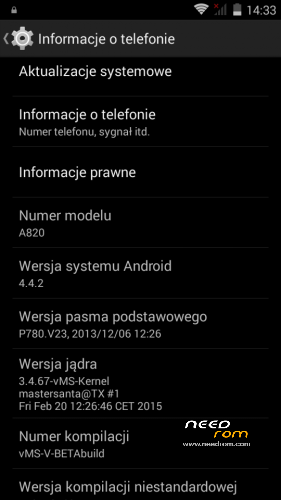
- Version: Android 4.4.2 AOSP
You must be logged for ROM download.
68959 total views, N/A today
40 Total favorites
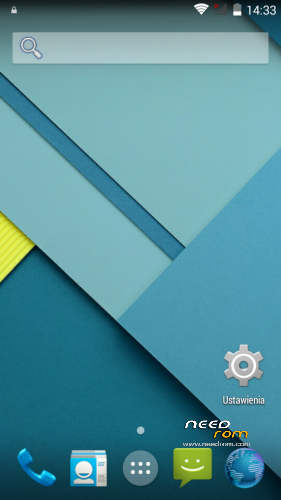
 Member Info
DESCRIPTION
Android: 4.4.2
Kernel: build from source
RadioROM: from P780 like in previous vMS ROMs
Root: yes
WARNING!
This is for test only build! It can damage the device if you do something wrong!
What you need:
- Phone, best if it will be the Lenovo A820
- ZIP from this site
- ~250MB free space on SD card (internal/external)
- recovery like TWRP, may be older, but it's good to have a new one like this (CWM is not recomended/tested) https://www.needrom.com/download/twrp-2-8-4-0-themes/
- MAKE A BACKUP OF YOUR FILES! You can use TWRP for it. Select all partition! All!
How to install:
- enter into TWRP recovery
- in advanced wipe option select data, dalvik and cache and erase it. You can wipe secure and system for sure too
- back to install option and select ZIP file
- wait…
- reboot device
OMG I get bootloop! What to do? How to live?
As I said at the beginning… ROM/Kernel may not work on any device… Especially if it is not the Lenovo A820. Sometimes there are problems by replaced display. The first thing you should do then is wipe data/davlik/cache again in recovery – it's sometimes help. You can also use the kernel from the infrared (4pda.ru) because it may contain more fix.
What not work:
- network location (GPS work well)
- root make sometimes the problem with mouuntpoints so be watchful
- if SIM cards not work just try to reenable it in options few times
- tell me in comments…
※Please make a backup of your device before installing or updating ROM

|
I've been using lamba 2.4.1 with cwm recovery until three days ago, all working fine.
done a backup with cwm recovery, installed twrp, done a backup again with twrp (noticed format was incompatible).
flashed this kk rom, booted device, sim is working.
tried to restore data from twrp backup (the last one) with titanium backup but restored apps force close when opened.
I blamed the internal storage (it returned when flashing the new rom) so I rebooted to twrp and run the disable internal sdcard script.
then maybe I tried factory reset plus restoring data directly from twrp, I don't remember exactly.
rebooted again and sim is not working.
reboot to recovery, restored nvram, no success
full restore of twrp backup of lambda 2.4.1 but sim still not working.
reflashed cwm, trying to restore old backups but they don't work anymore, "tar: short read" errors in logs.
tried to format sdcard, same problem, maybe I could try with a different sdcard but I don't really know what the problem could be.
also engineering mode commands are not working, I push the button but there is no feedback, no toast message appears and after reboot still no imei
Then I think it would be better to:
- Install full stock S139 rom via FlashTool (without formatting nvram), but point recovery to cwm 6.0.3.2
- boot into recovery without booting the rom and try to restore just data from some of the JB backups if the whole rom does not work.
- boot the rom
2nd variant:
- mount sdcard through twrp/cwm on your PC or put in card reader, then open some of the JB backups of data partition with 7zip.
Hopefully the backups are not (completely) damaged.
- copy /data/nvram/md/NVRAM/NVD_IMEI/MP0B_001 to some safe place. You can also copy the unpacked whole nvram block. It is created upon first boot from the nvram block on the emmc.
- install new rom, root it if it is not and replace the file with some root explorer. Permissions are rw-rw—-
Maybe try variant 2 first.
I extracted MP0B001 using variant 2 (already tried variant 1 and restore failed with the tar error) but after doing a diff with the version installed I found out they are the same, not a single bit differ.
I also tried extracting the file from another backup one year old stored in another hard drive, it's always the same file so the problem it's not the MP0B_001 file and maybe isn't even NVRAM related.
Everything else in the phone seems working fine except everything sim related.
the sim card itself it's ok because I tried with another phone.
I'm thinking of giving up and just using the phone as a small tablet, thanks for all the help anyway
So, does it say invalid IMEI where usually you see the operator name?
When you pull down the notification area.
sometimes says "invalid IMEI", sometimes "no service". with sim inserted or not
I remembered running fix permissions on twrp, could it be related? MP0B_001 is -rw-rw—- though
Here's how to correctly set permissions on that file.
- Copy your backup of MP0B_001 to /data/nvram/md/NVRAM/NVD_IMEI/ with ES file explorer or other root browser.
- Set permissions to -rw-rw—– or 660 if you're doing it from shell (chmod 0660 /data/nvram/md/NVRAM/NVD_IMEI/MP0B_001
- Install Terminal emulator, or use adb from your computer
- Type:
adb shell (for adb shell from PC)
su
chown root:nvram /data/nvram/md/NVRAM/NVD_IMEI/MP0B_001
- Reboot phone
Hi qwertyuiop42,
Sorry for my english. Do not worry, you will recover your nvram. I don't think your nvram was corrupted. I hope you still have all your backups. Make sure your sdcard is not corrupted, and copy again your backups inside. Maybe Meteos were installed with internal card disabled ?
Try this, without sim cards and sdcard (no service is because you have no IMEI):
From twrp (the last one 1.1 is ok), wipe dalvik, cache, data, system, internal, if you receive an error message, emmc or storage wipe failed because not mounted for example, wipe again only system or internal alone, maybe after another reboot to recovery until you receive a success message.
Reboot to recovery and restore your old system from twrp: you should recover everything, including your own phone factory data (nvram partition). If not, again wipe everything, and restore an original rom from Lenovo. Verify after system reboot if factory data are recovered: IMEI, phone serial number, etc… Root again, install recovery (last TWRP) and backup, only nvram if you want, just to have a clean one. Do not try to use a nvram from another phone, you must recover your own one from the protected area in your phone.
Good luck,
And again, I want to thank ++++ Infrared, and Mastersanta, for their really nice work.
I flashed the rom on a830 work good, oll de kk port on a830 whit twrp dont work on my device but this rom yes.
Can you do some of this with https://www.needrom.com/downlo.....ernel-2-0-beta/
???????????????????????????????????
i flashed your rom whit Carliv Touch Recovery V2, CWM Base V6.0.4.4
Fail …
Phone a820
it dosent work – instalation aborted (each of version)
Probably incorrect/old recovery.
I used this:
https://www.needrom.com/downlo.....2-8-4-0-themes/