
- Title: Lenovo A820 KK
- Listed: February, 2015
- Last modified: 03/25/2015 2:49 am
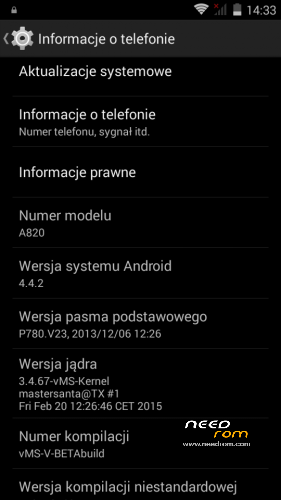
- Version: Android 4.4.2 AOSP
You must be logged for ROM download.
68961 total views, N/A today
40 Total favorites
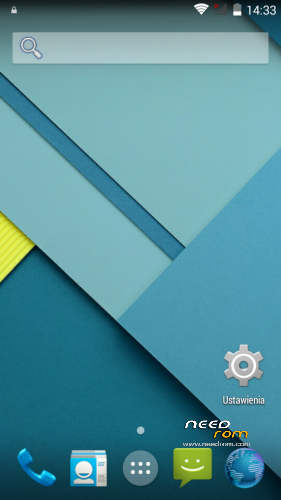
 Member Info
DESCRIPTION
Android: 4.4.2
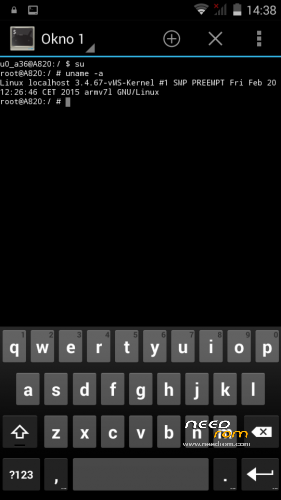
Kernel: build from source
RadioROM: from P780 like in previous vMS ROMs
Root: yes
WARNING!
This is for test only build! It can damage the device if you do something wrong!
What you need:
- Phone, best if it will be the Lenovo A820
- ZIP from this site
- ~250MB free space on SD card (internal/external)
- recovery like TWRP, may be older, but it's good to have a new one like this (CWM is not recomended/tested) https://www.needrom.com/download/twrp-2-8-4-0-themes/
- MAKE A BACKUP OF YOUR FILES! You can use TWRP for it. Select all partition! All!
How to install:
- enter into TWRP recovery
- in advanced wipe option select data, dalvik and cache and erase it. You can wipe secure and system for sure too
- back to install option and select ZIP file
- wait…
- reboot device
OMG I get bootloop! What to do? How to live?
As I said at the beginning… ROM/Kernel may not work on any device… Especially if it is not the Lenovo A820. Sometimes there are problems by replaced display. The first thing you should do then is wipe data/davlik/cache again in recovery – it's sometimes help. You can also use the kernel from the infrared (4pda.ru) because it may contain more fix.
What not work:
- network location (GPS work well)
- root make sometimes the problem with mouuntpoints so be watchful
- if SIM cards not work just try to reenable it in options few times
- tell me in comments…
※Please make a backup of your device before installing or updating ROM

|
But I can't go to manage SIM, it is unclickable (grey).
My exact same problem:
https://www.needrom.com/downlo.....#comment-150401
And the solution:
https://www.needrom.com/downlo.....#comment-150475
Try restore a backup of nvram from TWRP, or if you have a nvram.img of your phone, use this:
http://lenovo-forums.ru/topic/.....68060
"Через терминал на аппарате"
I hope this can help you.
It's strange, but it only happens on repartitioned phones as I understand. Or phones that were repartitioned by a certain method/patch, which appears to be conflicting with the rom. I don't have an explanation though.
For example, I've never lost nvram on my particular A820, no matter if it had been repartiotioned or not.
And believe me, I've flashed my phone hunderds of times with different roms…
I've only lost my IMEI when I did a full format from flash tools, but restored everything with SN Write Tool.
Mastersanta,
In version 3, I noticed a delay to wake up the device through the physical buttons …
I use to wake Gravitybox also the volume buttons …
Taking advantage: anyone know where I could buy a on / off button to replace the A820? In Brazil nobody fixes nothing in it …and mine is almost dead.
Hi, same problem here, sim slots not working and sim management grayed out, twrp restore 4.2 rom and everything working again. Is there way to fix this?
Home button hold time for showing recent programs is very short. Often shows when sigle touched. Please fix that in next version.
I have this problem too.
I have the same problem as you.
I am using the new version of 6 days. In fact, the proximity sensor during a call works perfectly.
I noticed two errors:
- I do not know why, but I can not change the clock widget on the lock screen.
- I can’t also change or add new pictures to contacts.
Maybe it has something to do with the fact that I removed from the ROM (before installation) all the Google apps. Because I prefer ROMs in which they do not
Enable widgets in Settings -> Security. Then on a locked screen slide down until the padlock icon moves to the bottom. Tap and hold the widget to remove, then tap on the + button to add a new one.
Thank you very much Infrared
Widget on the lock screen changed.
From Android 4.4, Google delete the function to sync any broswer to chrome's bookmarks.
As you see, there's a missung option to sync bookmarks in settings->accounts->google->yourgmail@gmail.com
To fix this issue, you have to download this old apk from 4.0 from here "to my google drive" (you can get 4.2's version from internet, too)
and install as normal app, then…tada! you can sync your stock browser's bookmark now.
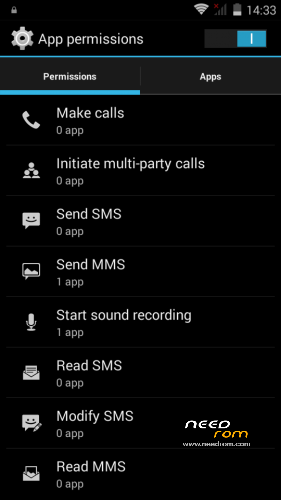
If you're worried aboud the permission, here's the permission list when install.
Good rom but getting into a problem. I installed v2 and everything was fine. I then moved to v3 but that didnt work before because of the sizing issue. I followed mastersantas help to remove the apps and installed v3 but wifi didnt work so i reverted back to v2. However the wifi does not work anymore for v2 and i tried installing different roms with different recoveries by flashing through flashtool and the wifi still does not work. Can someone please tell me what the problem is?
nvm got it working by formatting dalvik and cache a couple of times.
This is amazing! Play CoC? Visit http://clanshelper.com/ – you receive free C-o-C gems instantly! Everybody uses this now! (HKUq5ZyrUO)
Greek language?
yes: ελληνικά