
- Title: MIUI 8 6.11.3
- Listed: July, 2016
- Last modified: 10/23/2016 10:20 pm
- Version: 4.4.2
You must be logged for ROM download.
28361 total views, 2 today
8 Total favorites
 Member Info
DESCRIPTION
>>>>Xiaomi.eu drop'd the support of weekly ROM's for all the Android 4.4 based Xiaomi Phones. They will only release Stable for these Android 4.4 Phones. The Version 6.11.3 will be so far the last real Multilanguage ROM Port. I will port the stable rom as soon as it's been released.<<<<
i present you a port of Xiaomi's MIUI 8 to our Zopo phone (mainly 980/C2).
Base work is made by Vell, a great friend and mentor in case of porting this rom to our Zopo phone.
I will continue his work as far as i can.
I have a Zopo 980 2/32 so i test every port i will release here. And my native language is german, i can speak and write english but for russia i have to use Google Translate, so be prepared 
Original Topic is here.
In case of bug's, Errors, Problems:
Please give me as much Info as possible, my Crystal Ball is not ready yet, still need some parts for it. but still keep in mind, i port this in my free time, and in case of bigger, deeper problems i have to consult others, i don't really have the deep knowlage of Android programming and/or porting. All i know, comes from Vell, his help and his post, where i helped out too, like many of you may know.
Fully Changelog (for detaild MIUI Changelog visit here)
Description of the installation process:
New installation:
1. Make sure again that you have Extended the System to 1.0 Gb.
2. Recommended to install Recovery – TWRP 2.8.0.0 = for С2/980, C3 = = for C7/990 =
3. Make a full backup in Recovery.
4. Copy the archive file of the firmware on the internal or external SD card.
5. In TWRP Recovery do a Factory Reset under the Wipe Section.
6. Necessarily restart Recovery.
7. Install the firmware. The installation process in detail accompanied by a dialog menu and additional information.
8. After the system boots, do not rush to use the phone, give him a lie down for 5+ minutes and wait until boot is completed then test/use it or make a restart.
Update a previous version:
1. Copy the archive file of the firmware on the internal or external SD card.
2. Make a full backup in Recovery.
3. Necessarily restart Recovery.
4. Install the firmware. The installation process in detail accompanied by a dialog menu and additional information.
5. Wipe a Cache / Dalvik cache
6. After the system boots, do not rush to use the phone, give him a lie down for 5+ minutes and wait until boot is completed then test/use it or make a restart.
※Please make a backup of your device before installing or updating ROM
Hello, I don’t have this problem with keyboard in the stock browser. I use the “SwiftKey keyboard”. Maybe this can help !
this rom for xiaomi or brand different..
Hello, this Rom is for Zopo C2 see description. It's a port from Xiaomi to use the MIUI on our Zopo phone.
Dave
Another bug . Sometimes the lock button( physical on the phone) stop to work , and i have to restart the phone .
Does it happen to you? @Dave@NeedRom
Hello Cispo,
i have this bug too sometimes, but it's only if something works on the background. Be paitience, the button works, but with some delay at that moment. But a restart does the job too and it's good to restart the phone from time to time if this is happend.
What kernel did you use?
Dave
Dave … do you know how to load WhatApps at the boot? Because the messages does load only when i open the app manually . I dunno if it's a problem of MIUI or the rom itself . I just don't know where to ask . Thank you in advance
Hello Cispo,
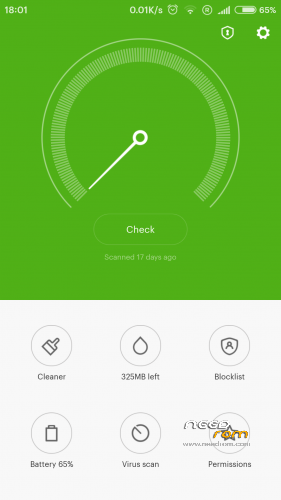
go into the Security App -> right bottom corner "Permissions" -> Autostart, now select the app you wanne Start at boot.
A little hint for the Instant Messangers…exclude them from the power-safe menu: Settings-> Battery&Performance->Manage Apps battery usage-> choose apps-> select app like Whatsapp->no restrictions and select what you need… Do this for all messenger you have.
Dave
Hello Dave,
I have the same problem with this update. The messages does load only when I open WhatsApp. Before this update I didn’t have this problem. I have already set battery&performance like you said, but doesn’t work. Thanks Dave.
Redfox91
let the Messenger "Autostart" at Startup. Security App -> Permissions -> Autostart….
Dave
I have already set the autostart but it doesn’t work sometimes. I’ll see in next days. Thanks Dave!
MIUI8 6.7.28 v55 now released!
[U] Base firmware changed to 6.7.28
[U] Open GApps updatedto pico-20160731
[U] Update kernels by Dreamer7 up to v3.2
v54 will not be realeas'd, due to problems in porting
If some bug appear in v55, remember it's still not a stable release, but so far i could not find any, tested it out and even the Pokémon App run's smooth.
Thanks for the update Dave! The pokemon app runs smooth for me too. With the HD resolution is faster.
Hi Dave!
I have two little problems with this update. The USB connection sound and the camera sound (this problem was present in previous updates) are always on. However, the Rom is perfect! Thanks for your work Dave!
Hi dave !
Sorry for all those question but i need to ask a thing . Can i switch to HD mode without reflashing the whole ROM? Because some games runs very slow , like Pokemon go ( from 5 fps to 15 fps max).
Also do you use the rom with HD or FHD ? ^^ Maybe it's just a my problem.