
- Title: LineageOS 14.1
- Listed: August, 2020
- Last modified: 02/27/2022 5:05 pm
- Version: LineageOS 14.1 R36 20220227
You must be logged for ROM download.
39396 total views, 9 today
1 Total favorites
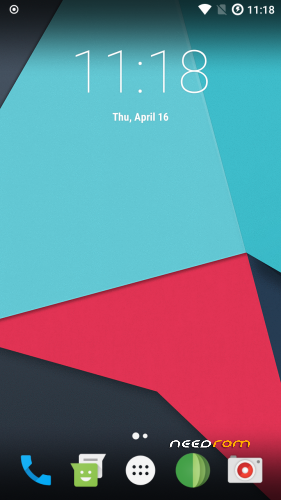
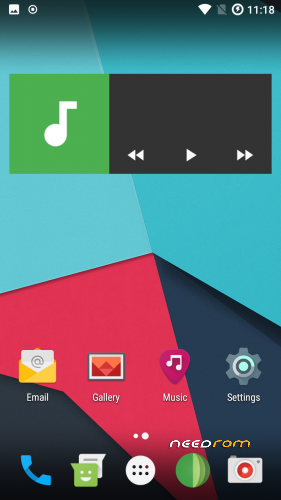
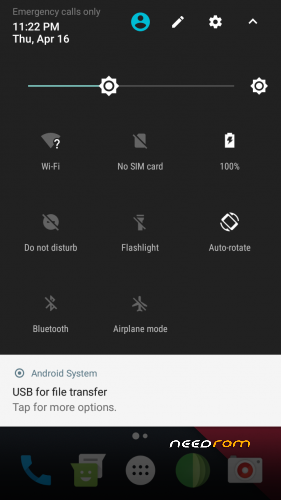
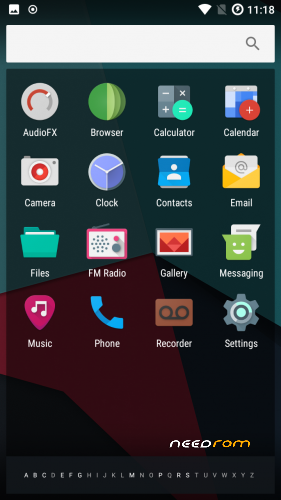
 Member Info
DESCRIPTION
Firmware
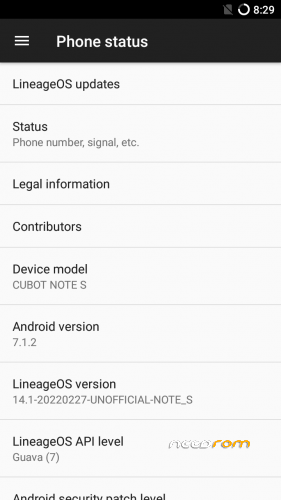
Android-Version: LineageOS 14.1 R36
Build-Version: Build 20220227
Features
- Based on Nougat with LineageOS 14.1
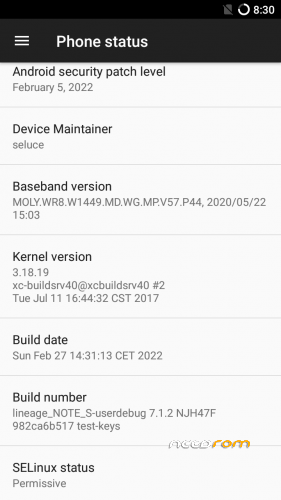
- Security patch level 2022-02-05
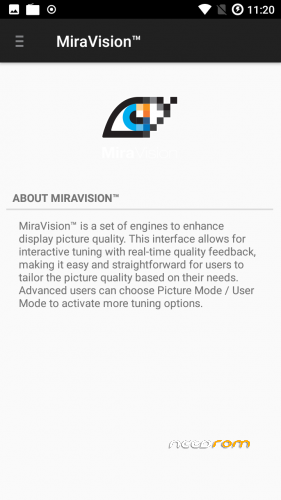
- MiraVision (Settings -> Display -> MiraVision)
How to install the ROM
You have to use my Unoffical TWRP 3.6.1 Recovery to flash your device later. The file in the attachment is zipped and valid for the TWRP Recovery (don't extract the rom zip!)
Please backup NVRAM and IMEI with TWRP BEFORE flash! If you lose your MAC / IMEI after flash, you can restore it in 2 seconds!
First time installing the ROM
Boot into TWRP -> delete Dalvik, Cache, System and Data -> Install the ROM ZIP -> Install GAPPS -> Restart your phone -> thats it!
Upgrade from earlier version
Boot into TWRP -> delete Dalvik, Cache, System -> Install the ROM ZIP -> Install GAPPS -> Restart your phone -> thats it!
Bugs and how you can fix it
- to reduce flickering on apps (only few have this issue), go to: settings -> developer options -> animation duration scale -> animation off
- Video recording inverted color (workarround: any third party camera)
If you like my work
Thanks for your donation if you want to support my work (always latest patches for Note S)
※Please make a backup of your device before installing or updating ROM
i bricked my cubot note s. any way i could get it working again?
It is not possible to brick mt6580 device Let's write in private message.
(Antwort auf https://www.needrom.com/downlo.....#comment-410017)
Hallo!
Es ist ein Jahr später, mein Note S ist auf 14.1-20181219-UNOFFICIAL-NOTE_S (von seluce), und ich würde jetzt gerne die neueste 7.1-Version draufspielen: lineage-14.1-20191224-UNOFFICIAL-NOTE_S.zip.
Dazu habe ich ein paar Fragen:
- Muß ich das installierte TWRP vom letzten Jahr (TWRP 3.2.3-0) auf die neueste Version updaten (TWRP 3.3.1-0) oder kann ich das Update mit der alten Version durchführen?
- Was muß ich genau löschen? Nur Dalvik und Cache? Oder auch System?
- Wenn ich hinterHER die Pico-Gapps installieren will: Die ARM 32bit- oder die 64-bit-Version nehmen?
- Ich habe eine SD-Karte drin, als interne Speichererweiterung mit Apps drauf, kann ich die drinlassen?
Vielen Dank im Voraus!
Viele Grüße,
Sammy
- Muß ich das installierte TWRP vom letzten Jahr (TWRP 3.2.3-0) auf die neueste Version updaten (TWRP 3.3.1-0) oder kann ich das Update mit der alten Version durchführen?
Du kannst die alte Version lassen, wenn du möchtest. Die neue hat nur einige Bugfixes und Änderungen vom offiziellen TWRP
- Was muß ich genau löschen? Nur Dalvik und Cache? Oder auch System?
Nur Dalvik, Cache und System. Data lässt du, dann werden keine Apps / Einstellungen gelöscht.
- Wenn ich hinterHER die Pico-Gapps installieren will: Die ARM 32bit- oder die 64-bit-Version nehmen?
Du solltest sogar nach dem Updaten Gapps installieren. Diese liegen in /system/ und werden beim Update entfernt. Du musst die 32bit nehmen, weil die CPU nur 32bit unterstützt. Nach der ROM-Installation einfach die gewünschte Gapps-ZIP (pico ist immer gut) installieren
- Ich habe eine SD-Karte drin, als interne Speichererweiterung mit Apps drauf, kann ich die drinlassen?
ja, kannst du. Damit passiert eigentlich nichts.
OMG, siehe Screenshot. Und jetzt?
So, jetzt hab ich doch zuerst das neueste TWRP installiert, innerhalb des alten TWRP, in die Recovery-Partition. Hat geklappt. Dann Neustart in die Recovery-Partition. Danach ging die Lineage-zip-Installation ohne Fehler durch. Danach auch die pico-gapps installiert. Scheint alles zu laufen. Meine Nerven…
Kompass funktioniert nicht. Dadurch funktioniert die Navigation nicht richtig. Bei kompass apps kommt die Fehlereldung dass der Sensor nicht erkannt worden ist.
Compass not working. This means that navigation does not work properly. With compass apps you get the error message that the sensor has not been detected.
Nope , doesn't work without custom kernel. tried it for cubot note s but can't find stable driver for the kernel so far.
only found lcm display driver and it was possible to boot up to Android 8. But Charger and many other stufff did not work.
So i left the kernel project and focused now again on stable nougat roms
lineage-14.1-20200329
The compass doesn't work for me either. But that was probably already the case with the last versions.
In fact, the navigation doesn't want to work well.
I rarely need navigation, but it would be nice if it worked properly.
This Phone has no compass sensors.
Version 20200416 will include a lot of critical fixes. Spent some time last days to optimize my device tree for mt6580 3.18.19
- fixed media codec issues / old ffmpeg is dropped now (finally) and mtk and google codecs are now default
- fixed tons of critical errors in background. increased battery life and stable background tasks now
- some minior fixes as well
And also latest security patches are included: 2019-04-05
Great job seluce, great !!!
One question: is it possible to activate the double tap to activate the device?
Double tap on the "home" button to turn off the screen works, while double tap on the touch I can't activate it.
Thanks a lot and congratulations again
Tried to include the double tap to wake feature and spent some time for analyse. But the problem is the feature in cubot smartphones.
They don't use typical dt2w feature like other smartphones. Their feature calls "smart wake" and used a lot of java-integration in frameworks which actually is not public. Tried already some dt2w codes from other devices (which uses some devices pathes) but cubot devices don't have such internal pathes. So unfortunately it's not possible :/
btw. added version 20200418 which contains a new zip layout design and twrp installer.