
- Title: LineageOS 14.1
- Listed: August, 2020
- Last modified: 02/27/2022 5:05 pm
- Version: LineageOS 14.1 R36 20220227
You must be logged for ROM download.
39393 total views, 6 today
1 Total favorites
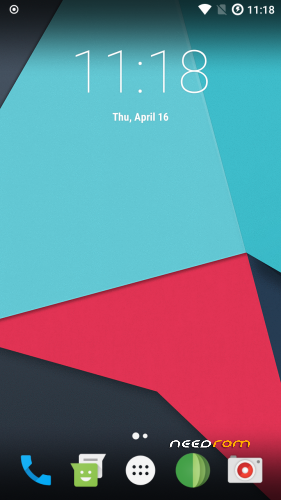
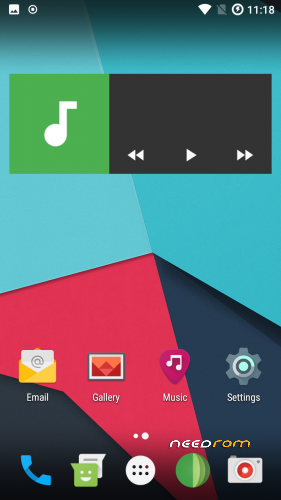
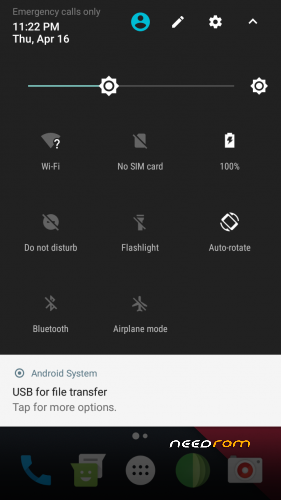
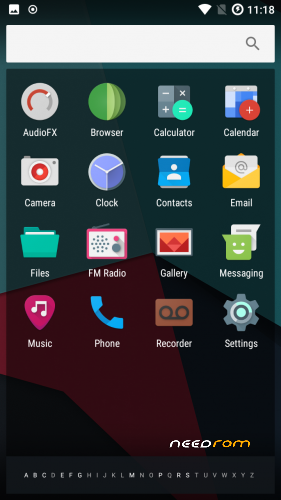

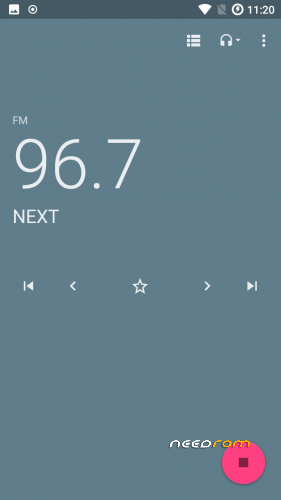
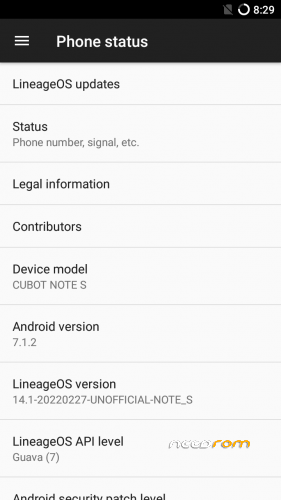
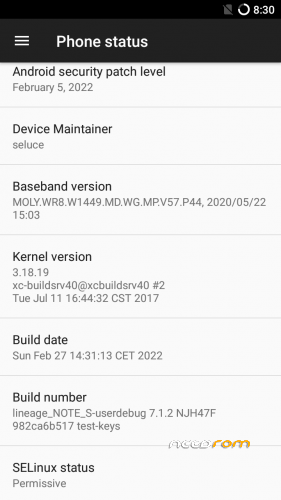
 Member Info
DESCRIPTION
Firmware
Android-Version: LineageOS 14.1 R36
Build-Version: Build 20220227
Features
- Based on Nougat with LineageOS 14.1
- Security patch level 2022-02-05
- MiraVision (Settings -> Display -> MiraVision)
How to install the ROM
You have to use my Unoffical TWRP 3.6.1 Recovery to flash your device later. The file in the attachment is zipped and valid for the TWRP Recovery (don't extract the rom zip!)
Please backup NVRAM and IMEI with TWRP BEFORE flash! If you lose your MAC / IMEI after flash, you can restore it in 2 seconds!
First time installing the ROM
Boot into TWRP -> delete Dalvik, Cache, System and Data -> Install the ROM ZIP -> Install GAPPS -> Restart your phone -> thats it!
Upgrade from earlier version
Boot into TWRP -> delete Dalvik, Cache, System -> Install the ROM ZIP -> Install GAPPS -> Restart your phone -> thats it!
Bugs and how you can fix it
- to reduce flickering on apps (only few have this issue), go to: settings -> developer options -> animation duration scale -> animation off
- Video recording inverted color (workarround: any third party camera)
If you like my work
Thanks for your donation if you want to support my work (always latest patches for Note S)
※Please make a backup of your device before installing or updating ROM
Verstehe ich richtig das es geklappt hat? @Sammy
Kriegst du nun Sat-Fix? Wieviele unter freiem Himmel
Vg
Aber sowas von . Als ich aufgehört hab zu probieren, waren es 9 von 10. Mehr sind wohl im Moment gar nicht da. Neulich hatte ich 0 von 13.
Und die Position scheint zu stimmen.
Wo hast du diese Datei aufgetrieben? Über Google findet man das nicht…
Das freut mich das du Glück hattest vorraussetzung ist aber die sauber aufgesetzten Roms vom Seluce!
Das Chip-Satz sauber funktionieren ist Vorrausetzung und Hauptaufgabe!
Ygps ist ein guter tool früher bauten die Entwickler diese in ihren Roms direkt ein, ich hab Sie aus alten Foren mal heraus gegraben funtioniert bei allen Mtk Chips
Grüsse
BUKAMELON
Ich habe zwar meine ROMS als EOL deklariert (keine bug fixes or feature updates), aber YGPS by default hinzuzufügen ist schnell erledigt
Habe gerade mein Nougat-Tree für YGPS angepasst, sodass diese direkt von source aus mit compilt und in der ROM integriert ist
Github: https://github.com/seluce/andr.....f497c84f825c583
das ist der commit für den device tree und dadurch wird die APK quasi "gebaut" und mit hinzugefügt.
Ich habe einfach mal YGPS in V18 mit hinzugefügt, ohne was neu zu compilen. Ist ja quasi nur eben ROM so anpassen.
Damit ist wohl den meisten geholfen, wenn die GPS-Probleme haben
Achja und danke fürs Lob ^^ Höre ich gerne!
Hallo seluce,
das heißt in zukünftigen Versionen ist YGPS mit drin? Das wäre natürlich schön.
So wie ich es verstanden habe, werden aber bei jedem Update wieder die installierten Apps und eigenen Daten gelöscht? So daß ich das so lange wie möglich hinausschieben werde…
Oder gibt es eine Updatemöglichkeit auf eine neue Sicherheitsversion ohne Datenverlust?
@seluce @Bukamelon
Jetzt habe ich schon dreimal versucht, euch eine Fünf-Sterne-Bewertung zu geben, aber jedesmal fliegt sie wieder raus…
Falls Update geben sollte
Aber man weiss ja nie
Hat Seluce es ja als System-App eingebaut steht oben in seinem Post!
Für dich in Zukunft musst nur neuere Version dieses Roms vom Seluce (quasi als Update) einfach drüber installieren "normalerweise" sollten alle Daten/Apps erhalten bleiben wenn du kein wipe durchführst, man spricht vom Dirty-Flash.
Hab ich einpaarmal praktiziert, denn wer will schon bei jedem Update Private Apps alle neu installieren!
Aber Aber Aber sei gewarnt kann auch mal schief gehen besonders bei GApps und ist den Leuten schon passiert… deshalb falls net klappt ist es zwar ärgerlich kommt aber dann um ein sauberen Flash nicht herum aber hast ja schonmal bei erst installation gemachT
Vtl. VOR dem Einspielen ein komplett Backup mit Twrp machen, damit kannst auch dein z. B. Imei/Nvram sichern um Ärger zu minimieren!
Grüsse
BUKAMELON
Beim Update wipst du kein "data", sondern nur "system", "cache" und "dalvik". Wenn du dann die ROM-Zip einspielst, dann werden deine benutzerdaten erhalten bleiben. z.b EInstellungen, installierte apps, etc. Das landet alles in "data", was bei einem Update nicht gelöscht werden muss.
Aber ja, ob und wie häufig Updates noch kommen werden ist nicht gesagt. Ich mache das seit EOL davon abhängig wie ich Zeit und Lust habe.
Hallo!
Es ist ein Jahr später, mein Note S ist auf 14.1-20181219-UNOFFICIAL-NOTE_S (von seluce), und ich würde jetzt gerne die neueste 7.1-Version draufspielen: lineage-14.1-20191224-UNOFFICIAL-NOTE_S.zip.
Dazu habe ich ein paar Fragen:
- Muß ich das installierte TWRP vom letzten Jahr (TWRP 3.2.3-0) auf die neueste Version updaten (TWRP 3.3.1-0) oder kann ich das Update mit der alten Version durchführen?
- Was muß ich genau löschen? Nur Dalvik und Cache? Oder auch System?
- Wenn ich hinter die Pico-Gapps installieren will: Die ARM 32bit- oder die 64-bit-Version nehmen?
- Ich habe eine SD-Karte drin, als interne Speichererweiterung mit Apps drauf, kann ich die drinlassen?
Vielen Dank im Voraus!
Viele Grüße,
Sammy
Awesome Rom (much appreciated). I have managed to succesfully port Kali nethunter to this Rom by flashing supersu and installing BusyBox (i used Stephen (Stericson)verison) then using the following scripts from within A kali terminal
git clone https://github.com/offensive-s...../kali-nethunter
cd kali-nethunter/nethunter-installer
./bootstrap.sh
python build.py -d oneplus 3 –nougat –nokernel –nobrand (i already had this compiled so i thought why not try. If it worked for me, it should work for you)
Once this is compiled, place the zip file (located in nethunter-installer directory) on your sd card and flash using TWRP
Download "kalifs-armhf-full.tar.xz" from "https://build.nethunter.com/ka...../kalifs-latest/ and place it in the directory storage/emulated/0 (on your phone) then remane it to "kalifs-full.tar.xz"
Launch the nethunter app and grant all permissions
Click on "Kali Chroot Manager" and install chroot from sd card and wait (if prompted you can install metapackages "full" and "nethunter") This takes a while so leave your phone alone and have a coffee or something
Open nethunter terminal and type "apt-get update" then "apt-get upgrade" type "y" to install upgrade (This will take A LONG TIME!!!)
Hopefully this will help someone out
Mad job you're doing,congrats!!
But my phone drains battery so fast after installing the ROM i don't know what's wrong
Great job, I know
I have installed the rom with several dificulties. First was impossible to install TWRP, later I had to upgrade to android 6 just to install, again fail …
After some hours fighting I could install this rom, and later TWRP.
Items to remark:
- Gallery does not recognize "just made" pictures. I installed another gallery ("Simple Gallery").
- Camera Footej has not low resolution settings, it starts with 3MP. I installed "Open Camera", which is not so good, and works fine. And could not upgrade Footej by Google Play (pico gapps).
- As I could not install TWRP before rom, I think I have lost IMEI. Mobile settings show de same imei number for both sims, and are not the ones shown in label behind the battery. But they work, data in SIM1. There is no switch to "on/off" SIMS, just plane mode. ¿Is it normal?.
Abstract: After more than three years, phone is reborn, I'm very glad. Thanks Soluce!!!
(Please only write ENGLISH in commentary)
Adding comments…
I mean that the Gallery app included in Lineage 14 rom is very very slow. But even the new one I use, "Simple Gallery", is also slow. In previous android 5.1 factory rom "Gallery" was very fast, and "Camera" offered panoramic photos, with the arrow in the screen. The SD is the same in both roms, 64GB class I. I notice that the overall speed is equal android 5 to android 7 in my phone.
Thanks in advance!!
Tip: does anyone know any camera app for panoramic pictures that works in our phone?
Tip2: does anyone know any vary simple settings app or widget for sim on/off and wifi-3G on/off?