
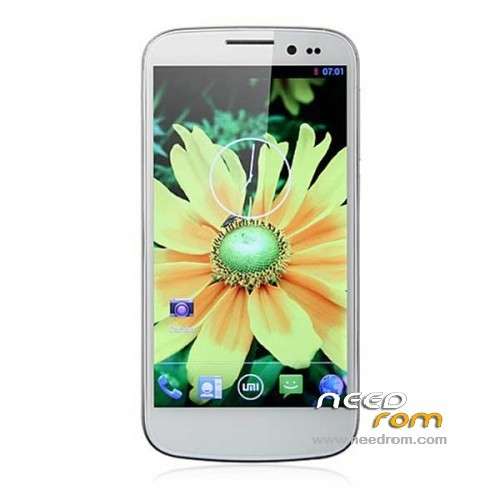
- Title: UMI X2 Based Official for Europe/US
- Listed: July, 2013
- Last modified: 10/22/2013 6:07 pm
- Version: ROM Android 4.2.1
You must be logged for ROM download.
101003 total views, 12 today
36 Total favorites
CUSTOM
 Member Info
DESCRIPTION
UPDATE 22-10-2013:
- New base from official 2013.09.27
INCLUDES GPS IMPROVEMENTS
only English and Chinese language included
———————————————————————————————————————————-
Customizations:
- No bloatware
- No chinese apps/keyboards
- GPS improvements for getting initial lock based on (http://derekgordon.com) for EUROPE and USA, might work in other parts of the world
- Rooted with SuperSU (powered by SuperSU)
Installation:
Update via Recovery (this update will not format your data/apps, only your system will be updated)
※Please make a backup of your device before installing or updating ROM
I would like to know, if possible, the features and improvements that this ROM improves. THANK YOU
Now, I have to confess I'm a total newbie when it comes to flashing roms…. So I followed these instructions to the letter:
1) Download the custom ROM copied to an external SD card root directory
2) Download the recovery.img ( put in your SD card )
3) Start MobileUncle Tools ( Download on Goolge play )
4) Select Update Recovery ( choose recovery.img )
5) Mobile reboot in CWM and and follow the instructions( if recovery is in chinese look tutorial "CWM for MTK Platform" )
In the recovery mode.
– Wipe Data / Factory Reset -> delete all user data
– Wipe Cache Partition -> Wipe cache
– Advanced -> Wipe Dalvik Cache
6) Return to recovery main interface Install zip from sdcard -> choose zip from sdcard -> Select your ROM
7) Flash complete, restart the phone Patience required – first boot takes a while
While I managed to install the new rom, everything I had installted was lost.. I suspected I had to re-sign on my google account (no biggie), but everybody was saying that applications would stay…. which didn't happen. Of course I had a backup made with Titanium, but it took me a while to restore everything.
Since I may want to flash some new rome in the future I'm humbly asking: what did I do wrong???? My recovery image is english, so I'm pretty sure I followed the instructions precisely. What baffles me is… how can I expect to keep my applications if I "Wipe Data / Factory Reset -> delete all user data"????
Please, enlighten me!
Next time when upgrading the ROM, DO NOT Wipe Data / Factory Reset -> delete all user data
All your data & apps will stay. Just upgrading the ROM is enough
THATS ALL
FUNCIONA DE LA LECHE, A MI ME HA ARREGLADO HASTA EL GPS QUE TARDABA UN MONTON EN PILLAR SATELITES.
LO MEJOR QUE HE PROBADO.
LA VERSION UPDATE 12-09-2013
turkey lag
@ Chasepoes
thank you dear, i have the same problem but i cant locate the file. Can you please tell me the full path please?
Cheers
/system/etc/ File is called vold.fstab
Use a file explorer like 'ES File Explorer', go to the root of your device, then enter the folder called 'system' and then enter the folder called 'etc'. In there you'll find the vold.fsatb file.
Be sure to edit on your phone (You can use the editor you get with 'ES File Explorer'), not with a PC.
Is there any way i can increase the internel memory for installation of programs to 5 or 10gb insteed of 1,5gb ? thanx
Does anyone has this problem: (does not regards the rom)
When i connect the phone to the pc or other sources via USB (just for charging) the phone acts strange. It presses and works and open/close menus and everything like someone is touching it ? May it be a launcher conflict because i use 2 and they are both active. thanx
This effect is called "ghosting typing" (фантомные нажатия). Occurs due to interference power. Possible causes: bad cable, bad charger.
Thanks again Chasepoes & panteonv
This one fixed the GPS.
https://www.youtube.com/watch?.....v=ynqKhRSqVpM
@ Chasepoes
Dear friend, can you help me modify the ''vold.fstab'' ? here is how is mine
#######################
## Regular device mount
##
## Format: dev_mount <label> <mount_point> <part> <sysfs_path1…>
## label - Label for the volume
## mount_point - Where the volume will be mounted
## part – Partition # (1 based), or 'auto' for first usable partition.
## <sysfs_path> – List of sysfs paths to source devices
######################
## Example of a standard sdcard mount for the emulator / Dream
# Mounts the first usable partition of the specified device
dev_mount sdcard /storage/sdcard0 emmc@fat /devices/platform/goldfish_mmc.0 /devices/platform/mtk-msdc.0/mmc_host
dev_mount sdcard2 /storage/sdcard1 auto /devices/platform/goldfish_mmc.1 /devices/platform/mtk-msdc.1/mmc_host
## Example of a dual card setup
# dev_mount left_sdcard /mnt/sdcard1 auto /devices/platform/goldfish_mmc.0 /devices/platform/mtk-sd.0/mmc_host/mmc0
# dev_mount right_sdcard /mnt/sdcard2 auto /devices/platform/goldfish_mmc.1 /devices/platform/mtk-sd.2/mmc_host/mmc2
## Example of specifying a specific partition for mounts
# dev_mount sdcard /mnt/sdcard 2 /devices/platform/goldfish_mmc.0 /devices/platform/msm_sdcc.2/mmc_host/mmc1
# usb otg disk
dev_mount usbotg /mnt/usbotg auto /devices/platform/mt_usb /devices/platform/musbfsh_hdrc
——-where can i insert the code please ? can you help me please. Its really anoying that the apps just keep on crashing. Thanx and sorry to everyone for bothering.
Cheers
Change contents of file to this (changes are in highlighted text):
#######################
## Regular device mount
##
## Format: dev_mount <label> <mount_point> <part> <sysfs_path1…>
## label – Label for the volume
## mount_point – Where the volume will be mounted
## part – Partition # (1 based), or 'auto' for first usable partition.
## <sysfs_path> – List of sysfs paths to source devices
######################
## Example of a standard sdcard mount for the emulator / Dream
# Mounts the first usable partition of the specified device
dev_mount sdcard2 /storage/sdcard0 auto /devices/platform/goldfish_mmc.1 /devices/platform/mtk-msdc.1/mmc_host
dev_mount sdcard /storage/sdcard1 emmc@fat /devices/platform/goldfish_mmc.0 /devices/platform/mtk-msdc.0/mmc_host
## Example of a dual card setup
# dev_mount left_sdcard /mnt/sdcard1 auto /devices/platform/goldfish_mmc.0 /devices/platform/mtk-sd.0/mmc_host/mmc0
# dev_mount right_sdcard /mnt/sdcard2 auto /devices/platform/goldfish_mmc.1 /devices/platform/mtk-sd.2/mmc_host/mmc2
## Example of specifying a specific partition for mounts
# dev_mount sdcard /mnt/sdcard 2 /devices/platform/goldfish_mmc.0 /devices/platform/msm_sdcc.2/mmc_host/mmc1
# usb otg disk
dev_mount usbotg /mnt/usbotg auto /devices/platform/mt_usb /devices/platform/musbfsh_hdrc
Make changes on your phone (do not use PC!) and after making the change, shutdown phone, insert sd-card and restart phone. If SD-Card is already inserted, just do a reboot.
After I installed this rum rum before needroom umi s4 mantetik any sensor is broken, but how do I make the setting
How do I setup a corrupted setting does not return to full regular magnetic any sensor