
- Title: SLICK s427 ROW
- Listed: May, 2016
- Last modified: 05/27/2016 4:39 pm
- Version: 6.0
You must be logged for ROM download.
42196 total views, 14 today
419 Total favorites
 Member Info
DESCRIPTION
To everyone thanking me for this rom, you are most welcome!
I really appreciate your comments guyz… You are the fuel to my roms.
Features:
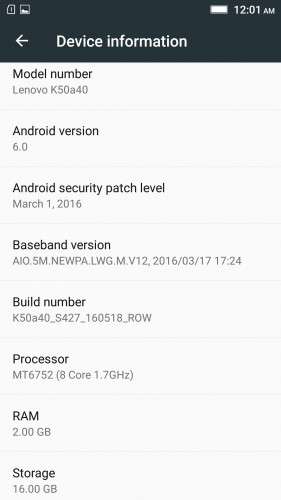
- Fully Based on Official ROM K50a40_S427_160518_ROW
- Debloated
- Rooted
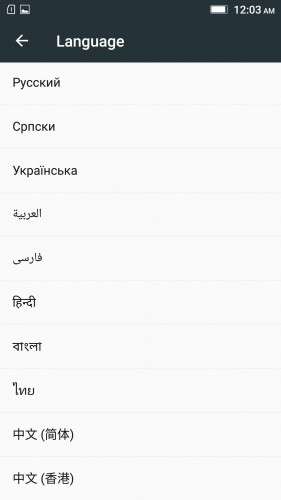
- GAPPS included, Multilanguage
- RAM & Battery usage optimized
Retained features:
- LED Notification works for any notification.
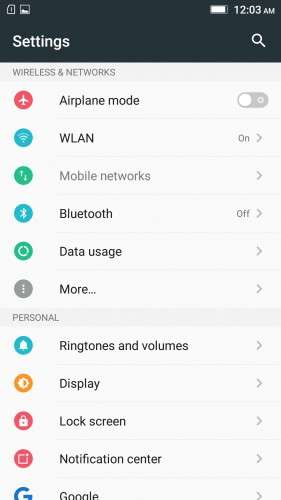
To enable it, go to Settings > Display > LED Notification > Tick "Others"
- Two launcher styles are available by default (VibeUI and Android stock)
To access them, press and hold and empty space on desktop > Preference > Default Launcher
- Pressing and holding the HOME button brings up the "Now on-tap" search, a stock feature of MM
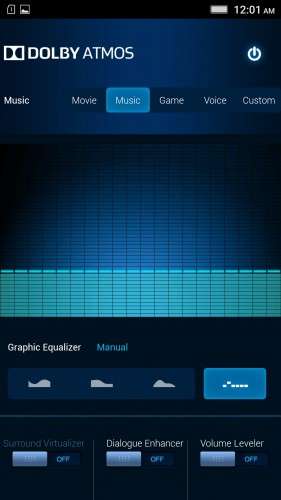
- Dolby Atmos is installed (Not Maxx Audio)
- The default "menu key for Recent Apps" assignment can be changed from settings
- Radio, Camera, Gallery, Dialer etc all Tools are "ROW" apk versions.
NOTE:
* As previous SLICK roms, this is also a TWRP backup by v3.0.0-3, so flash TWRP recovery you don't have it before flashing this rom.
* I have provided the flashable zip file for the TWRP in case you need it. Just install it via your current custom recovery (or via SP Flash Tool).
Installing Instructions:
- Download the rom zip and EXTRACT it
- Copy the folder "TWRP" into INTERNAL MEMORY
- Boot into TWRP Recovery
- Select WIPE > Advanced Wipe > Select "Dalvik cache", "Cache", "System", "Data" partitions > Swipe to confirm
- Go to Restore > Select Storage > Select internal memory > OK
- Select the "SLICK-S427-ROW-SHENGE" Package > Swipe to restore
- Wait till it completes > Reboot system… Done!
(IN SHORT : Wipe, then Restore the backup)
* If you don't know how to flash custom recoveries in K3 note, here is a complete tutorial for you:
Installing custom recovery on K3 Note using SP Flash Tool (COMPLETE TUTORIAL): Click here
※Please make a backup of your device before installing or updating ROM
Hotspot as well as Bluetooth tethering both are not working
Hello, I have an issue that my google play services keep stopping when I use play story or other google apps. In the end, they work but the notifications about play services stopping to work keeps spamming me. Anyone has any idea why? I already tried un-installing updates, re-installing proper version from APK, does not work
flash open gapps arm64, 6.0 , nano —–> opengapps.org
thank you for you r work , i found some problems :
when i try to change ringtone it says " try to solve this problem " , impossible to do it ..
i cant find double tap service
there is a solution for this ? thanks
Hello,
Sorry to sound like a noob but:
Download the rom zip and EXTRACT it
- Copy the folder "TWRP" into INTERNAL MEMORY (i have the folder in internal memory and in sd_card memory) but there is a special folder where to put it? i used the downloads folder?
- Boot into TWRP Recovery done and works perfectly
- Select WIPE > Advanced Wipe > Select "Dalvik cache", "Cache", "System", "Data" partitions > Swipe to confirm i did this and it worked without a single error
- Go to Restore > Select Storage > Select internal memory > OK i'm doing this -> i'm selecting the internal memory but nothing happenes here!!! i dont get any folders or anything???? but when i go on install options i can see that the folder structure is there??!!
- Select the "SLICK-S427-ROW-SHENGE" Package > Swipe to restore also here i'm unable to access it through " Go to Restore > Select Storage > Select internal memory " because the step above dosen't retrieves me anything
- Wait till it completes > Reboot system… Done!
Can you please help me? or can you give me some indications?
And of course thak you a lot in advance!
Sorry for my ignorance, can I just flash it over another custom rom or I should install something from SLIM and then this update?
thanx
It works like charm!
Thank you, Shenge
Thanks for this great rom…….Shenge
But one thing….
How can i install classic internet browser (earth widget)???
Any apk to download??
Can you help me?
Thanks a lot Shenge…
Great ROM, very stable. Well done, my friend!
However, how can I have more than 5 notification icons on the left side of the status bar? Right now, if it's more than 5 apps having notifications, a "group" (3 vertical dots) displays requiring to pull down to see the rest of the notifications. Not very convenient. Anyway to at least INCREASE the # of notification icons limit?
Thanks.
why does my battery easyly get drained and my sim does not detects
Five stars Rom Shenge!! The best I've used untill date. Thank you so much.
I'm trying to create a flasheable .zip file but can't find the META file for the process. Could anyone help me?
G.