
- Title: SLICK s427 ROW
- Listed: May, 2016
- Last modified: 05/27/2016 4:39 pm
- Version: 6.0
You must be logged for ROM download.
42185 total views, 3 today
419 Total favorites
 Member Info
DESCRIPTION
To everyone thanking me for this rom, you are most welcome!
I really appreciate your comments guyz… You are the fuel to my roms.
Features:
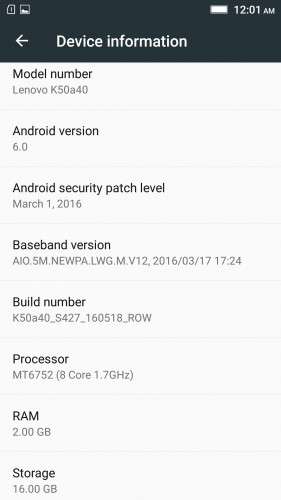
- Fully Based on Official ROM K50a40_S427_160518_ROW
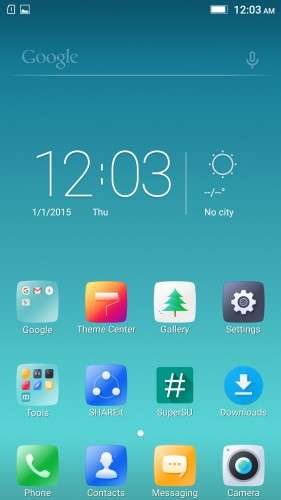
- Debloated
- Rooted
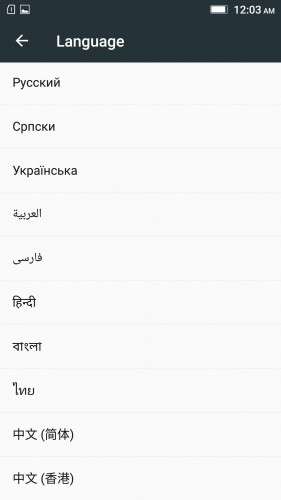
- GAPPS included, Multilanguage
- RAM & Battery usage optimized
Retained features:
- LED Notification works for any notification.
To enable it, go to Settings > Display > LED Notification > Tick "Others"
- Two launcher styles are available by default (VibeUI and Android stock)
To access them, press and hold and empty space on desktop > Preference > Default Launcher
- Pressing and holding the HOME button brings up the "Now on-tap" search, a stock feature of MM
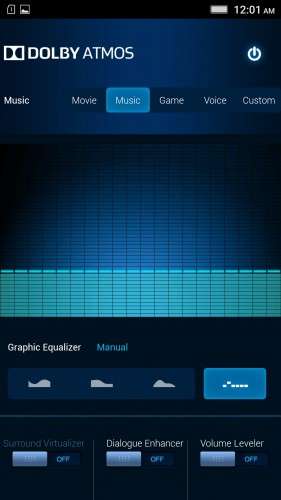
- Dolby Atmos is installed (Not Maxx Audio)
- The default "menu key for Recent Apps" assignment can be changed from settings
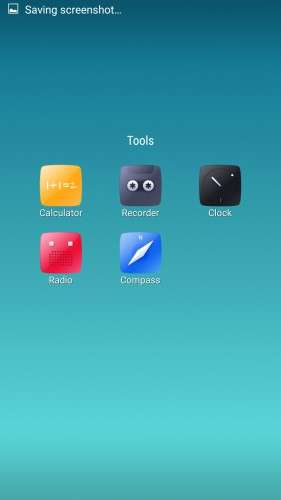
- Radio, Camera, Gallery, Dialer etc all Tools are "ROW" apk versions.
NOTE:
* As previous SLICK roms, this is also a TWRP backup by v3.0.0-3, so flash TWRP recovery you don't have it before flashing this rom.
* I have provided the flashable zip file for the TWRP in case you need it. Just install it via your current custom recovery (or via SP Flash Tool).
Installing Instructions:
- Download the rom zip and EXTRACT it
- Copy the folder "TWRP" into INTERNAL MEMORY
- Boot into TWRP Recovery
- Select WIPE > Advanced Wipe > Select "Dalvik cache", "Cache", "System", "Data" partitions > Swipe to confirm
- Go to Restore > Select Storage > Select internal memory > OK
- Select the "SLICK-S427-ROW-SHENGE" Package > Swipe to restore
- Wait till it completes > Reboot system… Done!
(IN SHORT : Wipe, then Restore the backup)
* If you don't know how to flash custom recoveries in K3 note, here is a complete tutorial for you:
Installing custom recovery on K3 Note using SP Flash Tool (COMPLETE TUTORIAL): Click here
※Please make a backup of your device before installing or updating ROM
i tried to re-flash this rom again, but wifi is still way too slow. have to go back to 1621 for the timing being.
Fixing the wifi nvram error fixes this problem. Have you followed the fix?
try cuoco92 vibeui 3.5 1621 rom (rooted…..) flash by twrp 3.0.0.
https://www.facebook.com/cuoco.....92/
#LENOVO #K3 #NOTE #MARSHMALLOW #1621
#DOWNLOAD
https://www.androidfilehost.co.....566454284190928
- Multilanguage firmware
- Rooted and Gapps
- Init.d support
- LSpeed
- Some UI arrangements
- more..
Hello hellokitty,
It would be a general courtesy to stop advertising like this shamelessly on my rom's comment section.
stonehenge, do you mean that re-store the nvram will fix the 'slow' wifi issue?
Yes. I meant that
I tried the fix looks OK. But doesn't enable 5ghz WiFi
I have Slick 424. Can I dirty flash 427 over 424?
Yes you can.
link die ?
Nope. Link is working.
Hi just a question, I'm used to flash rom in zip format. When I extracted your rar file it became a folder and subfolders finishing in a number of files .win / .win000 / etc,,,
How is that flashed?
Sorry if the question is stupid.
Thanks in advance
Extract the folder. Place it in your backup folder. Then go to your custom recovery, wipe all apart SD card. Then go to restore and select the folder you extracted
Hi pacomiko,
There is already instructions on how to install this, posted below the rom, in the description. Please read them.
Hi Shenge. Thank you for this great ROM. Everything is working perfectly. I just have one question: would it be possible to update the camera to the 5.8 version?.
Yes it is possible, but as the 5.8 version camera isn’t meant for this k3 note device, the functions of the camera app won’t work properly.
Shenge bro
This rom is superb bro
No lags even ram free is 800 mb or less
Games are playing nice
Battery is nice
Thanks for rom bro
I wish u to give some more roms like this for k3
Thanks for the positive feedback! I hope i will continue making slick roms, too!
And bro games are running so smooth
I played asphalt 8 and assassin creed identity both games are really superb
Really bro
I want new rom from u soon
Waiting for it
Thanks for rom
so slow performance
Performance depends on how you load the system.
after installing google apps (like maps and other apps i need) and moved them into system. the system storage now has less than 100mb free space. when i had the other rom i had more than 1 gb free and all apps were in the system. hows possible??