
- Title: SLICK s427 ROW
- Listed: May, 2016
- Last modified: 05/27/2016 4:39 pm
- Version: 6.0
You must be logged for ROM download.
42186 total views, 4 today
419 Total favorites
 Member Info
DESCRIPTION
To everyone thanking me for this rom, you are most welcome!
I really appreciate your comments guyz… You are the fuel to my roms.
Features:
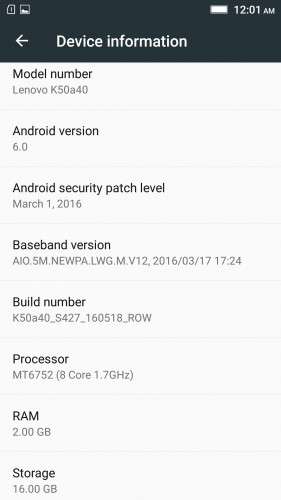
- Fully Based on Official ROM K50a40_S427_160518_ROW
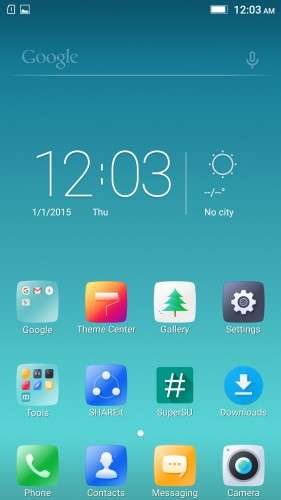
- Debloated
- Rooted
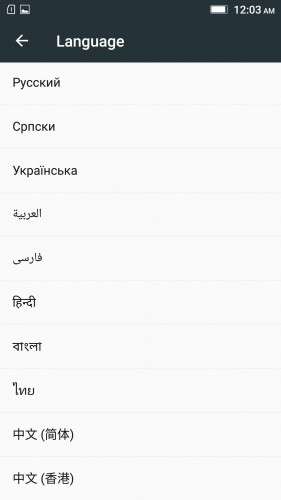
- GAPPS included, Multilanguage
- RAM & Battery usage optimized
Retained features:
- LED Notification works for any notification.
To enable it, go to Settings > Display > LED Notification > Tick "Others"
- Two launcher styles are available by default (VibeUI and Android stock)
To access them, press and hold and empty space on desktop > Preference > Default Launcher
- Pressing and holding the HOME button brings up the "Now on-tap" search, a stock feature of MM
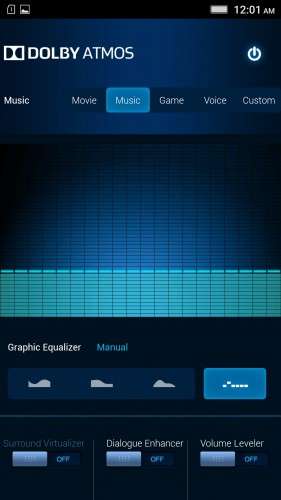
- Dolby Atmos is installed (Not Maxx Audio)
- The default "menu key for Recent Apps" assignment can be changed from settings
- Radio, Camera, Gallery, Dialer etc all Tools are "ROW" apk versions.
NOTE:
* As previous SLICK roms, this is also a TWRP backup by v3.0.0-3, so flash TWRP recovery you don't have it before flashing this rom.
* I have provided the flashable zip file for the TWRP in case you need it. Just install it via your current custom recovery (or via SP Flash Tool).
Installing Instructions:
- Download the rom zip and EXTRACT it
- Copy the folder "TWRP" into INTERNAL MEMORY
- Boot into TWRP Recovery
- Select WIPE > Advanced Wipe > Select "Dalvik cache", "Cache", "System", "Data" partitions > Swipe to confirm
- Go to Restore > Select Storage > Select internal memory > OK
- Select the "SLICK-S427-ROW-SHENGE" Package > Swipe to restore
- Wait till it completes > Reboot system… Done!
(IN SHORT : Wipe, then Restore the backup)
* If you don't know how to flash custom recoveries in K3 note, here is a complete tutorial for you:
Installing custom recovery on K3 Note using SP Flash Tool (COMPLETE TUTORIAL): Click here
※Please make a backup of your device before installing or updating ROM
OMGGGGGGGGGG!! :-O
what's wrong with overheat?my phone with this rom is οn FIRE!
Don't "dirty flash".
Wipe first.
Read the instructions carefully.
can i download official 13 mb update of s427 over slick s424??
Nope.
Many thanks… Good Smooth rom so far… only i've noticed is while charging if the battery is full LED notif do not turns to green, it just turn off.
Yes it's a change on the official update. They think it works better this way for some reason…
Please give direct google drive link…
Here
https://drive.google.com/file/.....XhobHI4NDA/view
Take a bow Shenge. Great Rom, Great Work. Thank you.
I'm having a weird bug in Google Play Music – I can't jump back or forward on tracks. I can move the time slider, but nothing happens – it just continues playing.
Best Rom Thank You
There is a battery bug with this rom. Looks like WiFi is the issue. My WiFi is turned off, but WiFi has caused 61.8% of my battery drain!
Thanks for this cool ROM.can you please give another link for the download of the ROM and twrp? Cos I was unable to download through the one u provides at the top. Thanks.
Here you go
https://drive.google.com/file/.....XhobHI4NDA/view
I start with the SPFlashTool and the only option checked is Recovery. So I plug in my phone and wait the process to start but it doesn't! What's the problem? Do I have to check any other options besides Recovery? Thanks!
SPFlashTool?!
This is NOT a stock rom, so why would you flash it via SP Flash Tool? Read the instructions…
And if you talking about flashing recovery, (from the link i posted under the description) there is also detailed instructions on how to do that. So, again, read the instructions.