
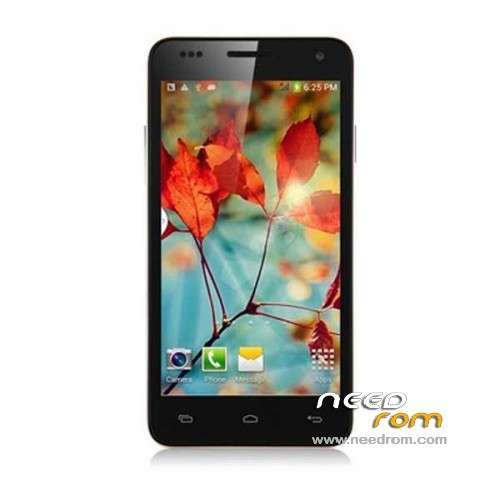
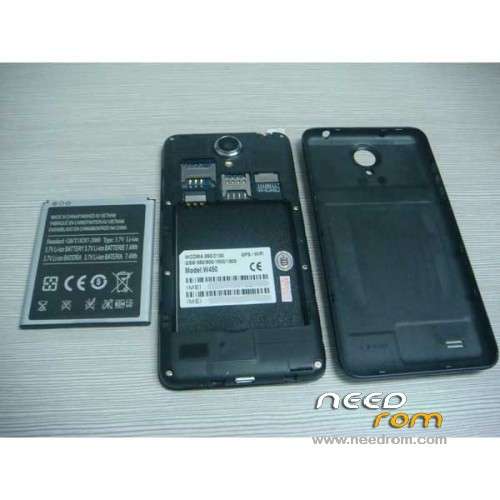
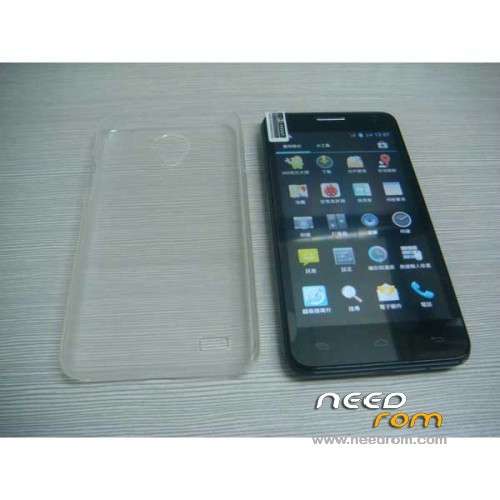
- Title: STAR W450
- Listed: November, 2013
- Last modified: 09/19/2014 3:05 am
- Version: ROM Android 4.2.2
You must be logged for ROM download.
111892 total views, 6 today
10 Total favorites
 Member Info
DESCRIPTION
ROM Mobile STAR W450 – ROM Android 4.2.2
Update Official W450 version: ALPS.JB5.MP.V1.11_android_4x_wet_jb5_07232014 ( I don't know the changelog )
——————————————————————————————————————————-
Update Official W450 version: ALPS.JB5.MP.V1.11_android_4x_wet_jb5_04262014 ( I don't know the changelog )
——————————————————————————————————————————-
Update Official W450 version: ALPS.JB5.MP.V1.11_android_4x_wet_jb5_12122013 ( I don't know the changelog )
——————————————————————————————————————————-
add same ROM but Rooted
Update Official W450 version: ALPS.JB5.MP.V1.11_android_4x_wet_jb5_11152013 ( I don't know the changelog )
——————————————————————————————————————————-
add same ROM but Rooted
Official STAR W450 version: ALPS.JB5.MP.V1.11_android_4x_wet_jb5_11072013
MTK6582M(1.3G) 4.5 IPS.FWVGA(854*480) 1Gram 4Grom dual sim
Gapps include - No Rooted
Language support : Multilang
Install ROM :
- Unpack FlashTools, and Click on Flash_tool.exe
- Select a the MT6582_Android_scatter_emmc.txt in ROM
- Wait file to be added into Flash Tool
- choose Option->USB Model,click USB Model
–> Choose Option->DA DownLoad All->Speed->High Speed, click High Speed
- Turn off your phone, remove the battery.
- "Press F9 (hit Download button)" OR " if upgrade ROM Firmware->Upgrade "
- and connect your phone into the computer via USB data cable.
- The process will start and a red progress bar will appear after color purple, yellow.
- And green circles display
- Finish !
- You can now safely disconnect your phone and turn it on.
※Please make a backup of your device before installing or updating ROM
The antenna is made of thin coaxial cable (without insulation and central conductor) or a thin copper sheet.
I made this antena and have good signal. See photos.180 degree view of sky. (Adresse down)
To find satellites quickly, download on google play "MT GPS", install and enjoy.
If you check "A GPS" and you have WiFi or internet access over SIM you fix satelits i 10 second, Whitout "A GPS" you fix it in 2-3 minuts.
http://forum.xda-developers.co......php?p=52952608
Hi, i have a problem with starW450 the screen and failure at some points,
the assistance of mixeshop told me to change rom pointing to this site
you may cancel this flaw with this rom?
Hey guys,
Just an update.
I had the touchscreen bug (Post on page 10)
Problem is 100% hardware, no software or app can fix it.
I purchased a replacment digitizer from aliexpress. It cost about $20. Took about three weeks to arrive (China – Ireland)
I replaced it myself. The phone works perfect right now.
Will update it the problem returns.
@that1guy2010 Please give tutorial on how you replaced the digitizer yourself and the the link to purchace on Aliexpress. Thanks
The seller I bought from has sold out.
But if you search "w450 screen" on aliexpress.com you will find a lot of them. Try to buy one with the free tools included as a gift. You will need them to do the job if you dont already have a precision tool set and prying tools.
Also the model number for the digitizer is"CP04181 – V1.0 2013-09-11" It will be printed on the flex cable attached to the top of the digitizer.
As for the tutorial, I planned on making a video of the screen replacement when I was doing it, but my camera wouldn't work. So here goes.
You will need:
T5 screwdriver,
T6 screwdriver,
plastic prying tools,
Suction sucker tool,
Heat gun or hair dryer,
Credit card,
Tweezers,
And a lot of patience.
Turn off phone
Remove back case
Remove Sim and SD cards
Remove the 8 screws. Please note that one of the screws will have a white sticker on top. That is your warranty. Remove that screw and it voids your warranty. You have been warned!
Now pop up the black plastic frame. Do this with one of the plastic pry tools. Start at the bottom of the phone. There are two small gaps either side which will get you started.
Once the plastic frame is removed you should be able to see two motherboards. The main one at the top (held in by two screws) and the small one at the bottom (held in with one screw.) Please note I didn't remove the bottom motherboard, only the top one.
Before you remove the two screws holding in the top motherboard, you have to disconnect some flex cables.
4 from memory, I think? You can easily unhook them with either a plastic pry tool or your finger nail.
All but one of them will have a small white bar across the middle where they attach to the motherboard. Flick up (softly) that white bar and that will release the flex cable. The digitizer flex cable will have a black bar.
Where the flex cables are: Battery flex is beside the volume buttons. Digitizer flex is beside the power/sleep button. CPU flex is just below the Digitizer. And the Camera flex is close to the front camera. Unhook all of them.
You then should be able to remove the front facing camera.
Also unhook the aerial cable. Its the long cable that runs down the side of your phone. Unhook it from the bottom motherboard. Not from the top motherboard. Mine was stuck in there pretty tight. I had to use finger nails and the plastic pry to get it out. Be careful not to damage it.
Okay, now you have to unglue the volume and power buttons from the side of your phone. Use a flat screwdriver to wedge in between the buttons and the frame of the phone. Do it slowly and gently. Start at the sides and work towards the middle. They should then just fold up.
Now unscrew the 2 screws holding down the top motherboard. Then slowly lift out the board. Again please note that I didn't remove the bottom motherboard, you can if you want but I didnt find it necessary.
Place the motherboard to one side and now you are ready to remove the digitizer from the phone.
Use the hair dryer to melt the glue holding the digitizer to the lcd screen. If you didn't remove the bottom motherboard, then dont use to hair dry too much near the bottom of the screen because the heat will kill the motherboard. Concentrate on the top of the screen.
Once you have warmed up the screen, stick a screwdriver through the front camera hole (from the back of the phone) and try to push the digitizer up from the phone. This may take some time. Use the suction tool and the pry tool. You have to use a lot of force here. When you get a small gap between the digitizer and the phone, put a credit card or something similar in that gap to keep it open. Then use the plastic pry tools to work around the edge of the phone, poping more of it up each time. You may have to heat up the glue a few times before you finally get it off.
After you get the old (shitty) digitizer off. You will need to clean the LCD screen with a microfiber cloth and some alcohol. Get it nice and clean and remove as much dust from the screen as you can.
Then attach the new digitizer. If you want you can put down small strips of double sided sticky tape around the edges, but I didn't bother doing that. For me, there was enough of the glue left over from the old digitizer. But its your choice.
Remove the protective film from the new digitizer. Remember to slide the flex cable through first before aligning and attaching the new digitizer. Press down on the digitizer making sure its level and in good contact all round.
Then reattach the aerial and all the flex cables. My phone wouldn't work at first because I didn't attach the battery flex properly. Take your time when reconnecting them, because it sucks to open up your phone again to see what the problem is.
Everything back together? Then screw down the motherboard with the two screws. Replace the plastic frame, put in the battery and test your phone. If its all good then put back in the 8 screws and, pop on the back case and pray that the new digitizer isn't a faulty one like the old one
The whole thing took me about 1.5 hours, but then again I was learning as I went. And I didn't have this blueprint.
Also watch some videos on youtube about other phones being disassembled, because all phone are basically the same.
Good luck, and if you have any questions you can PM me.
Thank you very much for this detailed screen replacement tutorial. I wiill be buy a new screen soon. I will let you know how it all goes.
Thanks again.
this is not working. no effects, nothing happends in flash tool when i connect my w450 and "start" download :S
You have to install VCOM driver on PC…
Hi
someone can help me? I don't understand about rom, my w450 is with version android 4.2.2
Version base of data
MOLY.R8.W1315.MD.WG.MP.V15.P11
Version Kernel
3.4.5
Number Version
ALPS.JB5.MP.V1.11
Have a new rom to my phone?
I have a problem actually of the i cant use the camera, appear the message> Cannot connect to camera, if i update the rom fix this problem?
Sorry about my english
Installed firmware with kernel made on 07232014. Battery usage have decreased in stand by comparing with 04262014, which seems to have some wakelocks.
Hi people.
I just bought a w450 from a guy. In two days the touch screen stopped working. The phone is not rooted. I tried to communicate with the phone via ADB but it always says error:closed.
How can I install new firmare, or rom (I am a total newbie in this) or MIUI…. So I can fixt the issue. It is a powerful piece of hardware and yet it has a touch sreen bug.
Any help and advice will be greatly appreciated.
Thank you in advance.
Thx for the rom! last rom works great!
Hi
i did format with the tool
i know it was my fault!!
I was clicking to fast.
Now my phone can get or send no more calls!
Can you help me??
Thanks a lot