
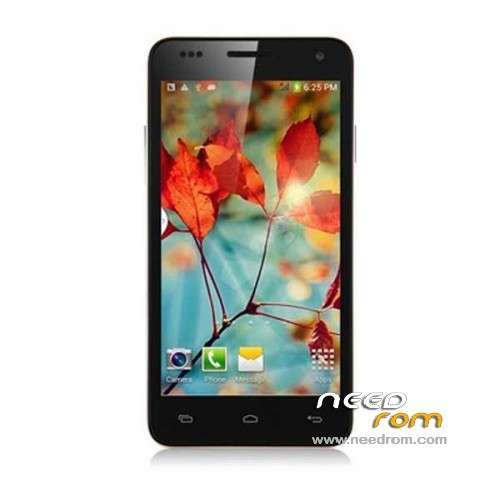
- Title: STAR W450
- Listed: November, 2013
- Last modified: 09/19/2014 3:05 am
- Version: ROM Android 4.2.2
You must be logged for ROM download.
111888 total views, 2 today
10 Total favorites
 Member Info
DESCRIPTION
ROM Mobile STAR W450 – ROM Android 4.2.2
Update Official W450 version: ALPS.JB5.MP.V1.11_android_4x_wet_jb5_07232014 ( I don't know the changelog )
——————————————————————————————————————————-
Update Official W450 version: ALPS.JB5.MP.V1.11_android_4x_wet_jb5_04262014 ( I don't know the changelog )
——————————————————————————————————————————-
Update Official W450 version: ALPS.JB5.MP.V1.11_android_4x_wet_jb5_12122013 ( I don't know the changelog )
——————————————————————————————————————————-
add same ROM but Rooted
Update Official W450 version: ALPS.JB5.MP.V1.11_android_4x_wet_jb5_11152013 ( I don't know the changelog )
——————————————————————————————————————————-
add same ROM but Rooted
Official STAR W450 version: ALPS.JB5.MP.V1.11_android_4x_wet_jb5_11072013
MTK6582M(1.3G) 4.5 IPS.FWVGA(854*480) 1Gram 4Grom dual sim
Gapps include - No Rooted
Language support : Multilang
Install ROM :
- Unpack FlashTools, and Click on Flash_tool.exe
- Select a the MT6582_Android_scatter_emmc.txt in ROM
- Wait file to be added into Flash Tool
- choose Option->USB Model,click USB Model
–> Choose Option->DA DownLoad All->Speed->High Speed, click High Speed
- Turn off your phone, remove the battery.
- "Press F9 (hit Download button)" OR " if upgrade ROM Firmware->Upgrade "
- and connect your phone into the computer via USB data cable.
- The process will start and a red progress bar will appear after color purple, yellow.
- And green circles display
- Finish !
- You can now safely disconnect your phone and turn it on.
※Please make a backup of your device before installing or updating ROM
Holy crap….! My phone is made in november. But would they really have changed the hardware? Hope not!
if I use this rom, will I have to install STAR450 Rooted first, and then Update 11-5 rooted? Or is the update a full install too?
Ok I went for a car ride. I put my w450 under my windshield and within half an hour he found and fixed serveral sattelites. Now I'm trying to get a fix standing in my home at a window. every now and then he "sees" a sattelite but then it disapears again.
Tried the same thing today, now it was cloudy and noting showed.
The same for me, got the "p2" version, but gps not working.
I made it working, at unboxing first (after 45 min of waiting on GPS status app).
Then I never worked again until this morning (meanwhile I changed the gps.conf files, activated epo etc etc).
Since this morning it doesn't work at all but it is very cloudy outdoor.
Hi ,
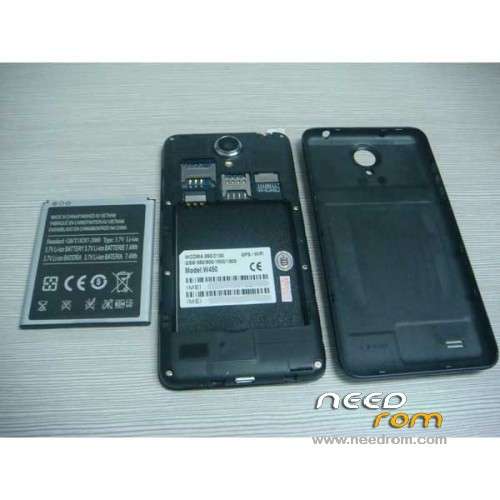
I think I have the same issue with my W450 but in my case the problem isn't the smartphone itself but the rear cover that isn't made with the proper material.
After removing it without rooting or replacing any software I got the fix in less than 30 sec, before no signal at all !!
Good luck
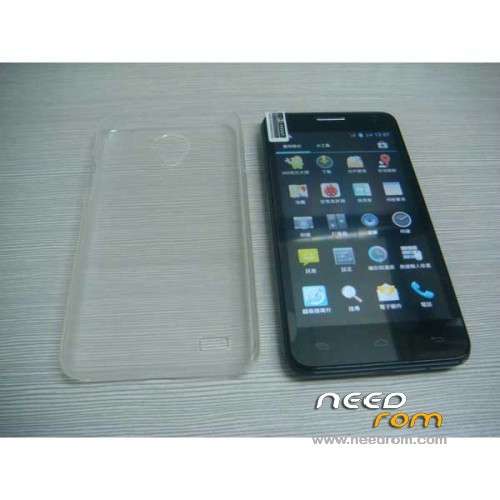
You mean the extra backcover that was dilivered with the phone?
…I mean the battery backcover
But how are yhou gonna do without te backcover?
just put it on a table outside with the camera on the top without cover, is it working ?