
- Title: STAR W450
- Listed: November, 2013
- Last modified: 09/19/2014 3:05 am
- Version: ROM Android 4.2.2
You must be logged for ROM download.
111889 total views, 3 today
10 Total favorites
 Member Info
DESCRIPTION
ROM Mobile STAR W450 – ROM Android 4.2.2
Update Official W450 version: ALPS.JB5.MP.V1.11_android_4x_wet_jb5_07232014 ( I don't know the changelog )
——————————————————————————————————————————-
Update Official W450 version: ALPS.JB5.MP.V1.11_android_4x_wet_jb5_04262014 ( I don't know the changelog )
——————————————————————————————————————————-
Update Official W450 version: ALPS.JB5.MP.V1.11_android_4x_wet_jb5_12122013 ( I don't know the changelog )
——————————————————————————————————————————-
add same ROM but Rooted
Update Official W450 version: ALPS.JB5.MP.V1.11_android_4x_wet_jb5_11152013 ( I don't know the changelog )
——————————————————————————————————————————-
add same ROM but Rooted
Official STAR W450 version: ALPS.JB5.MP.V1.11_android_4x_wet_jb5_11072013
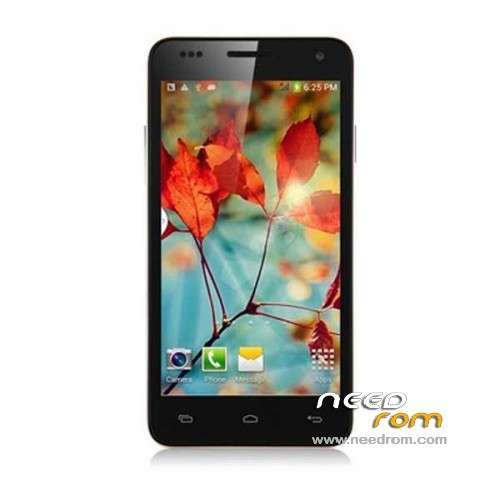
MTK6582M(1.3G) 4.5 IPS.FWVGA(854*480) 1Gram 4Grom dual sim
Gapps include - No Rooted
Language support : Multilang
Install ROM :
- Unpack FlashTools, and Click on Flash_tool.exe
- Select a the MT6582_Android_scatter_emmc.txt in ROM
- Wait file to be added into Flash Tool
- choose Option->USB Model,click USB Model
–> Choose Option->DA DownLoad All->Speed->High Speed, click High Speed
- Turn off your phone, remove the battery.
- "Press F9 (hit Download button)" OR " if upgrade ROM Firmware->Upgrade "
- and connect your phone into the computer via USB data cable.
- The process will start and a red progress bar will appear after color purple, yellow.
- And green circles display
- Finish !
- You can now safely disconnect your phone and turn it on.
※Please make a backup of your device before installing or updating ROM
the issue is the antenna not powerful enough
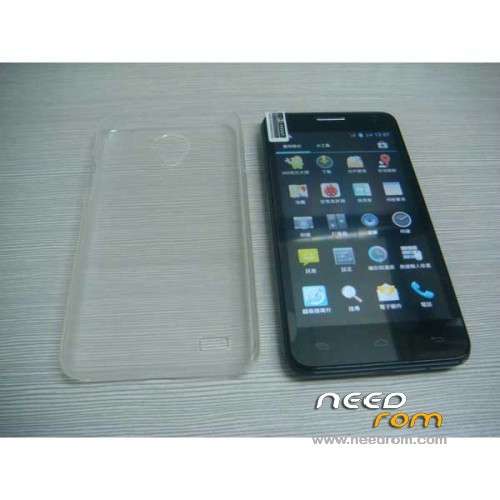
I removed the extra transparent cover and had a fix for a short time already! Now I removed the batterycover also and it's even better, like 4 or 5 fixes, but not stable. Still a move forwarth!
Would there be a different antenna in the decemberphones? They seem to work fine…?
maybe they changed the material of the cover, my phone is November version
Yeah, mine too, also p2
With baccover and without extra protection cover between 1 and 3 sattelites, but it drops to zero every now and then. Reception is overall weak.
Hi all, here is my experience with the GPS (I use GPS Test), I live in Hungary, I received my W450 in November, P2 version, not rooted.
1) I had no lock for weeks since I bought the phone. I started to think that there is no GPS in the phone and the icon is just a fake, as when I was driving for more than an hour, still no signal.
2) I searched many forums for the GPS problem, no results. I installed GPS test to see if there is any signal at all. First lesson learned: sometimes it is impossible to even have satellites "in view" – in this case you need to reboot and see if it can properly load the GPS antenna. If it does, you will at least have some antennas "in view" in GPS test. (Sometimes same issue with WIFI or camera, I need to reboot to be able to start the camera or the WIFI!)
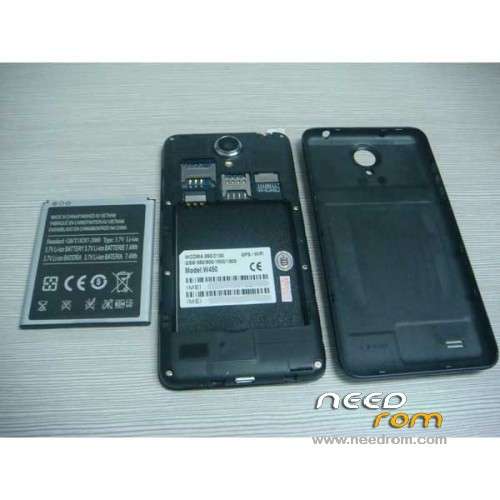
3) Before reading the above posts I arrived to the same conclusion: the cover kills the signals. If I remove the battery cover I get a lock within a minute or less!!!
Example: WITH battery cover: perhaps 3 locks, all in orange range. WITHOUT battery cover: 7-8 locks, 3-4 in high yellow range.
After getting the first lock it is usually much easier to get a lock again or keep it even after putting the cover back on the phone. If I do not try without the cover first, it might take 20-30 minutes to get a first lock. With cover, navigation is often 20-50 meters wrong, making navigation apps almost useless…
I have not found any other solution yet. I plan to search for the layout of the motherboard to learn where the GPS antenna is located. I have read elsewhere that removing the screws and the black plastic cover around the motherboard and then cleaning the motherboard itself can help but that is too extreme for me.
oh, and of course, merry christmas to all of you!
Hi, also Merry Christmas. Don't you know what is the type or symbol of batttery in this phone? I'm looking for larger battery but it's hard to find something. I know the size of battery 53×63 mm
OK, news from me :
indoor : nothing….
outdoor : between 5 and 10 sats, but reception is very weak (between 5 and 25, always going up and down). Removing the cover is helping just a little).
To have something working I had to root my phone then replace /etc/gps.conf by an other one made for france (yes i'm in france) took in a forum, I added a file name gpsconfig.xnl took in the same forum.
Then I had to go oudoor (do not try indoor it is useless) remove the back cover, turn the phone back face to the sky and wait between 30 min and 1h).
Now it is better I just have to wait less than 1 min to get the results described at the begining.