
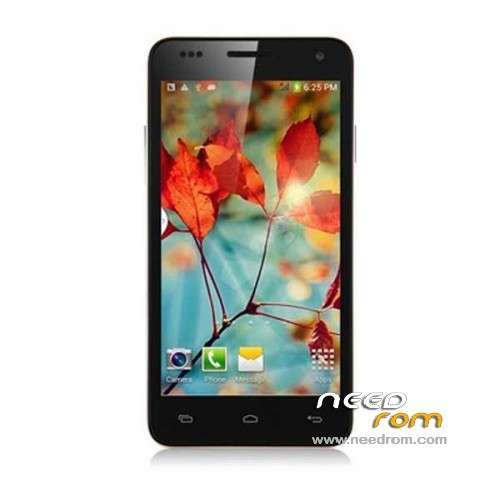
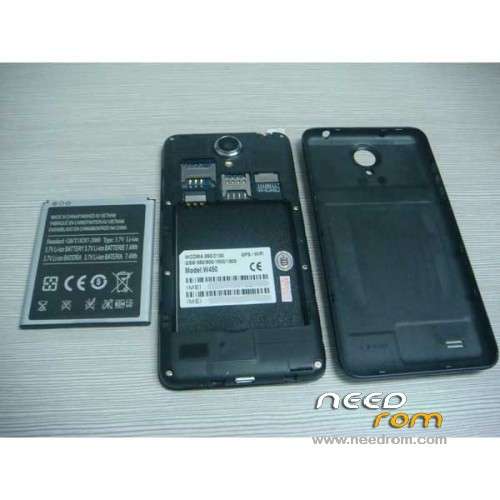
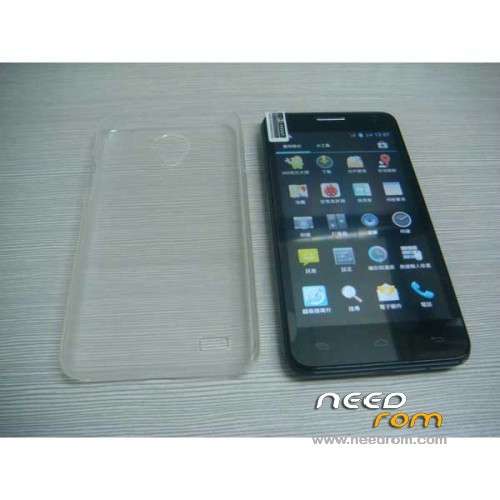
- Title: STAR W450
- Listed: November, 2013
- Last modified: 09/19/2014 3:05 am
- Version: ROM Android 4.2.2
You must be logged for ROM download.
111888 total views, 2 today
10 Total favorites
 Member Info
DESCRIPTION
ROM Mobile STAR W450 – ROM Android 4.2.2
Update Official W450 version: ALPS.JB5.MP.V1.11_android_4x_wet_jb5_07232014 ( I don't know the changelog )
——————————————————————————————————————————-
Update Official W450 version: ALPS.JB5.MP.V1.11_android_4x_wet_jb5_04262014 ( I don't know the changelog )
——————————————————————————————————————————-
Update Official W450 version: ALPS.JB5.MP.V1.11_android_4x_wet_jb5_12122013 ( I don't know the changelog )
——————————————————————————————————————————-
add same ROM but Rooted
Update Official W450 version: ALPS.JB5.MP.V1.11_android_4x_wet_jb5_11152013 ( I don't know the changelog )
——————————————————————————————————————————-
add same ROM but Rooted
Official STAR W450 version: ALPS.JB5.MP.V1.11_android_4x_wet_jb5_11072013
MTK6582M(1.3G) 4.5 IPS.FWVGA(854*480) 1Gram 4Grom dual sim
Gapps include - No Rooted
Language support : Multilang
Install ROM :
- Unpack FlashTools, and Click on Flash_tool.exe
- Select a the MT6582_Android_scatter_emmc.txt in ROM
- Wait file to be added into Flash Tool
- choose Option->USB Model,click USB Model
–> Choose Option->DA DownLoad All->Speed->High Speed, click High Speed
- Turn off your phone, remove the battery.
- "Press F9 (hit Download button)" OR " if upgrade ROM Firmware->Upgrade "
- and connect your phone into the computer via USB data cable.
- The process will start and a red progress bar will appear after color purple, yellow.
- And green circles display
- Finish !
- You can now safely disconnect your phone and turn it on.
※Please make a backup of your device before installing or updating ROM
Pfff try your way zuan35 for hundred times, no result. I have rooted the phone but WHO HAS WORKING GPS, and HOW dit you do this?
I would be very greatfull.
STEFFSBR, does the GPS still work for you?
Hi guys,
I ordered 2 W450. One has a working GPS (although it took ages to lock satellites), the other is looking for satellites but can't even find one.
I'm wondering if most of their chips aren't defective. Because I'm reading here and there people who can't use their GPS at all. Like us…
That's too bad, my X720D with an MT6577 works like a boss, with incredibly fast locking!
Still trying to figure how to get my MT 6582 GPS work. One day we'll find a solution
sound problem ???
Yes i bought 2 phones, both withoutt sound, buyed at pandawill.com
I have an unbranded w450, will this ROM do any good? What will it make better?
Hi,
i have a problem with this phone.. my computer doesn't recognize my W450 without battery.. any idea ..?
Yes, use it WITH your battery. Worked perfectly for me on both of my W450.
If you get an error from FlashTools, try again by taking off the battery and putting it back. It can take some time
Maybe good news, today I've recieved 4x W450's and have new FW:
Hardware : MT6582
Model : W450
Build number : ALPS.JB5.MP.V1.11
Build date UTC : 20131129-075634
Android v : 4.2.2
Baseband v: MOLY.WR8.W1315.MD.WG.MP.V15.P4, 2013/11/25 19:01
Kernel v : 3.4.5 (linux-server-build5@linux-server-build5-desktop) (gcc version 4.6.x-google 20120106 (prerelease) (GCC) ) #1 SMP Fri Nov 29 15:53:50 CST 2013
Tested GPS on three of them, first fix is in 10-30s, signal strenght much better, it seems GPS issue is solved! Anyway, please which VCOM preloader drivers are you using for SPflash ? I am not able to install any of them on my Dell Vostro 3360 with W7 Ultimate x64. Thanks
Ok Pet007, nice for anyone who buys a new w450.
But I have the same software you discribed, exept for the baseband wich is P2 instead of your P4. Would this be the driver that causes all the trouble?
Yes, maybe. Anyway, I have two another W450's with older baseband driver P1 and trying to reflash to P4 to confirm that GPS is working, but I am not able to install correctly VCOM driver on my NTB
Ohhh I hope you succeed! If you do succeed, will you please let us know how you did it and if it works?
So I am afraid, I can't confirm that it's FW issue. See the photo bellow. I think that the leftmost W450 (originaly with baseband v. P2) has some HW issue. Reflashed to P4 and nothing changed. All the rest W450 have been manufactured in december, the leftmost in november….
Well at least the 1st one is seeing one satellite, whereas mine can get none!
Before updating, could it get anything? Mine can see something in the "In view" section but never get to fix even one satellite. What a pity.
Also, how did you update your baseband? Any link or file?
Cheers
Hi pet007,
sorry but the leftmost has the agps not updated as you can clearly see from the bottom left picture, the expected satellite positions isn't the same as in the others!!
@pet007 can you copy mtkgps.dat from working phone to emal that y try put in my non working w450 to try fix it?
mtkgps.dat located root/data/misc