
- Title: Proton KK AOSP
- Listed: July, 2015
- Last modified: 10/22/2017 3:25 am
- Version: 1.0.2 (4.4.2)
You must be logged for ROM download.
106776 total views, N/A today
99 Total favorites
 Member Info
DESCRIPTION
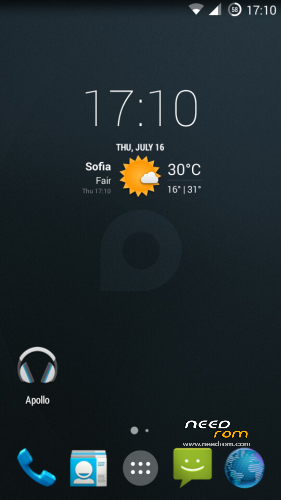
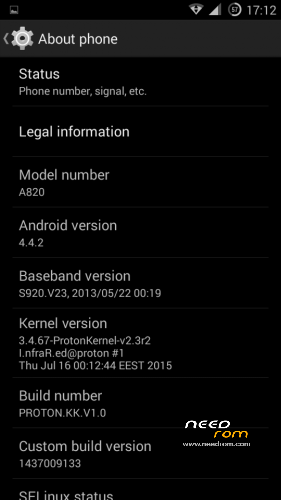
This is a custom KitKat rom for Lenovo A820 compiled from source.
It took me a lot of time to get it to this stage, so if you're porting to another device or do some mods, please have respect and give proper credits to original author.
Update 22.10.2017
Added patch for WPA2 vulnerability. Install from recovery, then wipe cache and dalvik. Reboot.
Key features:
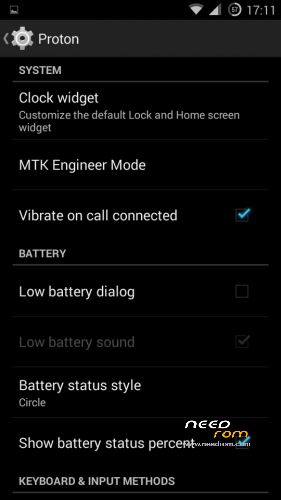
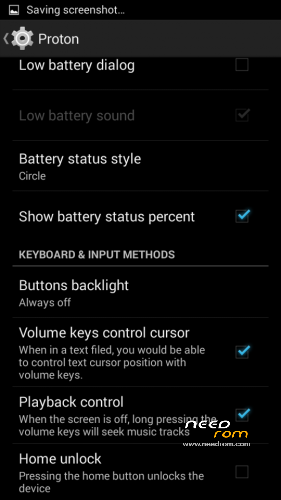
- Proton Settings page with useful options:
—– Vibrate on call connected
—– Low battery sound
—– Low battery dialog
—– Volume keys control text cursor
—– Home key unlock
—– CM11 battery indicators
—– Button backlight control
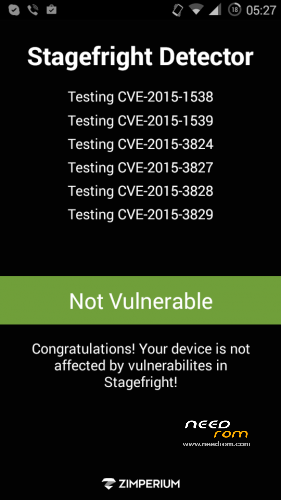
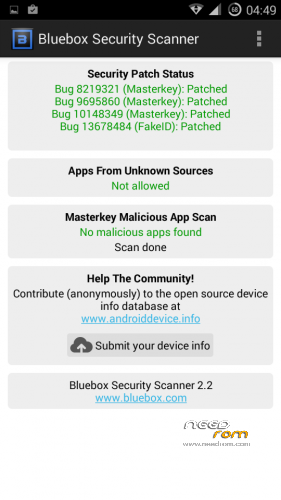
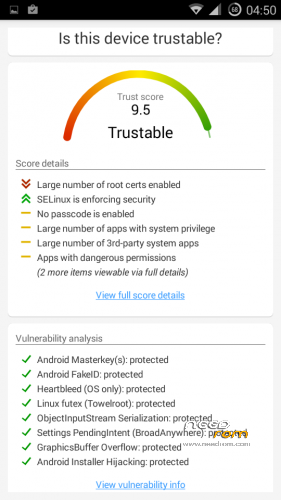
- Fixed vulnerabilities
—– FakeID
—– ObjectInputStream Serialization
—– Settings PendingIntent
—– GraphicsBuffer Overflow
- Adjusted 3G signal indicators levels
- Improved battery life
- Battery tables from S150 exctracted with "reverse-engineering"
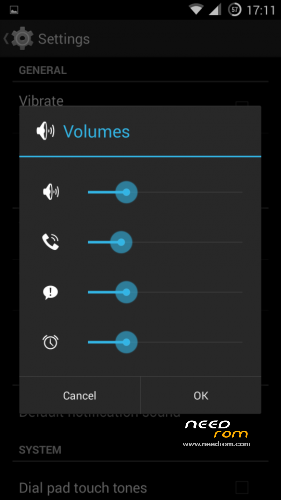
- Unlinked volume sliders and expandable volume dialog
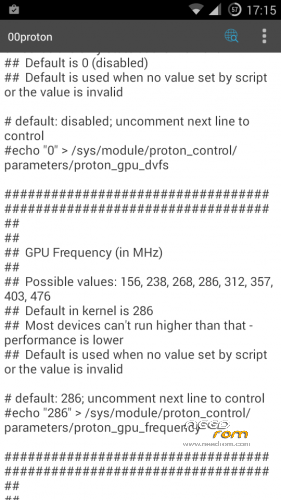
- init.d script to control GPU frequency, voltage and DVFS
- kernel compiled with linaro 4.9.3 toolchain, ROM compiled with SaberMod 4.8
- UI mods for statusbar icons
- Extended power menu
- Working GPS/EPO/A-GPS
- init.d support
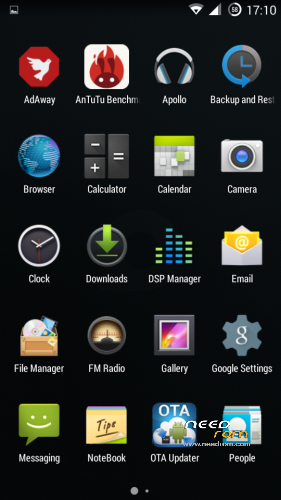
- Calculator, Apollo, DSP Manager, Browser from CM11 (compiled from source)
- Camera shoots in MP4 format. Increased photo quality to 100%.
- Fullscreen caller picture
And many more improvements…
ART is not working, so it is disabled. Could not solve this problem.
For full kernel changelog, visit my github repo: https://github.com/infraredbg/Lenovo_A820_kernel_kk
GPU overclock (works on some A820):
Currently it is only supported via init.d script
Go to /system/etc/init.d and open 00proton with a text editor
Uncomment and change desired value (all values are explained in the script)
Save and make sure the file has correct permissions
Reboot device
You can verify if the GPU frequency have changed in /proc/gpufreq/gpufreq_var_dump
Installation:
If you're currently using one of my DEV roms, it is recommended to do a clean install
It is recommended to use my TWRP 2.8.4.0 recovery (install via Rashr from PlayStore on phone or from FlashTools on PC)
Copy zip on sdcard and optional GApps package and reboot to recovery
Do a full backup of your current ROM including nvram block (IMPORTANT)
Wipe system, data and cache from TWRP. The script does not do automatic format.
Install ROM zip and GApps (optional)
Reboot system (first boot takes time)
Credits:
jwchen for helping me with kernel and testing
hyperion70 for the hint how to fix gralloc mem leak
masterwasome for guides on xda
varunchitre for some initial work on mt6589 kernel
faux123 for dynamic filesync
Christofer83 for prebuilt linaro toolchain
superdragonpt and Dr-Shadow for valuable code which I learned a lot from
mastersanta for finding how to fix USB mounting problem in the beginning
CM11 team
all other people for their guides and information, which I've found over the net
Update:
Uploaded new version of the zip with fixed IMEI backup. Sorry for inconvenience, but that's why I have written in the description to make a full backup.
※Please make a backup of your device before installing or updating ROM
Seems danger for flashing this rom.
After reading the forum threads,
does it mean IMEI, BT and WIFI addresses will be loss if proceeded the repartition of emmc before ?
Thanks
It happens on some phones, does not mean it will happen for sure.
But that's why the backup is for. It can be repaired and would never happen again. Not sure what is causing it though.
Maybe the recovery is to blame, maybe the difference in nvram between JB and KK kernels, but it is a fact that it mostly (or maybe only) happens to repartitioned devices. I'm working on a way to correctly repartition for KK roms.
Infrared,
Thanks for your message.
since, I am using CWM recovery. So, is it need to flash your TWRP recovery first?
And then, use TWRP to backup all the things of A820.
Did it require to flash back the Stock ROM before flashing your Proton KK ASOP at PC side ?
I believe flashing stock rom (or just ebr1 and ebr2) with flashtool will eliminate the problem.
However, stock partition configuration is not enough and you will soon end up with not enough storage again. Moreover, the system partition is not big enough for custom roms like VibeUI. My ROM is light and barely fits in stock partition when installed (382MB used, together with the mini gapps package out of 600 stock).
About recovery, you can try CWM with SeLinux support or the new build of TWRP, both from here: https://drive.google.com/open?.....WmZFZEI2VmEzX3c The problem might be in this particular twrp 2.8.4.0, but I have no way to test, since it always work for me. So you might try to use cwm or the new twrp build.
It doesn't matter which recovery you use to make the backup, but if you need to restore it, you will also need to flash the same or compatible recovery. CWM and TWRP backups are not compatible with each other. TWRP also backups whole nvram block which also might be possible to restore with FlashTools. Restoring from script/terminal does not seem to have effect.
infrared, thank you for your work. Everything fine, but I have an issue with one-button wired headset. When I press the button, Start Play or pause happen and the screen turns off immediately (it's looks like if the lock button was pressed) and no reaction on the button press anymore. Can you fix this please? Or help me to fix if it possible in cfg files?
Hi,
All you have to do is to change the behavior of hardware button.
Here's the method:
1.
Use any fild manager to /system/usr/keylayout/
find ACCDET.kl and open it by any text editor on you A820
find this line
key 164 MEDIA_PLAY_PAUSE
change to below
key 164 HEADSETHOOK
2.
At the same path, find the file named mtk-kpd.kl
find this line
key 164 MEDIA_PLAY_PAUSE WAKE
change to below
key 164 HEADSETHOOK
3.
Save after changed, set proper permission (-rw-r–r-)
reboot is required.
you're done.
* known function
- short press = play/pause
- double short press = next song
- long press = wake/sleep
enjoy!
Nothing to say. Everything work perfectly. Lightweight,fast work,what else is needed!? Thanks for your job!
Thank you infrared and jwchen119, now headset button works fine.
I tried to install this rom on device repartitioned (meteos) in vMS. One user found it works for him, instalation KK after repartitioning in Lambda failed for us (imei). Instalation successful, imei present, scheduled power on/off working BUT after some restart imei disappeared! No lucky so far in restore it as usually I did flashing full stock rom…
Thanks, jwchen119, I did what you said and now much better
this work:
- short press = play/pause
- long press = wake/sleep
but this does not work:
- double short press = next song
Multiple shot press work as many single. Maybe other changes required. Any idea?
Fast double press work for me in Apollo player, make sure your playlist isn't just one song.
artek , yep, in apollo, double click works now, sorry. I use another player. Is it possible make double-click to work in other players?
Hi Infrared. I changed dev version to this final, and I have a problem with restoring apps backup. I tried Titanium and it just hangs or it shows that there is no space on SD but there is 5gb free . I tried installing apps in zip made by titanium, TWRP is finishing installing apps, but after reboot there is no restored app. I tried helium, it finds errors in back up. When I restore to previous version mentioned apps have problems to make backups… Please help.
It is commented many times. Turn off namespace separation in SuperSu.
I would appreciate who can write and provide us a document of flashing Infrared's Proton KK ASOP ROM step-by step.
Since, I have re-partition emmc of A820 before.
Thanks.
I would suggest to wait a little while.
I am working on this subject and trying to find the easiest way to handle these special cases. I need a volunteer though, becase I have no way to exactly reproduce it on my phone. I can format my nvram or whole NAND, but that's not exactly the same.
There's problem with airplane mode. Enabling works and device goes to airplane mode but when disabling, indicator is changed to normal mode but device remains on airplane mode.
Does it happen every time? Because it works on my device. It might be a little slow to re-enable sim and wi-fi, but don't see a problem in my case.
Any more info about this? Single or dual sim?
Sorry, my bad. It was a question of my SIM card's PIN lock. I tested twice and was confused when not requiring PIN code, but didn't check that however device was connected to operator. And for sure it's quick as well as WiFi connection and enabling location, just about 2-3 secs.
In JB PIN was always required when disabling airplane mode. :)
Yeah, I meant enabling airplane mode is faster than disabled. It takes more time to re-initialize wi-fi, sim and data connection.
Thanks for the info, one less but to worry about