
- Title: Proton KK AOSP
- Listed: July, 2015
- Last modified: 10/22/2017 3:25 am
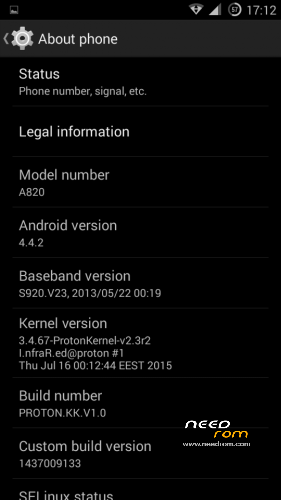
- Version: 1.0.2 (4.4.2)
You must be logged for ROM download.
106776 total views, N/A today
99 Total favorites
 Member Info
DESCRIPTION
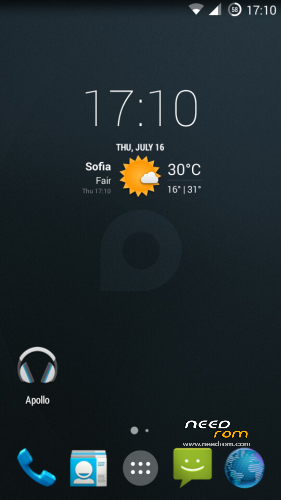
This is a custom KitKat rom for Lenovo A820 compiled from source.
It took me a lot of time to get it to this stage, so if you're porting to another device or do some mods, please have respect and give proper credits to original author.
Update 22.10.2017
Added patch for WPA2 vulnerability. Install from recovery, then wipe cache and dalvik. Reboot.
Key features:
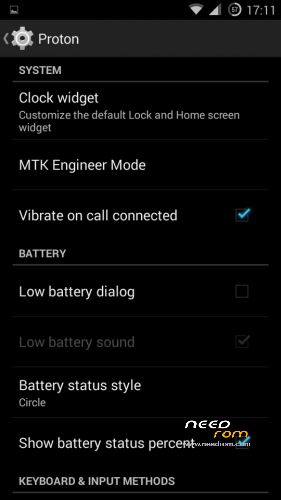
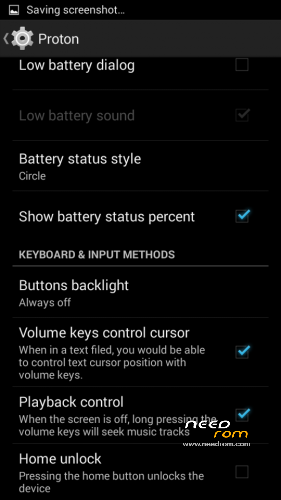
- Proton Settings page with useful options:
—– Vibrate on call connected
—– Low battery sound
—– Low battery dialog
—– Volume keys control text cursor
—– Home key unlock
—– CM11 battery indicators
—– Button backlight control
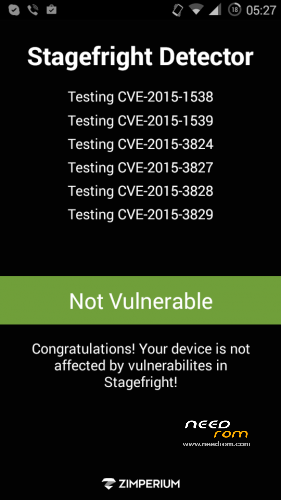
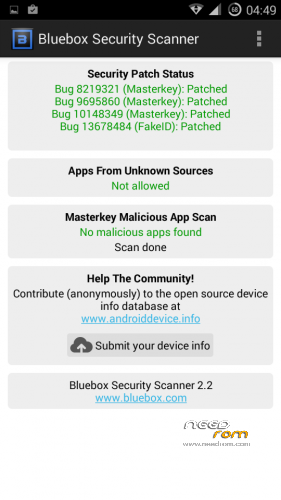
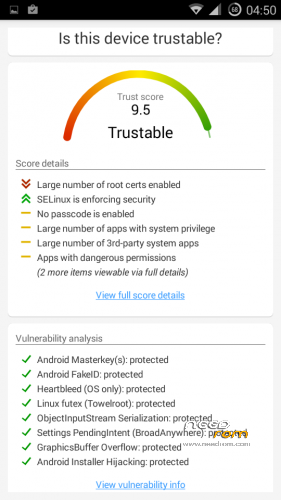
- Fixed vulnerabilities
—– FakeID
—– ObjectInputStream Serialization
—– Settings PendingIntent
—– GraphicsBuffer Overflow
- Adjusted 3G signal indicators levels
- Improved battery life
- Battery tables from S150 exctracted with "reverse-engineering"
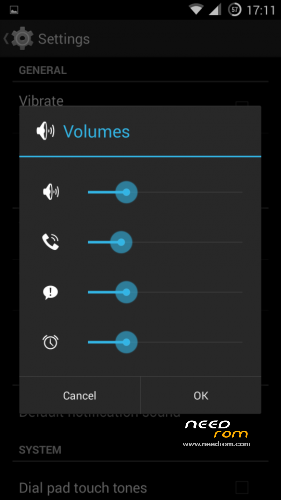
- Unlinked volume sliders and expandable volume dialog
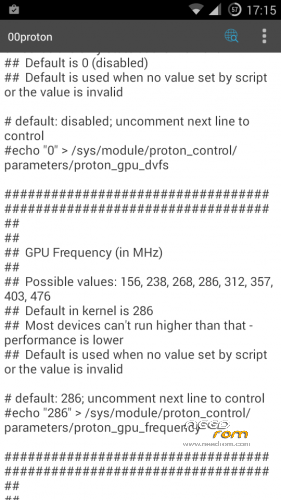
- init.d script to control GPU frequency, voltage and DVFS
- kernel compiled with linaro 4.9.3 toolchain, ROM compiled with SaberMod 4.8
- UI mods for statusbar icons
- Extended power menu
- Working GPS/EPO/A-GPS
- init.d support
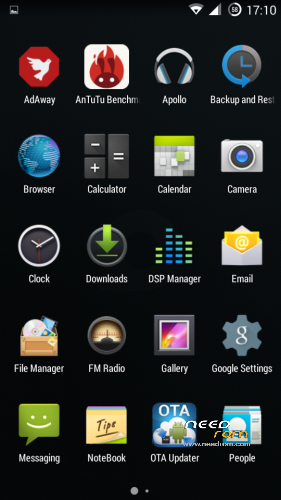
- Calculator, Apollo, DSP Manager, Browser from CM11 (compiled from source)
- Camera shoots in MP4 format. Increased photo quality to 100%.
- Fullscreen caller picture
And many more improvements…
ART is not working, so it is disabled. Could not solve this problem.
For full kernel changelog, visit my github repo: https://github.com/infraredbg/Lenovo_A820_kernel_kk
GPU overclock (works on some A820):
Currently it is only supported via init.d script
Go to /system/etc/init.d and open 00proton with a text editor
Uncomment and change desired value (all values are explained in the script)
Save and make sure the file has correct permissions
Reboot device
You can verify if the GPU frequency have changed in /proc/gpufreq/gpufreq_var_dump
Installation:
If you're currently using one of my DEV roms, it is recommended to do a clean install
It is recommended to use my TWRP 2.8.4.0 recovery (install via Rashr from PlayStore on phone or from FlashTools on PC)
Copy zip on sdcard and optional GApps package and reboot to recovery
Do a full backup of your current ROM including nvram block (IMPORTANT)
Wipe system, data and cache from TWRP. The script does not do automatic format.
Install ROM zip and GApps (optional)
Reboot system (first boot takes time)
Credits:
jwchen for helping me with kernel and testing
hyperion70 for the hint how to fix gralloc mem leak
masterwasome for guides on xda
varunchitre for some initial work on mt6589 kernel
faux123 for dynamic filesync
Christofer83 for prebuilt linaro toolchain
superdragonpt and Dr-Shadow for valuable code which I learned a lot from
mastersanta for finding how to fix USB mounting problem in the beginning
CM11 team
all other people for their guides and information, which I've found over the net
Update:
Uploaded new version of the zip with fixed IMEI backup. Sorry for inconvenience, but that's why I have written in the description to make a full backup.
※Please make a backup of your device before installing or updating ROM
No particular reason about DSP Manager, except it is included in CM11 and I just added it. I may replace it with viper4android in the next release.
Viper is based on DSP Manager anyway. Ofcourse you can install Viper separately.
In fact, I don't use any enhancements with my Beyerdynamic DTX 101 iE headphones. Same applies to my Shure SRH440 if I ever use them on the phone. Unfortunately (not really, happy with both ) that's all I have in terms of headsets, so I can't test anything about the key layout files.
I will try to fix whatever problem anyone finds, but my time is limited. Same applies to my knowledge and access to source code. I have no access to private repos, etc. I can only rely on public AOSP code and leaked mt6589 source this ROM is based on.
How do I get my IMEI numbers from the NVRAM backup KK makes please? Or the NVRAM.bin and NVRAM.img files I made before losing the IMEI's? Your guide's final solution is predicated on these and I have never seen both, just backed them up.
I had to give up on the pdf as I couldn't find second IMEI and SN Station wasn't connecting. I'll retry in a minute but I got rooted with rua1's MTK Droid Root n Tool and flashed all the good apk's across.
Here are the screenshots of me changing IMEI with them. Anyone know what the Chinese means?
The first I enter my IMEI on, the blanks above are my existing IMEI's! I click the top right button in the bottom bar (someone showed me) and then I get the pop up message in the second picture. I don't understand but rebooted and it's still broken.
Hi,
You can still get back one of the IMEI, remove your battery and you should noticed a blue stick on the phone, there's an IMEI + SN
Let me translate the app for you
As I know, you have to un-check right checkbox, and write down new IMEI at third input field
If you still get failed, un-check both of the checkbox, but this means you have only 1 IMEI working
But if your NVRAM was broken, you can't use that original IMEI as reference
Btw, can you take a screenshot about the listview of How to generate IMEI, I think you choose the wrong option.
And if you want to calcuate 2nd IMEI, you can visit this site http://www.imei.info/calc
All you have to do is to change your 1st IMEI's last number, for example:
My IMEI is : 8691xxxxxxx171(x) the last number is calcuated. That means, you can put the first 14 number to get the last number "x"
How to get 2nd IMEI?
you have to plus 1 to the last number, in my case:
8691xxxxxxx17"2"(y)
I have to put first 14 number, notice that I changed 17"1"x to 17"2"y in that input to get "y" ,
Thanks for the translation jchen. If you had any idea how many hoops I jumped through just to get that tool on my phone at all you'd appreciate my amusement when people tell me about my IMEI. Apparently I've been running quite happily without it anywhere in NVRAM. I've literally tried everything to get it back on there, short of SN_Station which is not seeing my phone on a VCOM port. Infrared helped, especially with the drivers, but I am 99% sure my IMEI is gone (apart from under the battery) and was never backed up in all the copies of NVRAM I made over the years.
I don't know what "ListView" you are talking about, but my phone had a good innings and will be missed
HI,
The Listview I mentioned in Simplified Chinese is "参照原串号" there must be other option.
Did you tried first method from I.nfraR.ed's guide? I guess you've tried it but no luck.
So, there's some problem when making SN_Station to detect your device.
It means that your NVRAM parition was broken, not means you lose your IMEI1 and IMEI2, even you have the backup of NVRAM, it won't help too much on IMEI in this case.
But if you follow the guide to install all the driver properly, why the SN_Station can't detect your device, are you using Win 8?
Hi
I don't see "参照原串号" anywhere (going by your translations)
Why the SN_Station can't detect your device
Is the $1m question. I can blame Windows 7 driver or the phone. I like to think I just guzzled too much data, or because there never was an IMEI they let me guzzle data. End of the day, it's electronics, which my college (electronics) tutor said was defined by "not working"
Hi,
This is what I mentioned, click on it will show more options.
And for SN_Station, it makes no sense why it can't detect your device, because if you can flash the A820 by Flash_Tool provided by I.nfraR.ed, you should successfully let your PC recognize your device no matter by FT or SN_Station
jwchen,
it makes no sense I know, FT runs okay, SN Station doesn't. I could try more software and installs and drivers but until I have time to reinstall Windows, or get more big ROMs downloaded, the phone can wait.
Here's the workflow through that Chinese app:
Splash screen:
The listView
When I click the second option:
It doesn't change anything. Tried clicking "read" (the first button) and got:
Nothing changed there either. I enter my IMEI by hand and click "write", the second button:
I click change for good measure (I'd been told I only needed to click write so I already explored that solution)
The phone looks knackered to me, but of course it could be my fault and I will get a second PC/Windows to try it on.
I rushed into installing this. Totally my fault being over ambitious. When someone says "undervolting kernel" I gotta have
Lost my IMEI but
the IMEI and Sn writer by "CK Telecom" restored them, credit to infrared for finding my BT and WiFi numbers (from backup NVRAM.img), without which I wouldn't have been able to restore. It's not in his guide, but like everything you can only cram so many words in a given space.
Infrared has really helped my understanding of Windows drivers. I'd like to learn more about Android by installing the different things on offer, but I've spent a lot of time on this and have my old phone back and that's enough for now.
Hi,
I'm glad to hear that you've solve your problem with NVRAM. But I want to know how you get it done, can you share your experience with us for who willing to try but don't know what to do or have some problem on drivers?
http://filepi.com/i/Z3SG1dN
Feel free to host it here too. I'm now running KitKat no problems, phone survived a full wipe (/data, /cache and Dalvik-cache).
Ok, going through your pdf file, I believe your main problem with restoration might be the different modem and apdb base which seem to be for P780 as the name suggests.
Or maybe because you were trying with different SN Station version.
Anyway, good that you have sorted it out in the end.
In the pdf I explain, checksum, and link to the correct A820 apdb and modemdb files, in case you missed it: http://filepi.com/i/MMeYacC MD5: 6e6ee6541b5800e8386da1ba7436a9da
Hmm, yes I see the link to your google drive on our msging now. You have the apdb and modemdb files already. And the SN_Writer. Ah well, the extra links are both public and verified. There is the alternative IMEI&SN_Writer (3.25Mb) tool also, at http://filepi.com/i/VbdpBvP MD5: 955fc522fd47376e6f7e3c6e3b1b9fc0
I should have read the second and first posts here, seems losing IMEI is par for the course!?
KK is very fast, Antututo got 18.6k, while Lambda got just 15.8k. Also runs cool. The KK Proton kernel is already v2.3r2#1 so I don't know why you list it seperately?
Could we get tethering back in there in future please?
Hello,
First, just to say well done for an excellent ROM. You really did a great job explaining how to install and even made a instruction, great job and many thanks.
I strictly followed the instruction and everything went OK. Even did the repartition with tool you posted and it was a breeze. The only thing I had trouble with was with the 2. Chapter in instruction (Upgrade from JellyBean to KitKat). It took me time to figure out how to force my computer to recognize my phone when I connected him so that flash tool can make the job .
.
Just the question regarding the files in your google drive folders. I only installed the files from the instruction, other files from the folder are not necessary (example: apdb.7z, modemdb.7z)?
And what with other languages than english? I see you have croatian (HR) localization in your resource file. Can it be installed and how?
Thank you in advance
I found in-call volume much too low when in loudspeaker mode. Strange, cannot increase it in EngeenerMode -> Hardware -> Audio -> LoudSpeakerMode -> Sph. Nothing changes in volume nor immediately, nor after reboot. No reaction also in other modes and volume settings (normal, headset mic, headset, earspeaker, radio). Generally loudspeaker is aloud playing radio/media/ring. Any way to increase loudspeaker volume during the call?
Bug? Setting sim1 signal icon to colour violet makes systemui apk crash.
This is already fixed. I will push ota update very soon.
You may try red or blue insted. lol!
Just warning – I reinstalled full rom before figure out that change the colour is simple solution
battery life has improved a lot with this rom i had the stock 4.1 version s135 before , proton kk rocks