
- Title: Proton KK AOSP
- Listed: July, 2015
- Last modified: 10/22/2017 3:25 am
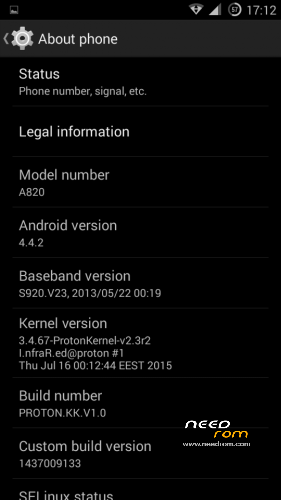
- Version: 1.0.2 (4.4.2)
You must be logged for ROM download.
106776 total views, N/A today
99 Total favorites
 Member Info
DESCRIPTION
This is a custom KitKat rom for Lenovo A820 compiled from source.
It took me a lot of time to get it to this stage, so if you're porting to another device or do some mods, please have respect and give proper credits to original author.
Update 22.10.2017
Added patch for WPA2 vulnerability. Install from recovery, then wipe cache and dalvik. Reboot.
Key features:
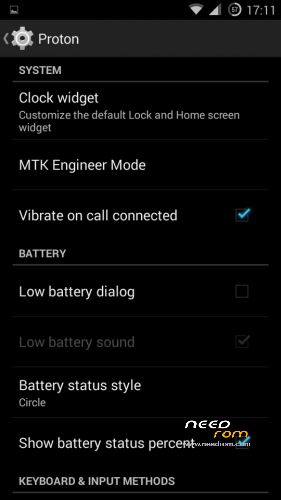
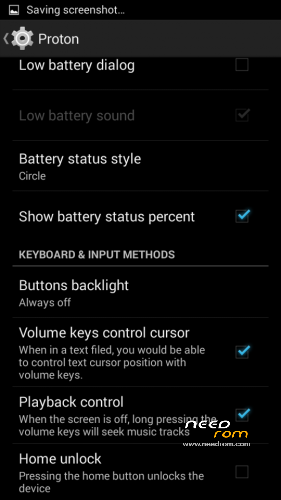
- Proton Settings page with useful options:
—– Vibrate on call connected
—– Low battery sound
—– Low battery dialog
—– Volume keys control text cursor
—– Home key unlock
—– CM11 battery indicators
—– Button backlight control
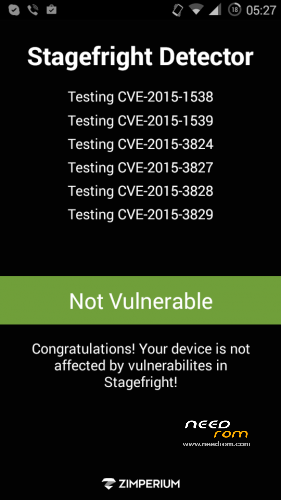
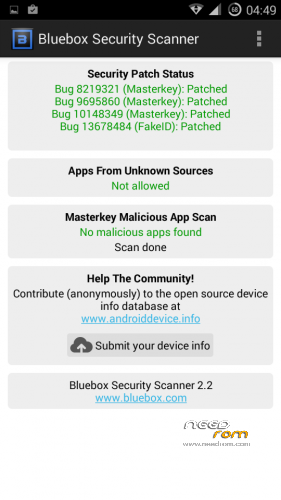
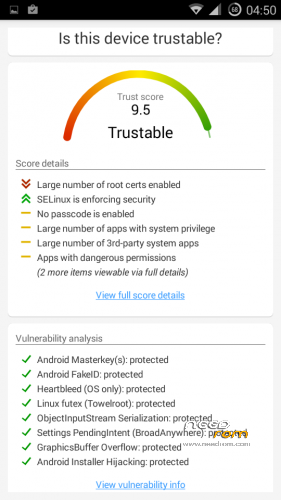
- Fixed vulnerabilities
—– FakeID
—– ObjectInputStream Serialization
—– Settings PendingIntent
—– GraphicsBuffer Overflow
- Adjusted 3G signal indicators levels
- Improved battery life
- Battery tables from S150 exctracted with "reverse-engineering"
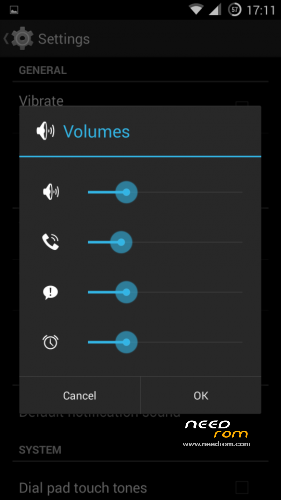
- Unlinked volume sliders and expandable volume dialog
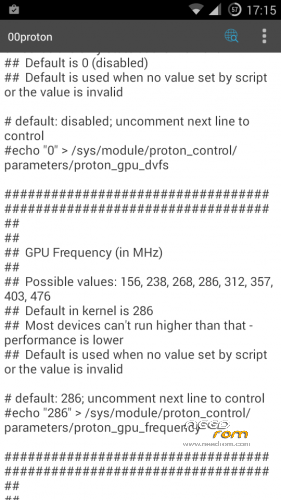
- init.d script to control GPU frequency, voltage and DVFS
- kernel compiled with linaro 4.9.3 toolchain, ROM compiled with SaberMod 4.8
- UI mods for statusbar icons
- Extended power menu
- Working GPS/EPO/A-GPS
- init.d support
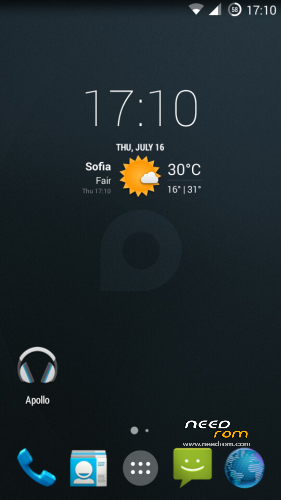
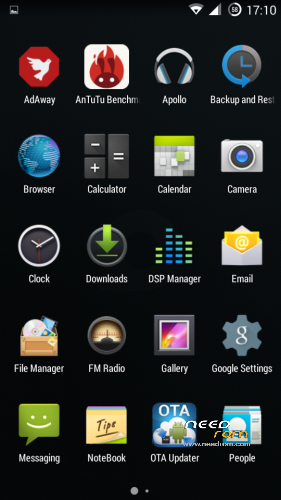
- Calculator, Apollo, DSP Manager, Browser from CM11 (compiled from source)
- Camera shoots in MP4 format. Increased photo quality to 100%.
- Fullscreen caller picture
And many more improvements…
ART is not working, so it is disabled. Could not solve this problem.
For full kernel changelog, visit my github repo: https://github.com/infraredbg/Lenovo_A820_kernel_kk
GPU overclock (works on some A820):
Currently it is only supported via init.d script
Go to /system/etc/init.d and open 00proton with a text editor
Uncomment and change desired value (all values are explained in the script)
Save and make sure the file has correct permissions
Reboot device
You can verify if the GPU frequency have changed in /proc/gpufreq/gpufreq_var_dump
Installation:
If you're currently using one of my DEV roms, it is recommended to do a clean install
It is recommended to use my TWRP 2.8.4.0 recovery (install via Rashr from PlayStore on phone or from FlashTools on PC)
Copy zip on sdcard and optional GApps package and reboot to recovery
Do a full backup of your current ROM including nvram block (IMPORTANT)
Wipe system, data and cache from TWRP. The script does not do automatic format.
Install ROM zip and GApps (optional)
Reboot system (first boot takes time)
Credits:
jwchen for helping me with kernel and testing
hyperion70 for the hint how to fix gralloc mem leak
masterwasome for guides on xda
varunchitre for some initial work on mt6589 kernel
faux123 for dynamic filesync
Christofer83 for prebuilt linaro toolchain
superdragonpt and Dr-Shadow for valuable code which I learned a lot from
mastersanta for finding how to fix USB mounting problem in the beginning
CM11 team
all other people for their guides and information, which I've found over the net
Update:
Uploaded new version of the zip with fixed IMEI backup. Sorry for inconvenience, but that's why I have written in the description to make a full backup.
※Please make a backup of your device before installing or updating ROM
Snk, could you tell us what reason caused your problem initially ?
Probably TWRP, it worked after I installed new_TWRP from here, with flashify
A problem I am facing is that Transparent Clock and Weather remains stuck. It is because it is now allowed in auto-start management, and there is no button to add apps there. What could I do infrared?
Can you describe more clear what issue you have, because I don't have any problem initializing this app at boot.
And if you don'w know how to add wiget on main screen, long press on wallpaper -> select wiget -> choose the size of the wiget -> drag it on the main screen.
If you have problem on locale, enable locale from setting->Location->Enabled->set it to High accuracy, then re open the app to get your location properly. This should be done on first initialize this app, it will auto-update the state of your location, time, weather etc.
The problem is that the time freezes. Let's say it's 18:00, I am using the device, everything works ok. I lock it, and pick it up at 18:10, and the widget still displays 18:00. I have to enter the widget, so it launches again, and then the time refreshes to 18:10. I tried Amber Weather, did the same, only thing is, that it has something called service guard, which makes a permanent notification in your bar and keeps the app from freezing the time. Also, Amber weather was (unlike Transparent) in the Auto-start management, but that did not help, without enabling the Service Guard the app has, it would still freeze. Hope you could understand.
This is not the best methid to solve this problem, but you can try
From app menu->settings->Weather&location settings->Update weather on wake up
tick this option will update both time and weather when unlock the device
That did not work.
Did you use 3party app like greenify, amplify or powernap which would disable some service or wakelock?
Because tick up the option works for me everytime I unlock my device even without network connected
no I do not :/
As a workaround, move the apk form /data/app to /system/app and restart the phone.
I guess it is a matter of permissions, but I have no time to inspect it now.
The default minimum sound level is a bit too high – especially at night. I opened EngineerMode and tried setting LoudSpeaker Mode – Media – level0 to something lower than the default.
But, that's not working…Any suggestions?
Everything is perfect except the camera,very bad quality.
I also noticed that changing levels in engeener mode makes no effect in sound volume.
I think it only works on eng builds and my build is user. I may take a look for a way to bypass this.
Anyone? Any answer please?
I think it only works on eng builds and my build is user. I may take a look for a way to bypass this.
Thanks! I'm sure others would appreciate a fix for that.
Honestly, I don't know what one could expect from this kind of sensor.
Yes, it can be improved a little, but it will not magically turn into a camera similar to what current flagship phones use. Stock config of the camera is proprietary, so I can't improve it myself. I've tried different custom files from other phones without much luck.
Looking at some old photos made with stock firmware, I don't think they are much better than what we currently have.
I have a question.
Does anyone use NetFlix with this KK rom?
NetFlix is not available in my country, so I can test.
I have one problem in 4.4. I can`t send contacts to my handsfree system in car, it was working in 4.2 but in 4.4 i doesn`t working, i had this problem also in mastersantas ROM, in Galaxy s4 on 4.4 and 5.0 it works perfectly.
Is the issue about paring BT with car or the function not working?
I can pair, answer calls, talk normaly, even i can say number to which i want to call (by digits not by name), but i can`t send my contacts to choose name from phonebook in screen in my car, it could be older protocol, the car is audi a4 b6 from 2004.
I have this issue as well, have you managed to resolve it?
I don't know how to resolve it, i`ve try almost every app from google play which is for sending contatcts and sharing them to car but it dasn`t work with this soft ;/
Netflix opens, but playback is "distorted".
I have problem with power button. After 2-3 days of use, power button stops partially working – it only wakes the screen, but doesn't dim screen or bring up shutdown menu. Only way to shut down phone is to take out battery. Any ideas??
Good Job Infrared.
However I have a problem with caller ID? When someone's calling on my A820 runing KK Proton, I see only number without contact name, which I have stored in my contacts. I've tried to fixed it by installing GravityBox and checking the right option, but it didn't help. It didnt happen in Lambda.
Second problem appears during a phone call. When proximity sensor turns the screen back on after puting phone away form your head, it immediately shows the list of last used application (same as if you hold home button).
I have no such problems
I found the BetterBatteryStats can't show Kernel Wakelock, the "File could not be read" error.
It seems that the kernel does not have any /sys/kernel/debug/wakeup_sources file. How can it be fixed?
Great work again, Infrared. Thanks for another huge effort.