
- Title: Proton KK AOSP
- Listed: July, 2015
- Last modified: 10/22/2017 3:25 am
- Version: 1.0.2 (4.4.2)
You must be logged for ROM download.
106776 total views, N/A today
99 Total favorites
 Member Info
DESCRIPTION
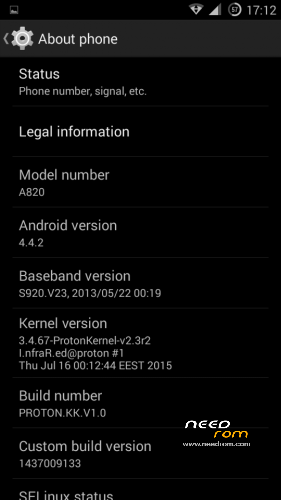
This is a custom KitKat rom for Lenovo A820 compiled from source.
It took me a lot of time to get it to this stage, so if you're porting to another device or do some mods, please have respect and give proper credits to original author.
Update 22.10.2017
Added patch for WPA2 vulnerability. Install from recovery, then wipe cache and dalvik. Reboot.
Key features:
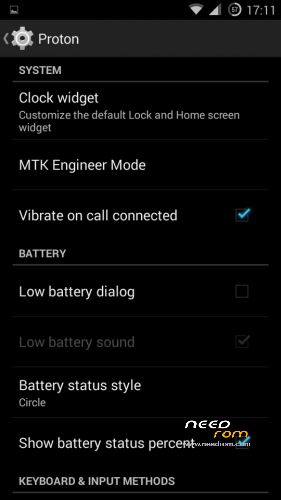
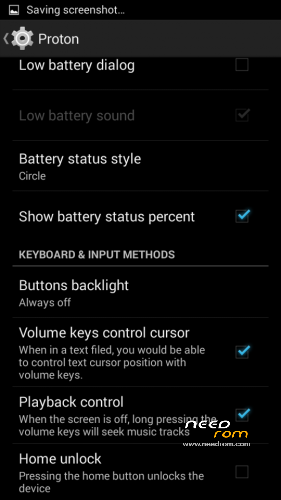
- Proton Settings page with useful options:
—– Vibrate on call connected
—– Low battery sound
—– Low battery dialog
—– Volume keys control text cursor
—– Home key unlock
—– CM11 battery indicators
—– Button backlight control
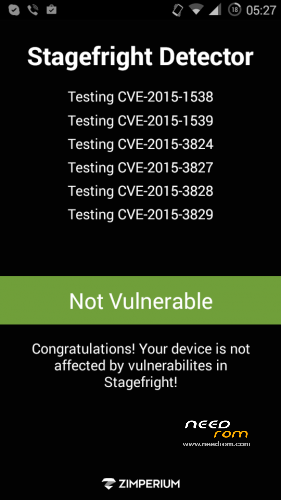
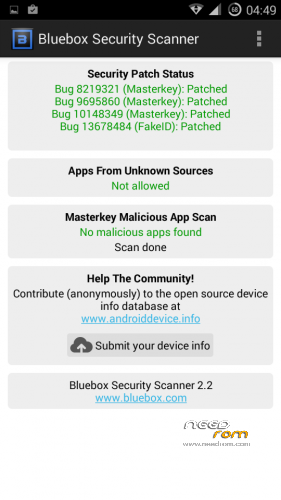
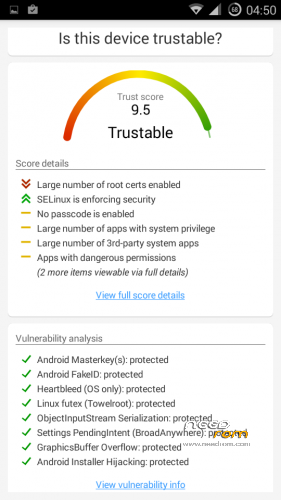
- Fixed vulnerabilities
—– FakeID
—– ObjectInputStream Serialization
—– Settings PendingIntent
—– GraphicsBuffer Overflow
- Adjusted 3G signal indicators levels
- Improved battery life
- Battery tables from S150 exctracted with "reverse-engineering"
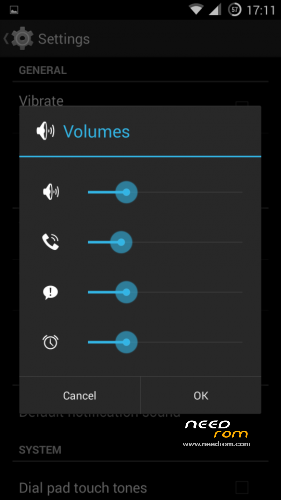
- Unlinked volume sliders and expandable volume dialog
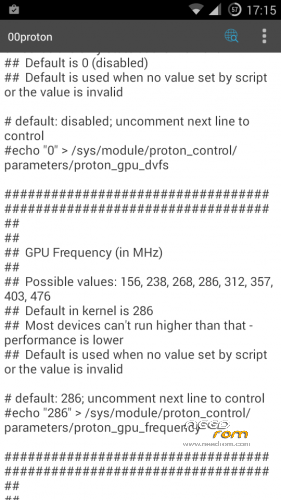
- init.d script to control GPU frequency, voltage and DVFS
- kernel compiled with linaro 4.9.3 toolchain, ROM compiled with SaberMod 4.8
- UI mods for statusbar icons
- Extended power menu
- Working GPS/EPO/A-GPS
- init.d support
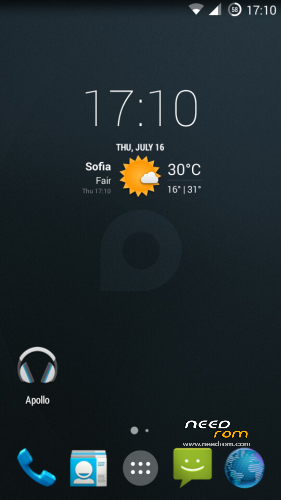
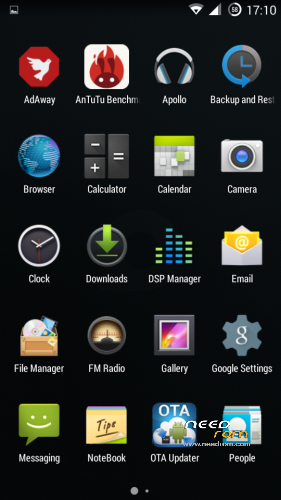
- Calculator, Apollo, DSP Manager, Browser from CM11 (compiled from source)
- Camera shoots in MP4 format. Increased photo quality to 100%.
- Fullscreen caller picture
And many more improvements…
ART is not working, so it is disabled. Could not solve this problem.
For full kernel changelog, visit my github repo: https://github.com/infraredbg/Lenovo_A820_kernel_kk
GPU overclock (works on some A820):
Currently it is only supported via init.d script
Go to /system/etc/init.d and open 00proton with a text editor
Uncomment and change desired value (all values are explained in the script)
Save and make sure the file has correct permissions
Reboot device
You can verify if the GPU frequency have changed in /proc/gpufreq/gpufreq_var_dump
Installation:
If you're currently using one of my DEV roms, it is recommended to do a clean install
It is recommended to use my TWRP 2.8.4.0 recovery (install via Rashr from PlayStore on phone or from FlashTools on PC)
Copy zip on sdcard and optional GApps package and reboot to recovery
Do a full backup of your current ROM including nvram block (IMPORTANT)
Wipe system, data and cache from TWRP. The script does not do automatic format.
Install ROM zip and GApps (optional)
Reboot system (first boot takes time)
Credits:
jwchen for helping me with kernel and testing
hyperion70 for the hint how to fix gralloc mem leak
masterwasome for guides on xda
varunchitre for some initial work on mt6589 kernel
faux123 for dynamic filesync
Christofer83 for prebuilt linaro toolchain
superdragonpt and Dr-Shadow for valuable code which I learned a lot from
mastersanta for finding how to fix USB mounting problem in the beginning
CM11 team
all other people for their guides and information, which I've found over the net
Update:
Uploaded new version of the zip with fixed IMEI backup. Sorry for inconvenience, but that's why I have written in the description to make a full backup.
※Please make a backup of your device before installing or updating ROM
Привет, у меня датчик приближения не держит дисплей выключен во время разговора, он срабатывает, отключает дисплей и через секунду дисплей снова включается. И еще не помешало бы покрутить настройки звука, а то громкость входящего звонка и громкость громкоговорителя при разговоре очень тихие.
Go to Settings -> Proton -> MTK Engineer Mode -> Hardware Testing -> Sensor -> Light/Proximity Sensor -> PS Calibration -> Change Threshold
Then change Low value (second value) to a greater number, like 220, 230. Test and report back if some value works for you. Thanks.
infrared, try 220 or 230 but i get error “invalid value”
My bad. You need to enter values in both boxes. Enter 180/220 or 180/230 and test.
Standard values in kernel are 180/210.
problem with storage internal storage of 2.15 not used it uses mounted sdcard how do i change this?
What happens if you change it from Settings -> Storage?
nothing happens it is still saving in sd card even after reset
Tell me what do you expect to happen. For example, which app you want to save there?
Because when I set Phone storage as primary storage in Settings and restart the phone, then test with Camera, the image is saved in internal sdcard and not on the external.
Otherwise you might need to edit boot.img ramdisk and swithc the places of both cards, but most of the people want external card as primary storage.
infrared, try 180/220 or 180/230, restart phon, but nothing has changed, the problem is still.
I can't tell you the exact values. Try different combinations, 180/220 was just an example.
And restart is not required.
Hello. Very good rom.
After wiping I have this error http://i.imgur.com/OewlhiU.png
Is this something dangerous?
Nope. You can disable MTP mode in Mount -> Disable MTP.
But this setting will be restored if you wipe internal card. And all other TWRP settings too (like brightness, vibration, etc.).
Nothing to worry about.
Ok, guys. I have a working method (with minimal possible effort) for restoring nvram backup and also for safe repartitioning.
I will write a guide tomorrow.
Hi,any chance to add swedish lang?
Hi Infrared,
Many thanks for your effort on A820 !
Hope the guys, who flashed Infrared's Proton KK ASOP without data lost problem of IMEI, Wifi mac and BT address , can share your experience to us too.
Thank you.
! a guide on how to safely repartition will be great
I flashed w/o any problem. I had 4.1 version s138 by linerty
My steps was:
1. Install TWRP 2.8.4.0
2. Repartition memory by Petro1990 method from 4pda.ru
3. Install A820-PROTON.KK.V1.0
4. Install Proton-GApps-Mini-4.4.x-20150716
5. Correct ACCDET.kl and mtk-kpd.kl for proper work of headset
Now everything works perfectly. Thanks to Infrared again.
Thanks for the guide.
The question is – if someone has already repartitioned with meteos than should he revert to default partition setting and repartition again in step 2?