
- Title: Proton KK AOSP
- Listed: July, 2015
- Last modified: 10/22/2017 3:25 am
- Version: 1.0.2 (4.4.2)
You must be logged for ROM download.
106780 total views, N/A today
99 Total favorites
 Member Info
DESCRIPTION
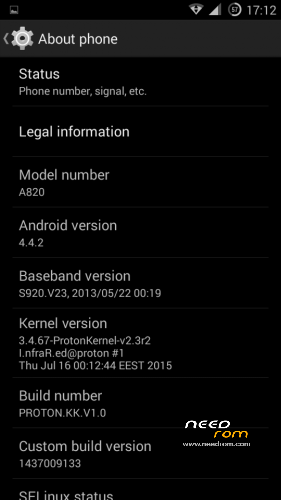
This is a custom KitKat rom for Lenovo A820 compiled from source.
It took me a lot of time to get it to this stage, so if you're porting to another device or do some mods, please have respect and give proper credits to original author.
Update 22.10.2017
Added patch for WPA2 vulnerability. Install from recovery, then wipe cache and dalvik. Reboot.
Key features:
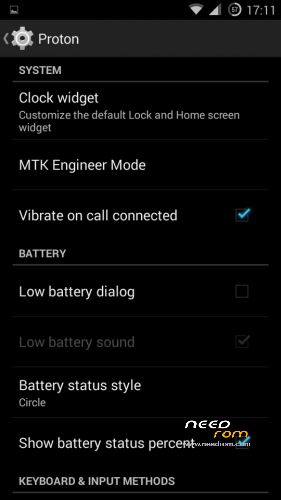
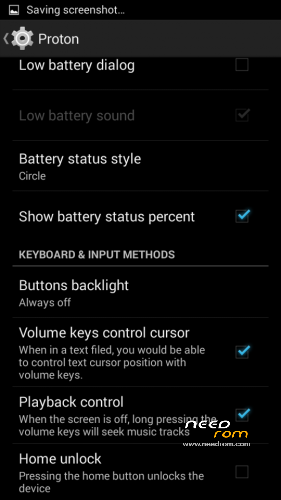
- Proton Settings page with useful options:
—– Vibrate on call connected
—– Low battery sound
—– Low battery dialog
—– Volume keys control text cursor
—– Home key unlock
—– CM11 battery indicators
—– Button backlight control
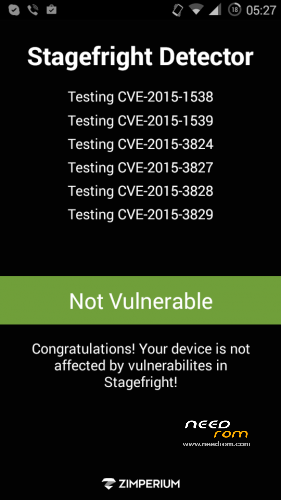
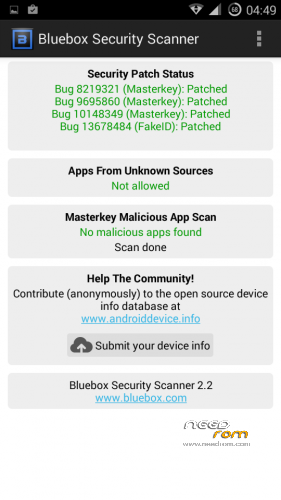
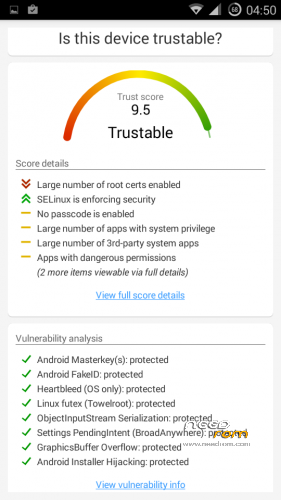
- Fixed vulnerabilities
—– FakeID
—– ObjectInputStream Serialization
—– Settings PendingIntent
—– GraphicsBuffer Overflow
- Adjusted 3G signal indicators levels
- Improved battery life
- Battery tables from S150 exctracted with "reverse-engineering"
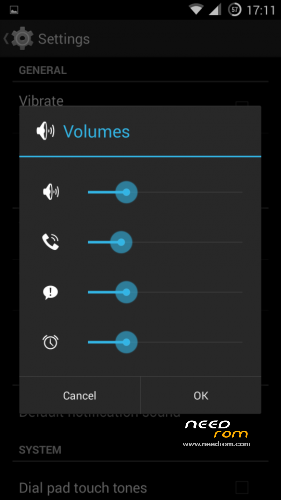
- Unlinked volume sliders and expandable volume dialog
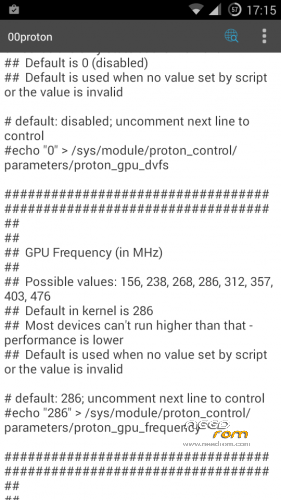
- init.d script to control GPU frequency, voltage and DVFS
- kernel compiled with linaro 4.9.3 toolchain, ROM compiled with SaberMod 4.8
- UI mods for statusbar icons
- Extended power menu
- Working GPS/EPO/A-GPS
- init.d support
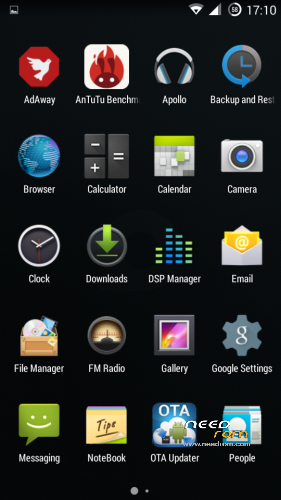
- Calculator, Apollo, DSP Manager, Browser from CM11 (compiled from source)
- Camera shoots in MP4 format. Increased photo quality to 100%.
- Fullscreen caller picture
And many more improvements…
ART is not working, so it is disabled. Could not solve this problem.
For full kernel changelog, visit my github repo: https://github.com/infraredbg/Lenovo_A820_kernel_kk
GPU overclock (works on some A820):
Currently it is only supported via init.d script
Go to /system/etc/init.d and open 00proton with a text editor
Uncomment and change desired value (all values are explained in the script)
Save and make sure the file has correct permissions
Reboot device
You can verify if the GPU frequency have changed in /proc/gpufreq/gpufreq_var_dump
Installation:
If you're currently using one of my DEV roms, it is recommended to do a clean install
It is recommended to use my TWRP 2.8.4.0 recovery (install via Rashr from PlayStore on phone or from FlashTools on PC)
Copy zip on sdcard and optional GApps package and reboot to recovery
Do a full backup of your current ROM including nvram block (IMPORTANT)
Wipe system, data and cache from TWRP. The script does not do automatic format.
Install ROM zip and GApps (optional)
Reboot system (first boot takes time)
Credits:
jwchen for helping me with kernel and testing
hyperion70 for the hint how to fix gralloc mem leak
masterwasome for guides on xda
varunchitre for some initial work on mt6589 kernel
faux123 for dynamic filesync
Christofer83 for prebuilt linaro toolchain
superdragonpt and Dr-Shadow for valuable code which I learned a lot from
mastersanta for finding how to fix USB mounting problem in the beginning
CM11 team
all other people for their guides and information, which I've found over the net
Update:
Uploaded new version of the zip with fixed IMEI backup. Sorry for inconvenience, but that's why I have written in the description to make a full backup.
※Please make a backup of your device before installing or updating ROM
nonamexd your steps about how to Repartition memory by Petro1990 method from 4pda.ru isnt much of a guide you gave no url the closest i googled was in russian
yep in Russian here the link http://4pda.ru/forum/index.php.....0#entry38981952
from translation i found somthing about extended_system.zip but the link is dead
No, it's registration required for download
Try it out now
Download file
g7347056 at that forum you can find the method how to roll back to default. But Russian lang over there
But is the rollback necessary?
i repartioned the part with emmc zip gave me many errors lines about mount faliure but after i restart i managed to restore my Proton KK AOSP backup
but it said failure in the end of the restore after a restart its working now so how is it working if restore said failed
I forgot to mention that before restoring i tried to install the Proton KK AOSP roms zip that failed
after reboting it stopped with black screen about android encyption failure so after restart i restored my bacup of before
the repartition that was allread with Proton KK AOSP but i forgot to do wipe so thats why i had error when restoring and still
its working fine so i dont need to restore again with a wipe or do i?
I'm almost ready with the guide, but need to do some more test on my phone to ensure everything goes well.
Stay tuned.
Im worried about long loading widgets after teboot,it can be overcome?
the basic widget with five switches for wifi gps brightness … takes a lot of time to load after boot
Guys, don’t be so pedantic, that’s on boot ONLY:-)
OMFG, long time Infrared. Your last ROM lasted me this long, and now it needs upgrading. Can't wait to try it. It must have taken, literally ages. Just about to redownload lambda MOD. Saving my stars till I try it.
BTW I repartioned using Petro1990 awesome hack. I could try and look it up again. I thought it a one way mod, but this proves nothing is impossible.
A word of caution, my microSD card died and this has totally screwed the phone with the single partition. It's like weird, just really nasty without the memory card. Of course I blame the card, but the Petro1990 script isn't without risk.
jonno i dont think sd card failure will be so bad you change the sdcard do factory reset and the phone should work fine