
- Title: Proton KK AOSP
- Listed: July, 2015
- Last modified: 10/22/2017 3:25 am
- Version: 1.0.2 (4.4.2)
You must be logged for ROM download.
106781 total views, N/A today
99 Total favorites
 Member Info
DESCRIPTION
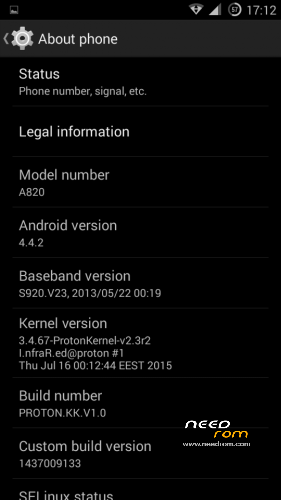
This is a custom KitKat rom for Lenovo A820 compiled from source.
It took me a lot of time to get it to this stage, so if you're porting to another device or do some mods, please have respect and give proper credits to original author.
Update 22.10.2017
Added patch for WPA2 vulnerability. Install from recovery, then wipe cache and dalvik. Reboot.
Key features:
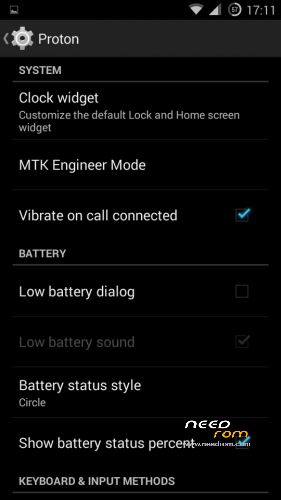
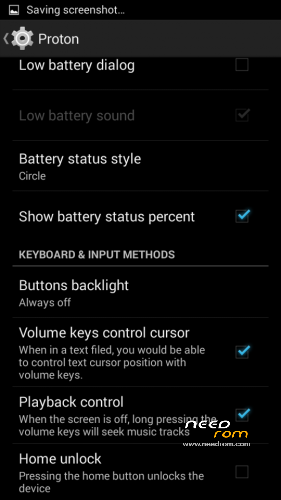
- Proton Settings page with useful options:
—– Vibrate on call connected
—– Low battery sound
—– Low battery dialog
—– Volume keys control text cursor
—– Home key unlock
—– CM11 battery indicators
—– Button backlight control
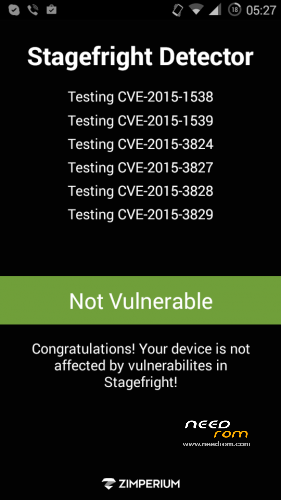
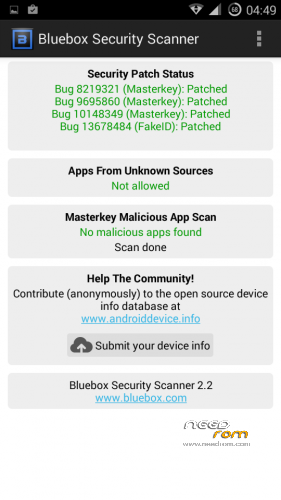
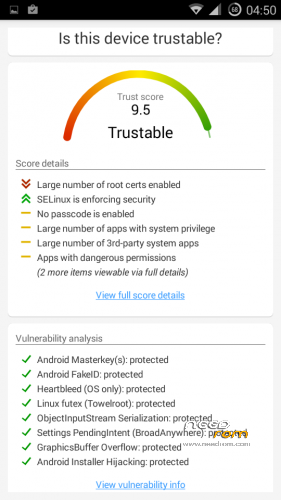
- Fixed vulnerabilities
—– FakeID
—– ObjectInputStream Serialization
—– Settings PendingIntent
—– GraphicsBuffer Overflow
- Adjusted 3G signal indicators levels
- Improved battery life
- Battery tables from S150 exctracted with "reverse-engineering"
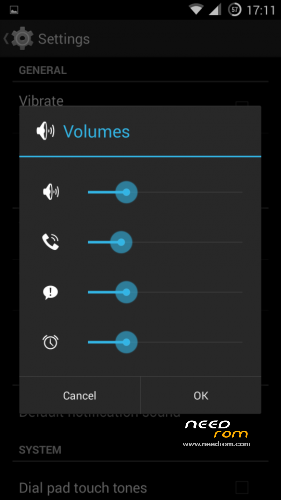
- Unlinked volume sliders and expandable volume dialog
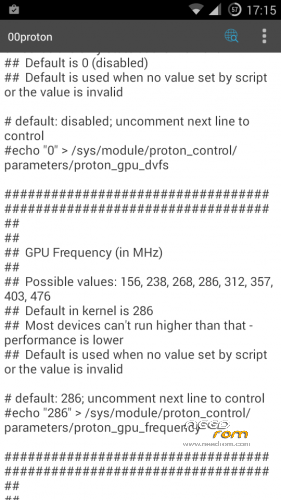
- init.d script to control GPU frequency, voltage and DVFS
- kernel compiled with linaro 4.9.3 toolchain, ROM compiled with SaberMod 4.8
- UI mods for statusbar icons
- Extended power menu
- Working GPS/EPO/A-GPS
- init.d support
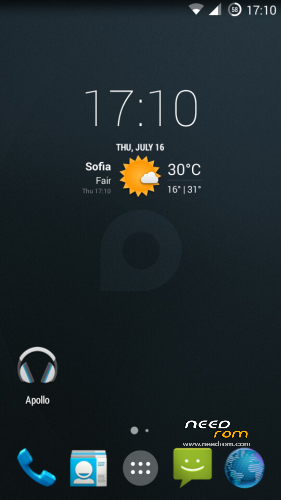
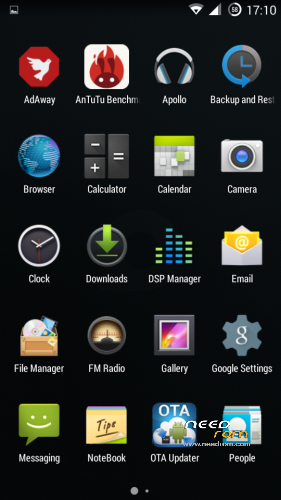
- Calculator, Apollo, DSP Manager, Browser from CM11 (compiled from source)
- Camera shoots in MP4 format. Increased photo quality to 100%.
- Fullscreen caller picture
And many more improvements…
ART is not working, so it is disabled. Could not solve this problem.
For full kernel changelog, visit my github repo: https://github.com/infraredbg/Lenovo_A820_kernel_kk
GPU overclock (works on some A820):
Currently it is only supported via init.d script
Go to /system/etc/init.d and open 00proton with a text editor
Uncomment and change desired value (all values are explained in the script)
Save and make sure the file has correct permissions
Reboot device
You can verify if the GPU frequency have changed in /proc/gpufreq/gpufreq_var_dump
Installation:
If you're currently using one of my DEV roms, it is recommended to do a clean install
It is recommended to use my TWRP 2.8.4.0 recovery (install via Rashr from PlayStore on phone or from FlashTools on PC)
Copy zip on sdcard and optional GApps package and reboot to recovery
Do a full backup of your current ROM including nvram block (IMPORTANT)
Wipe system, data and cache from TWRP. The script does not do automatic format.
Install ROM zip and GApps (optional)
Reboot system (first boot takes time)
Credits:
jwchen for helping me with kernel and testing
hyperion70 for the hint how to fix gralloc mem leak
masterwasome for guides on xda
varunchitre for some initial work on mt6589 kernel
faux123 for dynamic filesync
Christofer83 for prebuilt linaro toolchain
superdragonpt and Dr-Shadow for valuable code which I learned a lot from
mastersanta for finding how to fix USB mounting problem in the beginning
CM11 team
all other people for their guides and information, which I've found over the net
Update:
Uploaded new version of the zip with fixed IMEI backup. Sorry for inconvenience, but that's why I have written in the description to make a full backup.
※Please make a backup of your device before installing or updating ROM
Hi Infrared
I have an A820 with the v1.0.2 PROTON KK ROM. Very, very good work.
I've seen that in the Kernel\Proton-KK folder of your google drive there's some new kernels: v2.55, v255-uv, v255-zram-uv, v2.55-zram, but I don't which version to install and the differences between each file. I suppose that I can install them rebooting in recovery mode and installing it via recovery boot.
Please, can you give me some hint about the different ZIPs? Can be installed with PROTON-KK v1.0.2? What about v1.1-dev? It's suitable for everyday use?
Regards
uv – undervoltage version is working fine for me and some other peoples and hope less power consumption; several pages back you have infrared's explanation about uv, zram abbreviations
Thanks artek.
I've installed the -zram-uv versio and seems to work. Will post the result after some days of use.
hello everybody! I'm really grateful for your huge work, infrared!!
I noticed you recentely made an update! (1.0.2)
right now I'm using the mastersanta's kitkat ROM and I'm ready to jump to your fresh work
moreover my phone is repartitioned with meteos
what is the correct procedure to follow to install your updated ROM?
is it a MUST to use FlashTool and go through the stock JellyBean, or I can flash the ROM directly with TWRP?
I never trusted FlashTool and his driver jokes! should I use WIN7 x32 or x64 is sufficiently reliable?
many many thanks
Flash from TWRP if you're already on KK rom.
Does anyone have any experience of bootloops after using this ROM for some time?
Also, after a few bootloop situations I have re-flashed / factory reset and then added previous Google accounts, but had no prompt to restore applications and settings. In fact, I don’t think I have ever had a prompt to restore from Google servers using this ROM. Has anyone managed it, and if so, how?
For best results you should flash gapps package of choice from opengapps page (4.4 version).
The package I provided some time ago is a minimal one and pretty outdated.
Using this ROM more than a year ago, but I'm not a power user. IMHO it's way better than my previous one (Lambda).
Thanks Infrared – and I know I've said this before, but thanks for the great work on this ROM.
Re opengapps: So the ARM, 4.4, stock version? Can I flash this without another wipe?
Actually it can't be the Standard version as it's 523MB! Even the Mini version is 229MB. Pico? Nano?
Okay, went for the Nano, and this time it did restore apps from Google, so perhaps the gapps package fixed that, thanks.
But now I don't seem to be able to update the SuperSU binary. Update just keeps failing.
I usually flash Nano opengapps and latest supersu packages from twrp.
Okay, thanks. Got the SuperSU binary to update by uninstalling all SuperSU updates, then allowing it to update the binary, then allowing SuperSU to update, then allowing it to update the binary again!
Hi Infrared! Thank you!
What are the diffecences between A820-PROTON.KK.V1.0 and A820-PROTON.KK.V1.1.DEV ?
The updates A820-PROTON.KK_.V1.0.1_OTA and A820-PROTON.KK_.V1.0.2_OTA are only for A820-PROTON.KK.V1.0 . Am I Right?
1.1 is updated to 4.4.4, but has some bugs and I don't recommend it for daily use. It is also rather old one, I'm still working on another rom, which I started from scratch, but unfortunately I don't have much free time. Also I don't think the interest on this chipset is high anymore.
Using this ROM for 1 month…just a consideration:
SUPER!!
Smooth and rock solid
Good for drivng trips: GPS navigation and BT headset works really good together!!!
I have only one thing to say: I'm having some problems with Smart BT (aka BLE)
I purchased a "Mi Band 1S Pulse" and I couldn't at all pair it to my phone. (with mastersanta's ROM too I had problems to pair a cardiomonitor BLE, so maybe is a problem of KitKat source you are using)
But there is a strange point! Pairing the Mi Band with another phone with my Xiaomi Fit Account and going back to my Lenovo A820, the Mi Band is recognized!!!
So the problem is only in the PAIRING phase! Once the apps knows the Mi Band the BLE communication works really fine!
Summary:
1) The phone can see BLE devices (in Bluetooth menu too)
2) The phone had problems pairing with the seen devices (Mi Band or Decathlon heartmonitor)
3) Once the Xiomi Fit account gains the device info, the communication works fine and the Mi Band works good
Thank you very much infrared!
Yes, the source we have is rather immature. It is kind of pre-release, beta one.
Unfortunately we don't have access to newer mt6589 sources.
If you're willing to test another build with updated BLE, contact me on PM to send you a link. There's no guarantee it would work though and the rom is not really ready for daily use, due to couple of bugs.
Without the needed fixed prebuilt libraries (supplied by Mediatek) we could not do much more. It's pity, but that's the truth.
MTK abandoned this chipset long time ago and KK is the highest we will ever get
Communication not good too, after a while, BLE stops working and no notification arrived to smart bracelet. After disable-enable bluetooth connection, all begins work again.
Hello
" Home key unlock" dont work.
But yes! It unlocks the phone if lockscreen is present, not wake the device
Hello
Infrared, do you plan updates?
Yes, but the progress is very slow. I'm working on the kernel when I have time.
we all we are looking forward
Thanks Infrared.
If possible, could you list out the update content of the patches ?
You can check kernel commits here: https://github.com/infraredbg/.....ommits/upstream
As for the ROM, I'm working on improving camera. Already fixed it for A830, but still can't make the front camera work normally. It's a nightmare without sources and can't find why it doesn't work as axpected. Same fixes for camera libs should improve A820's camera too.