
- Title: Proton KK AOSP
- Listed: July, 2015
- Last modified: 10/22/2017 3:25 am
- Version: 1.0.2 (4.4.2)
You must be logged for ROM download.
106791 total views, 20 today
99 Total favorites
 Member Info
DESCRIPTION
This is a custom KitKat rom for Lenovo A820 compiled from source.
It took me a lot of time to get it to this stage, so if you're porting to another device or do some mods, please have respect and give proper credits to original author.
Update 22.10.2017
Added patch for WPA2 vulnerability. Install from recovery, then wipe cache and dalvik. Reboot.
Key features:
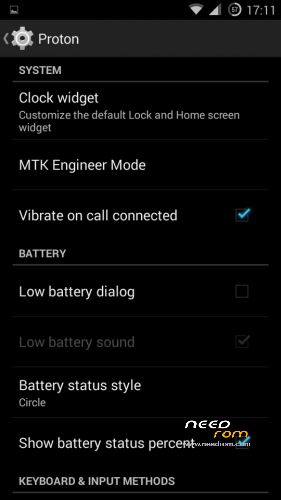
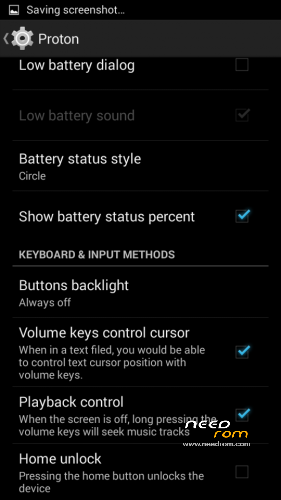
- Proton Settings page with useful options:
—– Vibrate on call connected
—– Low battery sound
—– Low battery dialog
—– Volume keys control text cursor
—– Home key unlock
—– CM11 battery indicators
—– Button backlight control
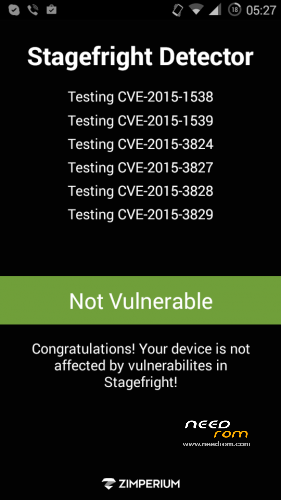
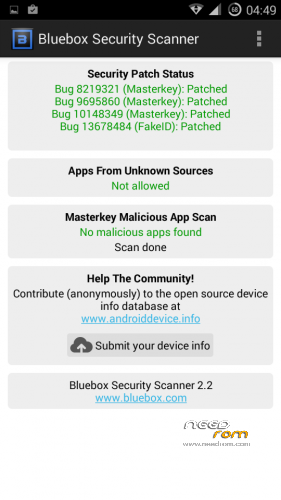
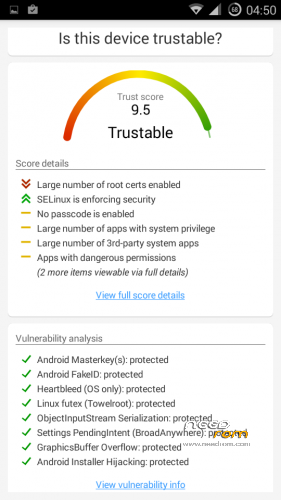
- Fixed vulnerabilities
—– FakeID
—– ObjectInputStream Serialization
—– Settings PendingIntent
—– GraphicsBuffer Overflow
- Adjusted 3G signal indicators levels
- Improved battery life
- Battery tables from S150 exctracted with "reverse-engineering"
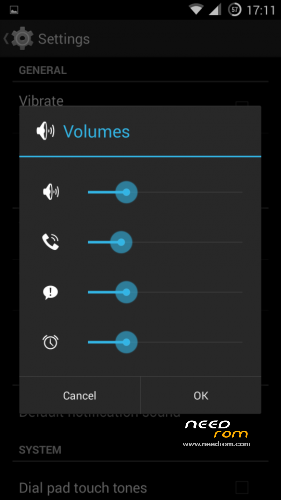
- Unlinked volume sliders and expandable volume dialog
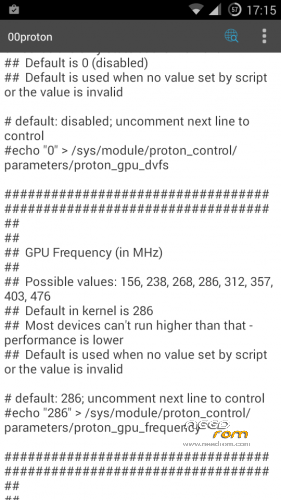
- init.d script to control GPU frequency, voltage and DVFS
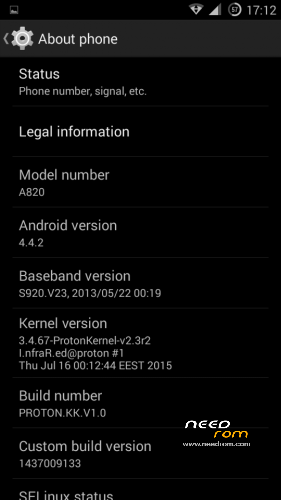
- kernel compiled with linaro 4.9.3 toolchain, ROM compiled with SaberMod 4.8
- UI mods for statusbar icons
- Extended power menu
- Working GPS/EPO/A-GPS
- init.d support
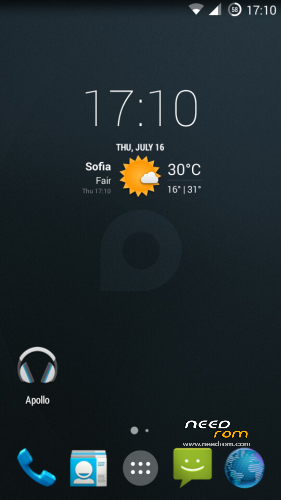
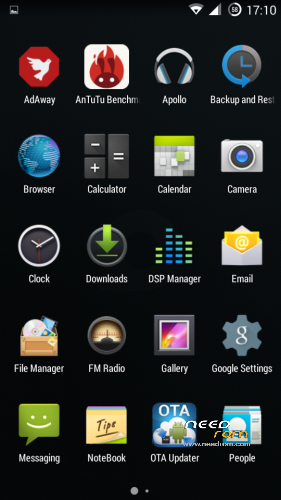
- Calculator, Apollo, DSP Manager, Browser from CM11 (compiled from source)
- Camera shoots in MP4 format. Increased photo quality to 100%.
- Fullscreen caller picture
And many more improvements…
ART is not working, so it is disabled. Could not solve this problem.
For full kernel changelog, visit my github repo: https://github.com/infraredbg/Lenovo_A820_kernel_kk
GPU overclock (works on some A820):
Currently it is only supported via init.d script
Go to /system/etc/init.d and open 00proton with a text editor
Uncomment and change desired value (all values are explained in the script)
Save and make sure the file has correct permissions
Reboot device
You can verify if the GPU frequency have changed in /proc/gpufreq/gpufreq_var_dump
Installation:
If you're currently using one of my DEV roms, it is recommended to do a clean install
It is recommended to use my TWRP 2.8.4.0 recovery (install via Rashr from PlayStore on phone or from FlashTools on PC)
Copy zip on sdcard and optional GApps package and reboot to recovery
Do a full backup of your current ROM including nvram block (IMPORTANT)
Wipe system, data and cache from TWRP. The script does not do automatic format.
Install ROM zip and GApps (optional)
Reboot system (first boot takes time)
Credits:
jwchen for helping me with kernel and testing
hyperion70 for the hint how to fix gralloc mem leak
masterwasome for guides on xda
varunchitre for some initial work on mt6589 kernel
faux123 for dynamic filesync
Christofer83 for prebuilt linaro toolchain
superdragonpt and Dr-Shadow for valuable code which I learned a lot from
mastersanta for finding how to fix USB mounting problem in the beginning
CM11 team
all other people for their guides and information, which I've found over the net
Update:
Uploaded new version of the zip with fixed IMEI backup. Sorry for inconvenience, but that's why I have written in the description to make a full backup.
※Please make a backup of your device before installing or updating ROM
hi there!
im using an a820 with the dev 1.1 version, downloaded from your drive. for the first few hours everythink worked perfectly. i dont know exactely, that after a newer kernel (255-uv) or just simply happend, but the wifi stopped working. cant connect any network from the list even if any was used before. i can only connect if use the wps button.
do you have any idea?
No idea, I use mine just fine and have no problems connecting to various Wi-Fi hotsposts.
Basically it is recommended to clear cache and dalvik after installing new kernel, sometimes it helps, but I don't think it is related in your case.
You can always install a new kernel and test.
I meant older kernel, excuse me.
Hi guys i need some help regarding my phone. The Lenovo a820 I have keeps rebooting automatically after a certain time. Sometimes after a couple of the rebooting, it would bootloop, I would be waiting for the OS to load but it would always be stuck on the proton logo. I have tried using different roms and they also create the same problem with my phone.
does the battery loosen contact of your phone ?
Hi infrared,
any update logs for Kernal between 2.54 and 2.55 ?
Changelog for 2.55:
Thanks !
Is it same to before update from recovery mode ?
Updated 2.55.
How to use "kdp: add Lenovo side keys wake up (used in VibeUI)" ?
Thanks
This works in roms that support it – VibeUI and I think MIUI. Also in my unreleased rom, but still working on it and trying to fix bugs. No ETA :/
infrared,
ok, after some observations here is what I found: when usb charging works the app (I used an app 'Ampere' from play store) reads 520 mA charge current, when it doesn't work – 0-20 mA. I couldn't see any relation to battery %, e.g. if it doesn't charge – it doesn't charge on any battery %, but if charge level is above 80% when I plug it into usb it will instantly go to 100% after a minute or so.
Now I'm back to 2.3r2 kernel to check maybe phone's hw is broken somehow and it is not kernel related, but it charges just fine with old kernel
What about AC charger? Can you do a full charge with it and then try with usb again?
Btw, if you have used much older kernel before, it might be good to do a full kernel update (including ramdisk), if you're using AOSP rom.
I will share a full boot.img that can be updated from twrp 2.8.4.0.
infrared,
with AC charger it charges at ~800 mAh, and I tried what you suggest – I charge it at home via AC charger and next day I try to charge via USB at work and it will not charge from USB.
As for the kernel – I have Proton-KK ROM installed , so kernel version was 3.4.67-ProtonKernel-v2.3r2, then I install kernel update to v2.54 (you posted links on 4pda forum). This bug (or whatever it is) with usb charging first appeared in v2.54 (and v2.55), before that it charged from whatever I plug into it, but quite slow ~470 mA
Can you try with this boot.img: https://drive.google.com/file/.....iew?usp=sharing
Flash it from TWRP.
Hi infrared,
I've already sent you a PM, but it looks like you didn't notice it – I just wanted to let you know, if you need a tester for the upcoming 4.4.4 ROM, I'm happy to help you out.