
- Title: Proton KK AOSP
- Listed: July, 2015
- Last modified: 10/22/2017 3:25 am
- Version: 1.0.2 (4.4.2)
You must be logged for ROM download.
106792 total views, 21 today
99 Total favorites
 Member Info
DESCRIPTION
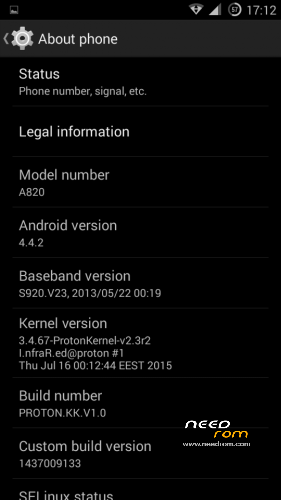
This is a custom KitKat rom for Lenovo A820 compiled from source.
It took me a lot of time to get it to this stage, so if you're porting to another device or do some mods, please have respect and give proper credits to original author.
Update 22.10.2017
Added patch for WPA2 vulnerability. Install from recovery, then wipe cache and dalvik. Reboot.
Key features:
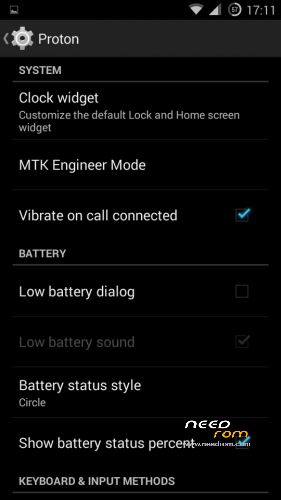
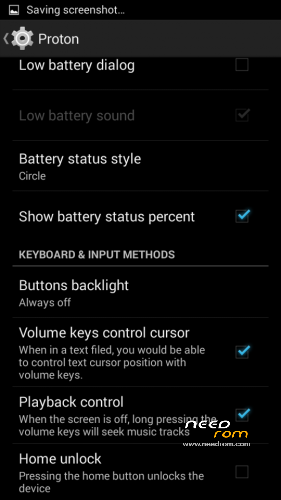
- Proton Settings page with useful options:
—– Vibrate on call connected
—– Low battery sound
—– Low battery dialog
—– Volume keys control text cursor
—– Home key unlock
—– CM11 battery indicators
—– Button backlight control
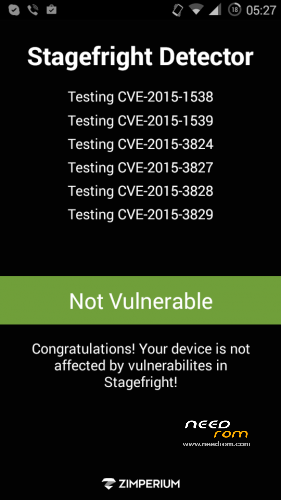
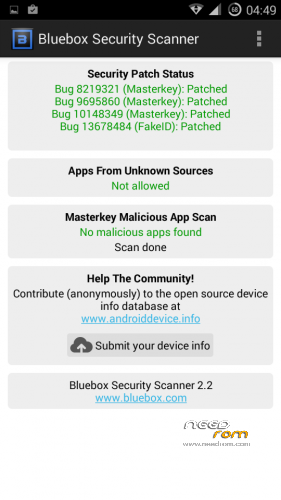
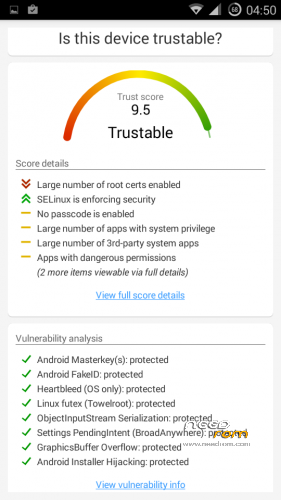
- Fixed vulnerabilities
—– FakeID
—– ObjectInputStream Serialization
—– Settings PendingIntent
—– GraphicsBuffer Overflow
- Adjusted 3G signal indicators levels
- Improved battery life
- Battery tables from S150 exctracted with "reverse-engineering"
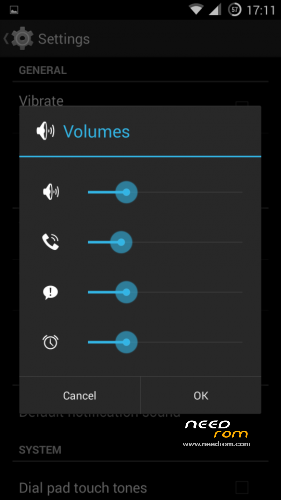
- Unlinked volume sliders and expandable volume dialog
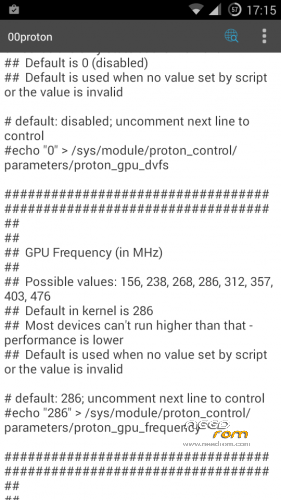
- init.d script to control GPU frequency, voltage and DVFS
- kernel compiled with linaro 4.9.3 toolchain, ROM compiled with SaberMod 4.8
- UI mods for statusbar icons
- Extended power menu
- Working GPS/EPO/A-GPS
- init.d support
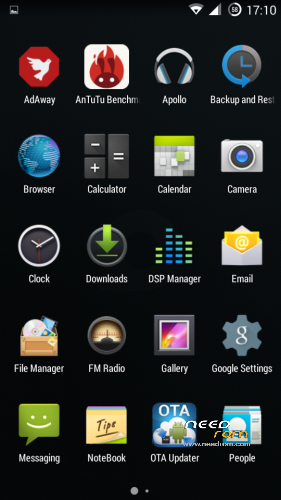
- Calculator, Apollo, DSP Manager, Browser from CM11 (compiled from source)
- Camera shoots in MP4 format. Increased photo quality to 100%.
- Fullscreen caller picture
And many more improvements…
ART is not working, so it is disabled. Could not solve this problem.
For full kernel changelog, visit my github repo: https://github.com/infraredbg/Lenovo_A820_kernel_kk
GPU overclock (works on some A820):
Currently it is only supported via init.d script
Go to /system/etc/init.d and open 00proton with a text editor
Uncomment and change desired value (all values are explained in the script)
Save and make sure the file has correct permissions
Reboot device
You can verify if the GPU frequency have changed in /proc/gpufreq/gpufreq_var_dump
Installation:
If you're currently using one of my DEV roms, it is recommended to do a clean install
It is recommended to use my TWRP 2.8.4.0 recovery (install via Rashr from PlayStore on phone or from FlashTools on PC)
Copy zip on sdcard and optional GApps package and reboot to recovery
Do a full backup of your current ROM including nvram block (IMPORTANT)
Wipe system, data and cache from TWRP. The script does not do automatic format.
Install ROM zip and GApps (optional)
Reboot system (first boot takes time)
Credits:
jwchen for helping me with kernel and testing
hyperion70 for the hint how to fix gralloc mem leak
masterwasome for guides on xda
varunchitre for some initial work on mt6589 kernel
faux123 for dynamic filesync
Christofer83 for prebuilt linaro toolchain
superdragonpt and Dr-Shadow for valuable code which I learned a lot from
mastersanta for finding how to fix USB mounting problem in the beginning
CM11 team
all other people for their guides and information, which I've found over the net
Update:
Uploaded new version of the zip with fixed IMEI backup. Sorry for inconvenience, but that's why I have written in the description to make a full backup.
※Please make a backup of your device before installing or updating ROM
thanks infrared. finally managed to install TWRP and proceeded to instal the Proton rom. it does say that packet was sucessfully installed but phone seems stuck at lenovo logo. i know you said it takes time for the first boot so i will leave it for 30min. hope that is ok/enough. i have folowed the short procedure above as i am updating from Lambda 2.4.1. i also saw the detailed explanation from the pdf file but not sure shall i go through all the hassle?
thanks for all help
also for some reason the touch screeen in TWRP does not work properly. there are sections i cannot use and for instance canot select system in wipe option. very weird
update
installation stuck at Lenovo logo. Bootloop i think. back to Lambda for now
Maybe you have partitions changed (meteos or sth). Go along pdf.
I doubt I'll have a reply on this one due to the age of this thread. I hope I can find you, Infrared, alright.
My wife broke her phone and I tried to give her my old A820 as spare until she fixes it or gets a new one.
On slot 1 I get "sim slot has been permanently locked". SLot 2 works well.
I then put my own sim card on slot 1 and it works. I then went to "security" and removed the sim lock password from my sim card, but I had no luck.
The slot 1 on this old phone ONLY accepts my sim card, no one else's.
Any idea how I can fix it, she cannot have 3G internet on stot 2.
Well…..lets prey infrared still reads this posts.
Thank you.
D.
Have you tried another (third) SIM card?
BTW Never tried but in this ROM we can choose wich SIM slot is 3G enabled (Settings->More->Cellular->3G->slot change)?
Thanks mate, that is funny because I have actually done that and surprinsingly enough I have noticed that the sysmbol H+ is shown for the slot 2. THis is quite amazing considering I thought this was a hardware limitation, but you are right, it works.
However the main issue remains: why is the phone saying the slot is permanently locked is a mistery.
I have re-flashed the rom from scratch 3 times, wiping everything in between each flash.
No I have not tried a 3rd sim. why do you thing this would help? why doesn't the phone like my wife's sim card which is the same vodafone provider as mine?
Thanks anyway
hi Artek
you are right. i have changed the partitions with meteos. i have not used the phone a long time and cant remember all tricks. what i have noticed is that under TWRP parts of the screen do not respond on click. also i cannot access the internal phone memory. ES Explorer says internal memory not mounted…. hmmmm. I wish i could start from scratch .
.
i went through your instructions infrared and it seems i need few softs and different ROM versions. i think you mention you have them all on your google drive. can you send me a link?
many thanks
Infrared's googledrive:
https://drive.google.com/drive.....NWVUNDVGU1RjZFE
Maybe tried 3x wrong PIN for this card and it is locked…
anyway I can unlock it? funny is that it is not locked with my SIM.
I thougt if it was to be locked it would be locked for any and all sims.
Thanks
No the same card works on slot 2, so it is not locked. I also have the password.
Is it possible to unlock this slot 1 or not? Does anyone know?
Thanks
I have no clue.
Have you wiped data when tested with new firmware?
Have you tried to clean up the slot and sim card contacts?
I don't use SIM locks and don't even know how the technology actually works.
Is there a way to enter the PUK code when it says the SIM is locked in first slot?
No there isn't. when the phone first boots up with my wife's sim, it just asks for her sim pin. I tested input the wrong code once, it say "wrong code". then I enter the correct code, it accepts (as if it was going to work as normally) then it says straight way "slot permanently locked".
Turn the phone off, put my own sim in the same slot 1. phone boots up and asks for my sim pin, I enter it and it just works fine.
I can't understand. even if it asked for the puk code, would this be mine or my wifes? I looked in EM, and the options for the slot one are all greyed out.
It is a shame the phone simply works fine, but I could never give it to a friend as a dual sim phone anymore.
Thanks anyway, if I find a way round to unlock this slot I'll let you guys know.
D.
I'm a bit late seeing this, so you have probably already moved on, but:
You don't have any anti-theft software installed do you – like Avast Anti-Theft which can remain in the system after a factory wipe (I don't know if it can persist after a rom flash)? I don't know if that can permanently block a sim slot, but it can definitely alter system behaviour if it detects a new sim being installed.
Hi Infrared,
Recently , I bought Xaiomi MI Bank2. However, it cannot be found and connected by MI APP.
MI Bank2 - http://xiaomi-mi.com/xiaomi-mi.....i-band-2-black/
MI APP - http://www.wareable.com/xiaomi.....ss-tracker-1379
I found A820 can find MI Bank2 from BT options but no idea why cannot be connected by Mi APP. I try switch no / off BT many times.
Still not succeed. Do you know how it solve ?
Thanks !
Not sure, I don't have the bracelet.
AFAIK MiBand 1 worked well with aosp 4.4, but maybe MiBand 2 requires something else.
To "debug", you may want to backup your current system and try another aosp rom first – e.g. PlainRom. Then try some MIUI.
I can also give you a test version of my rom with updated bluetooth drivers and libs, but it has other problems and is not ready for primetime.
infrared, You add BackLightNotification(BLN) in the future?
It's possible, but the work on the new 4.4.4 rom (from scratch) is too much for a single person with limited free time, so I can't say when it will be ready.