
- Title: Proton KK AOSP
- Listed: July, 2015
- Last modified: 10/22/2017 3:25 am
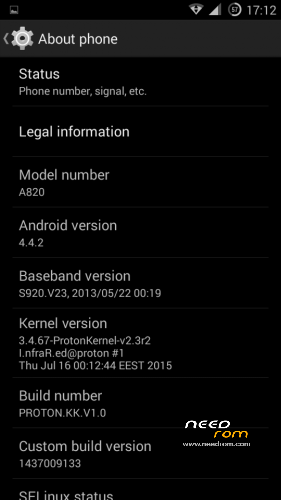
- Version: 1.0.2 (4.4.2)
You must be logged for ROM download.
106792 total views, 21 today
99 Total favorites
 Member Info
DESCRIPTION
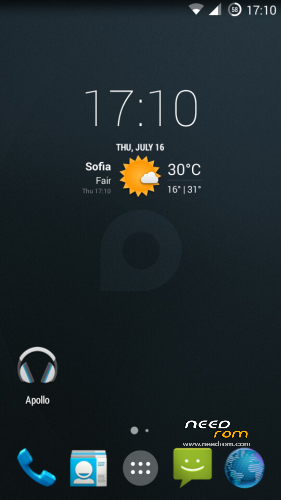
This is a custom KitKat rom for Lenovo A820 compiled from source.
It took me a lot of time to get it to this stage, so if you're porting to another device or do some mods, please have respect and give proper credits to original author.
Update 22.10.2017
Added patch for WPA2 vulnerability. Install from recovery, then wipe cache and dalvik. Reboot.
Key features:
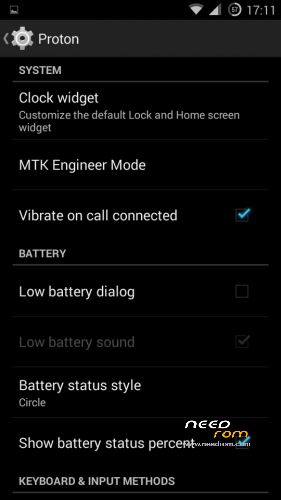
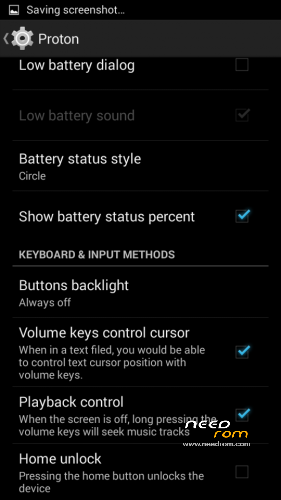
- Proton Settings page with useful options:
—– Vibrate on call connected
—– Low battery sound
—– Low battery dialog
—– Volume keys control text cursor
—– Home key unlock
—– CM11 battery indicators
—– Button backlight control
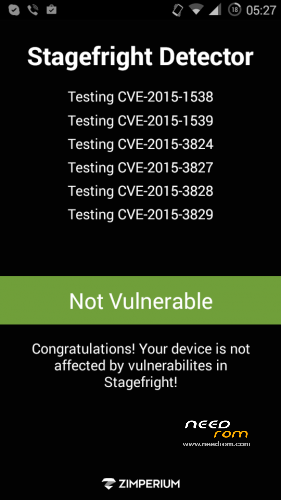
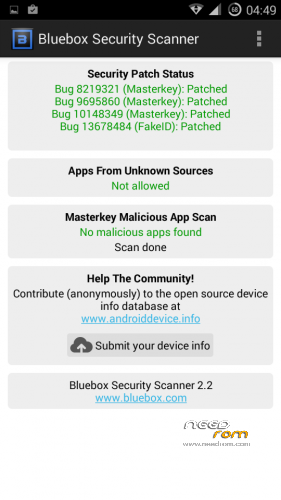
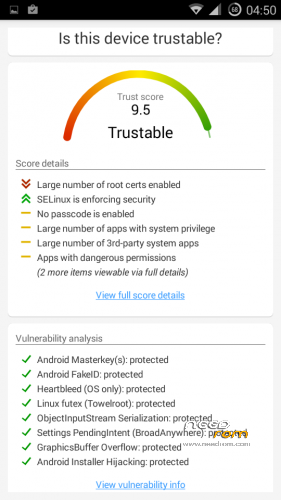
- Fixed vulnerabilities
—– FakeID
—– ObjectInputStream Serialization
—– Settings PendingIntent
—– GraphicsBuffer Overflow
- Adjusted 3G signal indicators levels
- Improved battery life
- Battery tables from S150 exctracted with "reverse-engineering"
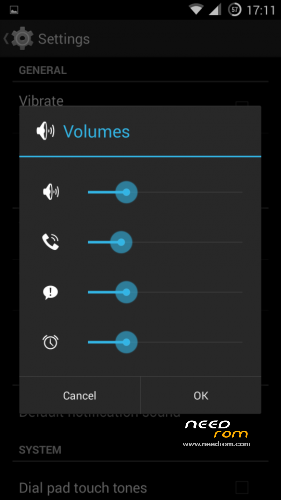
- Unlinked volume sliders and expandable volume dialog
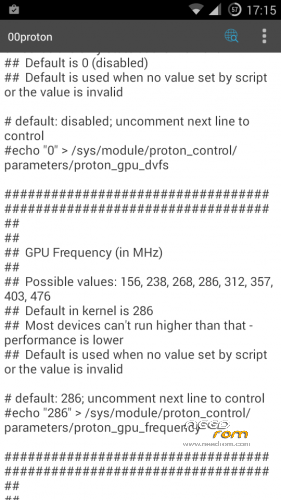
- init.d script to control GPU frequency, voltage and DVFS
- kernel compiled with linaro 4.9.3 toolchain, ROM compiled with SaberMod 4.8
- UI mods for statusbar icons
- Extended power menu
- Working GPS/EPO/A-GPS
- init.d support
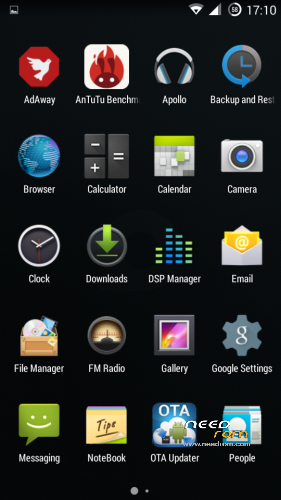
- Calculator, Apollo, DSP Manager, Browser from CM11 (compiled from source)
- Camera shoots in MP4 format. Increased photo quality to 100%.
- Fullscreen caller picture
And many more improvements…
ART is not working, so it is disabled. Could not solve this problem.
For full kernel changelog, visit my github repo: https://github.com/infraredbg/Lenovo_A820_kernel_kk
GPU overclock (works on some A820):
Currently it is only supported via init.d script
Go to /system/etc/init.d and open 00proton with a text editor
Uncomment and change desired value (all values are explained in the script)
Save and make sure the file has correct permissions
Reboot device
You can verify if the GPU frequency have changed in /proc/gpufreq/gpufreq_var_dump
Installation:
If you're currently using one of my DEV roms, it is recommended to do a clean install
It is recommended to use my TWRP 2.8.4.0 recovery (install via Rashr from PlayStore on phone or from FlashTools on PC)
Copy zip on sdcard and optional GApps package and reboot to recovery
Do a full backup of your current ROM including nvram block (IMPORTANT)
Wipe system, data and cache from TWRP. The script does not do automatic format.
Install ROM zip and GApps (optional)
Reboot system (first boot takes time)
Credits:
jwchen for helping me with kernel and testing
hyperion70 for the hint how to fix gralloc mem leak
masterwasome for guides on xda
varunchitre for some initial work on mt6589 kernel
faux123 for dynamic filesync
Christofer83 for prebuilt linaro toolchain
superdragonpt and Dr-Shadow for valuable code which I learned a lot from
mastersanta for finding how to fix USB mounting problem in the beginning
CM11 team
all other people for their guides and information, which I've found over the net
Update:
Uploaded new version of the zip with fixed IMEI backup. Sorry for inconvenience, but that's why I have written in the description to make a full backup.
※Please make a backup of your device before installing or updating ROM
Hi all,
Do anyone know how to default install apps into micro SD card ?
Even I set to using micro SD card, but seems that apps still are installed into internal storage.
Now, my A820 KK proton always prompts insufficient space message and cannot install / update apps.
Remark: internal space : about 70MB
Thanks.
Apps install on SD card. Eg. if I download and install Google Maps I have 48 MB installed in /storage/apps/maps/ (and 31 MB apk file in /data/app/). However system settings->app info wrongly shows: all 48 MB, app 48 MB, SD app 0 MB).
Hello!
Am I the only one who can't make the headphones buttons work?
I have already tried the proposed fix in the posts on pages 2 and 3, but no headphones work. Neither those provided with the phone, nor any other, including bluetooth ones.
Please help, I would really love to use the headphones buttons, at least for next song/previous song in Poweramp.
Please note buttons don't work in ANY media player (Apollo, Poweramp, Stellio, etc… I've tried a dozen at least).
Thanks
Have you updated the kernel?
https://drive.google.com/folde.....038;usp=sharing
Ok, I have updated the kernel using this:
A820-ProtonKernel-v2.55-zram-uv.zip
But nothing changed. My earphones have three buttons:
+ and – : a single press turns volume up and down (and this works) while keeping it pressed should move to next/previous track (this does not work)
Central button: keeping it pressed turns the earphones on/off. Clicking it quickly turns the phone screen off (so it looks like the phone "catches" some kind of commands).
But that's it. Basically the earphones buttons do not command anything on the phone.
No, I have v2.3r2 on.
Which one of the four packages that show up in Google Drive should I use?
Also, where do I find instructions for updating the kernel? Will I need to backup/reinstall everything?
Thanks
Scratch this, I've figured it out.
What about double fast click on middle button?
That's how the stock earphone works, if i remember correctly.
Double click on middle button radials, as per the headset’s instructions.
Also this happens: if I receive a call when the BT headset is connected, as soon as I slide to answer (or click the middle button) the phone kind of freezes the communication part: the call gets rejected (the caller says he gets the busy line signal) and the phone stops responding.
I have to take the battery out (I tried with a simple reboot, but after it the phone won’t connect to the cellular network. I have to take the battery out to make it work again).
Everything works correctly if I call someone. The problem shows up only when I receive a call.
WTF?
radials = redials
Wired headset with one button works correct. For third-party players just need setup button behavior in theirs settings. The "Headsed button controller" app you can use also for setup behavior of headset.
I can't seem to make even one button headsets work.
I have also tried different apps, to no avail.
My only solution has been to set the bluetooth headset only for music/multimedia use. When I receive a call I have to take the headset off and talk into the phone. But at least the phone does not freeze this way.
I use one-button headset sony, works perfect with phone, with player poweramp (it has settings for setup headset buttons). And with the "Headsed button controller" app, headset button works in other players and apps also
What can I say? Lucky you!
Totally different situation on my A820!
There are different standards for 3.5mm jacks.
Have you checked if the stock headset works?
Yes, they don't work either.
Then I don't know what is wrong. Stock headset should work with latest kernel.
I've tried again to be sure.
They are not working. The only reaction to the button is the screen that turns on or off after a long press. That's it.
Sciamano, we discussed here or in Lambda thread about (original) headset's (one) button work. Mine is working fine. You may explore problem on your own e.g.:
- use KeyTest.apk (available somwhere in internet) to check how your buttons are recognized in your phone,
- deal with key layout *.kl files to change assigments to your butons,
- use Gravitybox module (or other Xposed module, or some other application) to change specific key behavior.
Stock headset works for sure. Others may or not, be aware CTIA/OMTP standards.
Thanks.
I have actually solved in a different manner: I've ordered a new phone.
I've loved the A820, it has been a great companion during the last three years but since the battery has almost gone (I have to recharge at least three times a day) and adding to this the annoying problem with Titanium Backup always setting itself as default app for SMS at every reboot, and with the headphones, I have decided to move to a new terminal (a Xiaomi Redmi 3s, in case anyone is interested).
Many thanks to this community for the help provided during all these years, and special thanks to infrared for all the work on the great roms I've been using all this time.
1.0.2 and last kernell installed - Applications for freeze apps like Titanium Backup do not work correctly with latest versions of SuperSU, How to fix it? Correct work with SuperSU 2.45, but if update SuperSU from market or manually to newest version – stop working.
hi infrared
long time no hear i have moved to Lenovo vibe shot and left my old A820 in the drawer for a while
  . Now it is time to use it again mainly as a backup phone and navigation so i started reading the forums again. Glad to hear that you still offer such great support. i wish you do a rom for Vibe Shot too
  .
.
now to my issue. I am a bit rusty so appologies in advance if i am doing something wrong. i am trying to upgrate my Lambda 2.4.1 rom to the Proton rom. i am using CWM recovery. it says the rom fashed correctly but when i restart the phone it is stuck on Lenovo logo. done it twice and the same issue . Unfortunately i cannot change from CWM to your TWRP for some reason. I have downloaded Rashr from ply store but it says the file is bigger than the space provided….. i am at loss
hope you or anybody else can help!
The new versions of this Rashr app don't work.
You can use the version of flashify I have in my google drive: https://drive.google.com/file/.....iew?usp=sharing
Please keep in mind that if you cut corners in the upgrade procedure, you might end with damaged nvram/missing IMEIs. I think there might be an easier way of restoring them if we backup protect_f and protect_s partitions together with nvram, but haven't tested it myself. OR just flash them from stock rom if anything happens with IMEIs after updating to KK.