
- Title: Proton KK AOSP
- Listed: July, 2015
- Last modified: 10/22/2017 3:25 am
- Version: 1.0.2 (4.4.2)
You must be logged for ROM download.
106789 total views, 18 today
99 Total favorites
 Member Info
DESCRIPTION
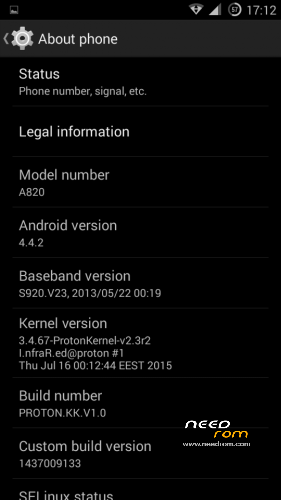
This is a custom KitKat rom for Lenovo A820 compiled from source.
It took me a lot of time to get it to this stage, so if you're porting to another device or do some mods, please have respect and give proper credits to original author.
Update 22.10.2017
Added patch for WPA2 vulnerability. Install from recovery, then wipe cache and dalvik. Reboot.
Key features:
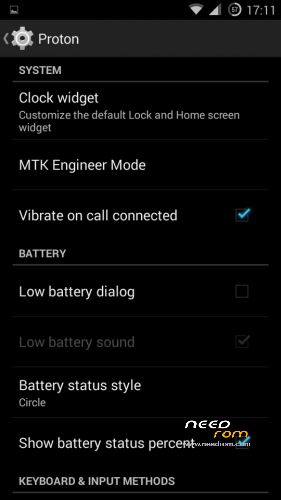
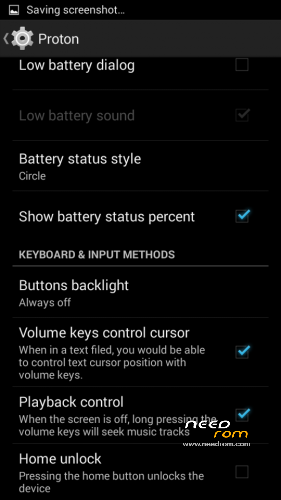
- Proton Settings page with useful options:
—– Vibrate on call connected
—– Low battery sound
—– Low battery dialog
—– Volume keys control text cursor
—– Home key unlock
—– CM11 battery indicators
—– Button backlight control
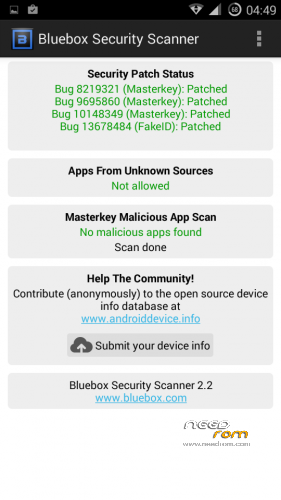
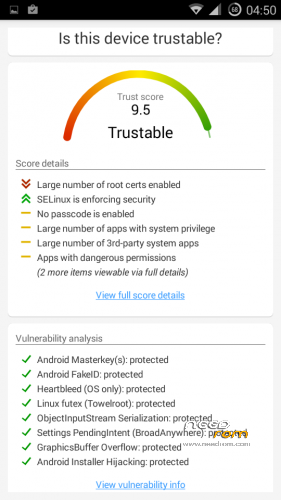
- Fixed vulnerabilities
—– FakeID
—– ObjectInputStream Serialization
—– Settings PendingIntent
—– GraphicsBuffer Overflow
- Adjusted 3G signal indicators levels
- Improved battery life
- Battery tables from S150 exctracted with "reverse-engineering"
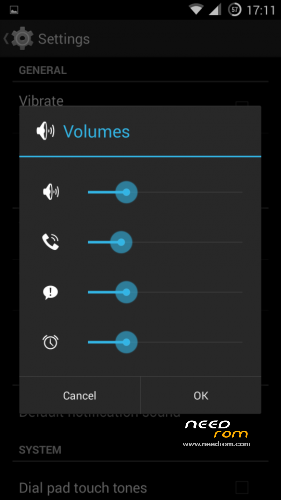
- Unlinked volume sliders and expandable volume dialog
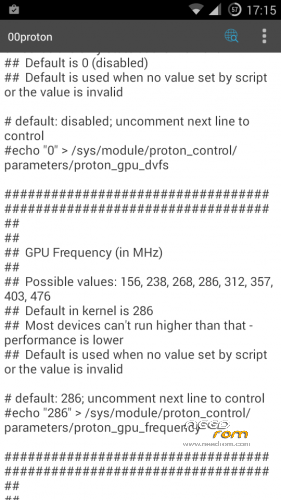
- init.d script to control GPU frequency, voltage and DVFS
- kernel compiled with linaro 4.9.3 toolchain, ROM compiled with SaberMod 4.8
- UI mods for statusbar icons
- Extended power menu
- Working GPS/EPO/A-GPS
- init.d support
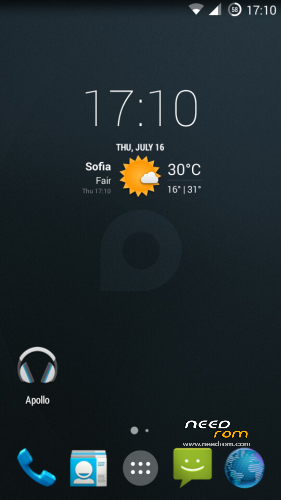
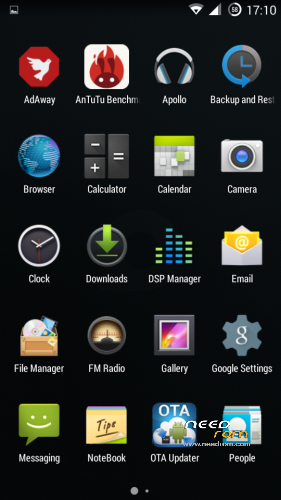
- Calculator, Apollo, DSP Manager, Browser from CM11 (compiled from source)
- Camera shoots in MP4 format. Increased photo quality to 100%.
- Fullscreen caller picture
And many more improvements…
ART is not working, so it is disabled. Could not solve this problem.
For full kernel changelog, visit my github repo: https://github.com/infraredbg/Lenovo_A820_kernel_kk
GPU overclock (works on some A820):
Currently it is only supported via init.d script
Go to /system/etc/init.d and open 00proton with a text editor
Uncomment and change desired value (all values are explained in the script)
Save and make sure the file has correct permissions
Reboot device
You can verify if the GPU frequency have changed in /proc/gpufreq/gpufreq_var_dump
Installation:
If you're currently using one of my DEV roms, it is recommended to do a clean install
It is recommended to use my TWRP 2.8.4.0 recovery (install via Rashr from PlayStore on phone or from FlashTools on PC)
Copy zip on sdcard and optional GApps package and reboot to recovery
Do a full backup of your current ROM including nvram block (IMPORTANT)
Wipe system, data and cache from TWRP. The script does not do automatic format.
Install ROM zip and GApps (optional)
Reboot system (first boot takes time)
Credits:
jwchen for helping me with kernel and testing
hyperion70 for the hint how to fix gralloc mem leak
masterwasome for guides on xda
varunchitre for some initial work on mt6589 kernel
faux123 for dynamic filesync
Christofer83 for prebuilt linaro toolchain
superdragonpt and Dr-Shadow for valuable code which I learned a lot from
mastersanta for finding how to fix USB mounting problem in the beginning
CM11 team
all other people for their guides and information, which I've found over the net
Update:
Uploaded new version of the zip with fixed IMEI backup. Sorry for inconvenience, but that's why I have written in the description to make a full backup.
※Please make a backup of your device before installing or updating ROM
Hi all
recently upgraded from 4.1.2 to this version which so far is excellent, I installed the national roaming APK
http://forum.xda-developers.co.....oaming-t2420249
but I cant get it to work I have installed the xposed installer and the app installs but i seem to remember that I needed to activate it possibly in Gravity Box, but i cant remember and cant find Gravity box on the current install, can anyone help?
Might be due to selinux(?). You could give a try to selinux disabler app.
As I can read it is module for xposed so just needs to be enabled in xposed installer. I have another module – gravitybox and it works fine.
You need to install the framework from the xposed installer, then activate the module.
It will require reboot.
thanks for the advice, installed the xposed framework, all working now…
this rom is not rooted. how to root it?
Rooted indeed.
Great ROM, thank you! Please, add Ukranian language in the next release!
Probably a stupid question, but does this ROM (or in fact the A820 hardware) support USB OTG?
A820 HW doesn't support usb otg.
AUTO-BRIGHTNESS.
Does anyone know the original parameters for the auto brightness levels/lux.
Firstly, I'd like to know what the original parameters are, so I could restore them if needed.
Secondly then I'd like to know if anyone knows a good/recommended set of parameters that work well, and that actually uses the lowest level the phone can go.
I mean all this through Gravity box display tweaks.
Although the minimum level is good (when set manually), the minimum level when using the auto brightness does not go that far low, never.
I tweaked my values so much that my phone now is too sensitive and keeps adjusting the screen brightness all the time.
Any recommendations are welcome.
Thanks
D.
I have extracted the original values for autobrightness and settings for proximity sensor from original S150 kernel, but I don't think this will help.
The minimum level the sensor reports is 23 (sometimes 40), maximum is 1023 and there are rather big jumps in levels, e.g. 23, 40, 68, 96 and so on. It is impossible to make it good for everyone considering these facts:
1. Every person has different eyes. Some don't see well, some are more sensitive to light, etc.
2. Sensor is low-cost and not accurate, especially in low light
3. Different A820s have different sensors and screens – some screens are darker than others. Sensors act differently too.
4. Automatic brightness is a bit different on KK compared to JB
*10240 is the maximum
If you make the autobrightness go to the minimum level, then this level will only be good in complete darkness.
For example, I'm sitting here in the office which is well lit on a daylight, but no direct sunlight. Sensor reports level of 40lx, so it will be almost the same as in complete darkness. So, if I set it manually to minimum, then it is almost unusable (too dark screen). I can hardly see what's on the screen.
That's why I opted for higher brightness when on auto. I think it is the better option from both. If you're in complete darkness, then better set it manually to minimum.
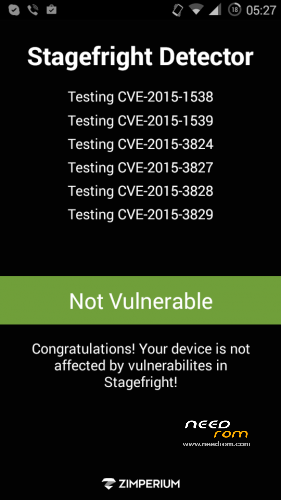
Use this: https://play.google.com/store/.....efrightdetector to check stagefright. The app you used is poor and always says that all is ok (tested on my chinese tablet with 4.4.2 KitKat).
New problem: Hardware power button stopped working, long press and short. So the phone cannot be powered off or reboot."
- I have the same – after about 1-2 days using the phone
Solution :
Problem is in other launcher. In original evrything works OK.
I'm using nova launcher – no problem on my phone.
I use the original launcher, btw the problem does not appear again
Using Nova, works fine!
Changing device to Lenovo k3 note but still going on to use A820 and upgrading future ROMs and hope to see option for Finnish language in the ROM.
I can add more languages without a problem (at least what is supported by the framework), but this means forcing a huge update package to all people. On the other hand, if some people skip this package, then other issues might appear in the future. So I aws hoping to finish the 4.4.4 version sooner and push a full update package, but I have not much free time lately.
Thank you, rely on your expertise how to proceed and develop ROMs.