
- Title: Proton KK AOSP
- Listed: July, 2015
- Last modified: 10/22/2017 3:25 am
- Version: 1.0.2 (4.4.2)
You must be logged for ROM download.
106798 total views, 27 today
99 Total favorites
 Member Info
DESCRIPTION
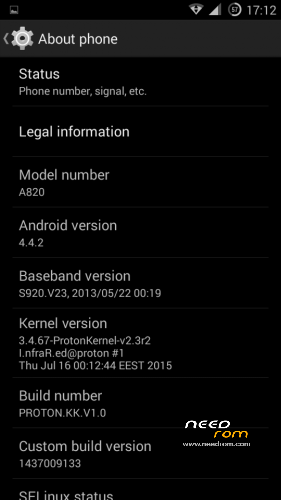
This is a custom KitKat rom for Lenovo A820 compiled from source.
It took me a lot of time to get it to this stage, so if you're porting to another device or do some mods, please have respect and give proper credits to original author.
Update 22.10.2017
Added patch for WPA2 vulnerability. Install from recovery, then wipe cache and dalvik. Reboot.
Key features:
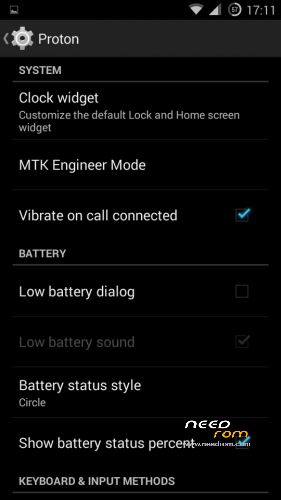
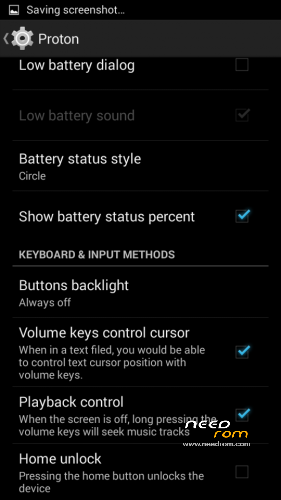
- Proton Settings page with useful options:
—– Vibrate on call connected
—– Low battery sound
—– Low battery dialog
—– Volume keys control text cursor
—– Home key unlock
—– CM11 battery indicators
—– Button backlight control
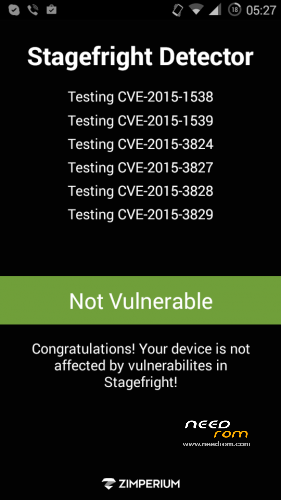
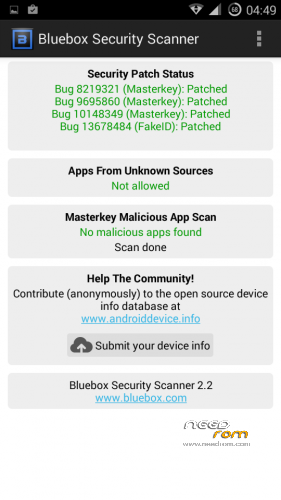
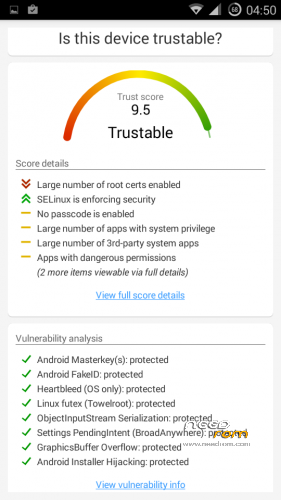
- Fixed vulnerabilities
—– FakeID
—– ObjectInputStream Serialization
—– Settings PendingIntent
—– GraphicsBuffer Overflow
- Adjusted 3G signal indicators levels
- Improved battery life
- Battery tables from S150 exctracted with "reverse-engineering"
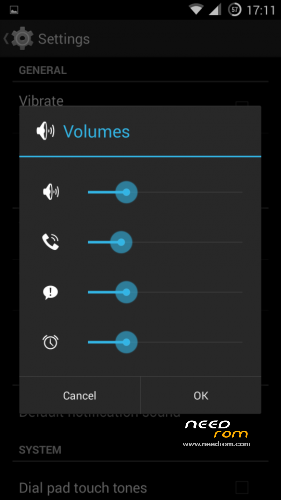
- Unlinked volume sliders and expandable volume dialog
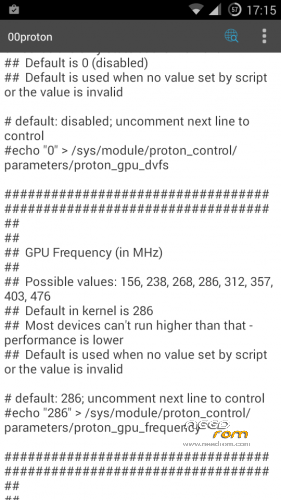
- init.d script to control GPU frequency, voltage and DVFS
- kernel compiled with linaro 4.9.3 toolchain, ROM compiled with SaberMod 4.8
- UI mods for statusbar icons
- Extended power menu
- Working GPS/EPO/A-GPS
- init.d support
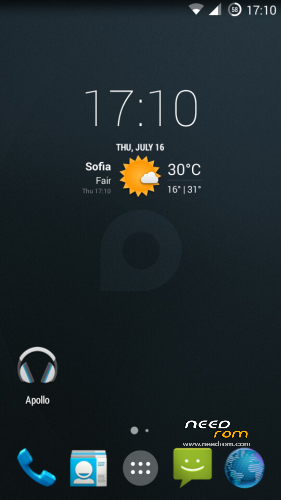
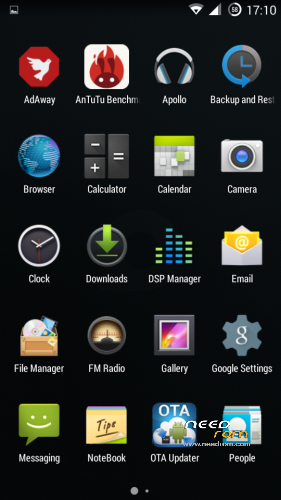
- Calculator, Apollo, DSP Manager, Browser from CM11 (compiled from source)
- Camera shoots in MP4 format. Increased photo quality to 100%.
- Fullscreen caller picture
And many more improvements…
ART is not working, so it is disabled. Could not solve this problem.
For full kernel changelog, visit my github repo: https://github.com/infraredbg/Lenovo_A820_kernel_kk
GPU overclock (works on some A820):
Currently it is only supported via init.d script
Go to /system/etc/init.d and open 00proton with a text editor
Uncomment and change desired value (all values are explained in the script)
Save and make sure the file has correct permissions
Reboot device
You can verify if the GPU frequency have changed in /proc/gpufreq/gpufreq_var_dump
Installation:
If you're currently using one of my DEV roms, it is recommended to do a clean install
It is recommended to use my TWRP 2.8.4.0 recovery (install via Rashr from PlayStore on phone or from FlashTools on PC)
Copy zip on sdcard and optional GApps package and reboot to recovery
Do a full backup of your current ROM including nvram block (IMPORTANT)
Wipe system, data and cache from TWRP. The script does not do automatic format.
Install ROM zip and GApps (optional)
Reboot system (first boot takes time)
Credits:
jwchen for helping me with kernel and testing
hyperion70 for the hint how to fix gralloc mem leak
masterwasome for guides on xda
varunchitre for some initial work on mt6589 kernel
faux123 for dynamic filesync
Christofer83 for prebuilt linaro toolchain
superdragonpt and Dr-Shadow for valuable code which I learned a lot from
mastersanta for finding how to fix USB mounting problem in the beginning
CM11 team
all other people for their guides and information, which I've found over the net
Update:
Uploaded new version of the zip with fixed IMEI backup. Sorry for inconvenience, but that's why I have written in the description to make a full backup.
※Please make a backup of your device before installing or updating ROM
This was mentioned in this forum before. Volume button seems to make the power button working again. No reboot needed. Power button never failed on my phone though.
changing subject, Infrared, I can receive SMS but can’t send. Tried everything from api to engineering mode with no success.
Has anybody got the same problem?
Cheers
D.
Just to complement the above, the problem I'm having with the "SMS could not be sent" IS DEFINETELLY NOT A PROBLEM WITH THE ROM, but likelly due to the fact I never stop tweaking the system, I sent loads of SMS from this ROM last week.
But now I can't get it back and really do not want to reset the phone.
Does anyone know which apps or files (e.g. appprocess) I'd need to get back to the original state to make my SMS work again?
Thanks in advance.
Well. Restored the system (only, nandroid
) now SMS still not working.
Will have to call f…ng useless vodaphone.
Thanks
SMS service centre number Missing. How stupid was I? Will quite for a while now.
Infrared, I seem to be taking a lot of advice recently. Please consider why people aren’t using this like they are Lambda.
IMHO it is because to flash it requires 2x ROMs, flashed from your PC. I tried putting it directly on from TWRP but first it failed the checksum and when I disabled that it stuck on the Lenovo screen.
Where you wrote in your guide, “Load the other scatter file located in the kk upgrade package, then click on Firmware → Upgrade.”
I’m sorry but there is no scatter file that SPFT will permit in. It is saying it is named wrong, as it is only “scatter.txt”. Then when I recognise this and rename it is saying, “Incorrect Scatter file format.” I redownloaded and it’s the same.
I lost TWRP somewhere and am now back to 3e.
After 2 ROM downloads and flash attempts I still don’t have KK, I’m going back to CWM or whatever I can get.
Sorry, it’s a terrific achievement I would be proud of but it seems in 6 months Google will have moved the goal posts the same distance. Not that that should discourage you. Good idea getting the Redmi Note 2 btw. I will probably upgrade when Marshmallow gets its launch dates.
This is done because otherwise there's a high chance people loose IMEI and totally break their nvram block.
It is confirmed to work fine and so many people have done it already. MAybe you have broken download, I don't know.
There is a problem with google drive that it flags some files that potentially break re-distribution rights and those files ge invisible for other people, even if I have shared them. The Win8 drivers for example.
Honestly, I don't know where you're wrong, but the scatter file in the archive is called MT6589_Android_scatter_emmc.txt and works perfectly fine in FlashTool. I even re-downloaded from the site to double-check.
There are overall 3 roms you need to flash.
First is the stock S139 (I haven't tested if it is actually required, but I prefer to be safe with one extra step, instead of people complaining about lost IMEI). I have spent several hours trying to help personally a handful of people that lost IMEIs.
Second is the upgrade package (it comes with TWRP anyway, no need to flash it separately). Both full roms are for FlashTool only, can't be flashed from recovery.
After kitkat upgrade step you can actually boot that ROM, but it is generated from the boot process and doesn't have some of the custom stuff. Plus it is older. It is made specifically for upgrade and prevent loosing IMEIs.
Then you can use the repartition tool if you want to (and it is recommended), but can be done at later stage too.
Finally you install the v1.0 of the KK rom from recovery with all wipes, then 2 OTA updates.
I know it is not very simple process, but you should understand that I want to avoid errors as much as possible.
After I introduced this method, noone else complained about IMEIs.
*generated from the build process.
I’m back in KK Thnx, AOSP keyboard is rough though!
Probably my fault for not wiping everything _then_ rebooting before flashing as you make clear in your PDF.
This ROM was dead easy to install for me, probably because I was already using the previous one. Is is also perfect (appart from the quite loud speak during a call)….I love it. Thanks
While other people are complaining about low sound volume during call
I will release one more update in the next days – OTA 1.0.3 which will All-in-one, i.e. contain all updates until now (1.0.1 and 1.0.2), because the OTA Updater site allows only one zip per supported model.
The update is not really significant, but will include:
- new kernel with fixed proximity sensor (values extracted from stock kernel)
- DSP Manager replaced by Viper4Android (also compiled from source)
- Add Flashlight app (compiled from source)
- Update timezone information (thanks to 4pda forum) and APNs
I will also release the 4.4.4 rom with added more languages and some new features, but not sure if it will ever get a final version. Perhaps it will be good enough for most people. Or maybe I can re-build the v1 of the rom with new languages. Will see. However I'm moving to Xiaomi Redmi Note 2 development and won't have time to fully support A820 anymore. I still have it though, so if there's a need for security update, an update will be released. So you must know it is not fully abandoned, but don't expect I will work on Lollipop for this device.
Hi demenicis,
do you try also the loudspeaker mode during calls?
Because in my case normal mode calls works very good, but in loudspeaker mode volume is very low.
However, for me the low volume is the only problem found! All the rest is perfect!!
Thanks
Still I think KK was a good achievement and in the current state A820 is fastest than ever.
Wish I could improve the camera a bit, but everything else seems fine. The update will bring even better multitasking/performance, thanks to the improved kernel. Some people report much better performance with certain apps.
I will try to also release the language strings for Proton Settings page as well, so people can translate them to their language. I know only English and Bulgarian, so I can't translate them myself. Don't want to use Google Translate like Chiese manufacturers do.
Still looking for the best possible way though. If anyone knows a good and free online-based localization tool that allows community collaboration, I will be happy to use it. Maybe I will use translator toolkit from google if noone offers something better.
infrared, when you said "proxy sensor" fix did you mean during calls didn,t you? i was looking for a way to fix it, but now Ill wait then
cheers
MMS not working !
MMS working of course .
orted MMs modifying the current API for the data. Vodafone uk. I enterred/added MMSC, MMS proxy asnd MMS port (MCC and MNC came automatically).
cheers