
- Title: Proton KK AOSP
- Listed: July, 2015
- Last modified: 10/22/2017 3:25 am
- Version: 1.0.2 (4.4.2)
You must be logged for ROM download.
106798 total views, 27 today
99 Total favorites
 Member Info
DESCRIPTION
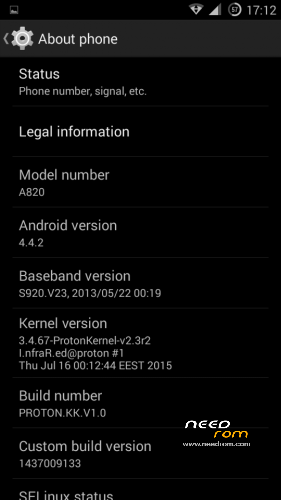
This is a custom KitKat rom for Lenovo A820 compiled from source.
It took me a lot of time to get it to this stage, so if you're porting to another device or do some mods, please have respect and give proper credits to original author.
Update 22.10.2017
Added patch for WPA2 vulnerability. Install from recovery, then wipe cache and dalvik. Reboot.
Key features:
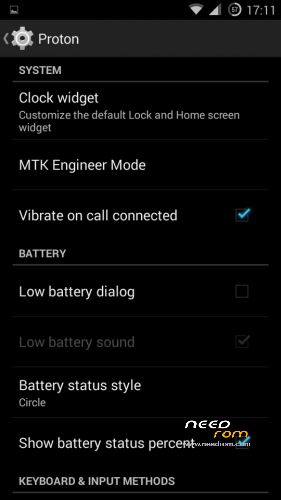
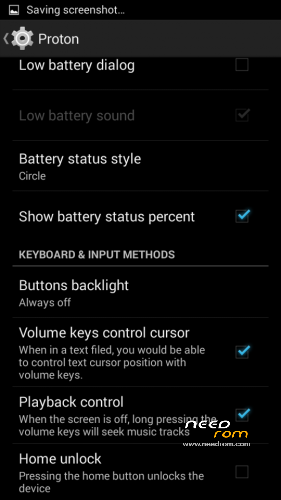
- Proton Settings page with useful options:
—– Vibrate on call connected
—– Low battery sound
—– Low battery dialog
—– Volume keys control text cursor
—– Home key unlock
—– CM11 battery indicators
—– Button backlight control
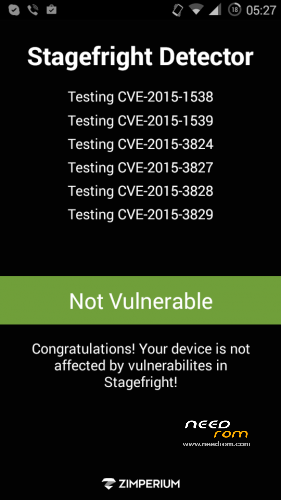
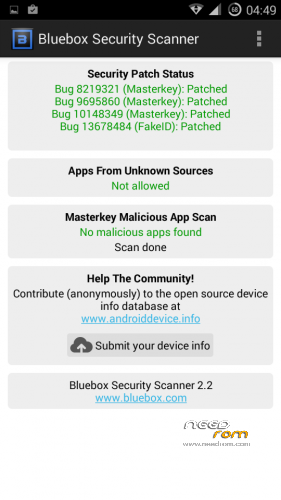
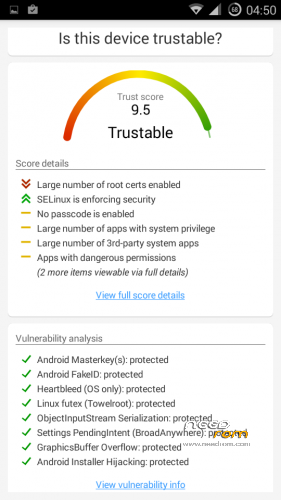
- Fixed vulnerabilities
—– FakeID
—– ObjectInputStream Serialization
—– Settings PendingIntent
—– GraphicsBuffer Overflow
- Adjusted 3G signal indicators levels
- Improved battery life
- Battery tables from S150 exctracted with "reverse-engineering"
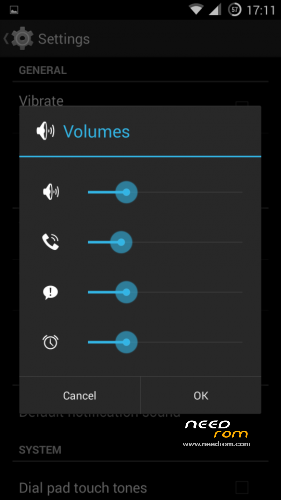
- Unlinked volume sliders and expandable volume dialog
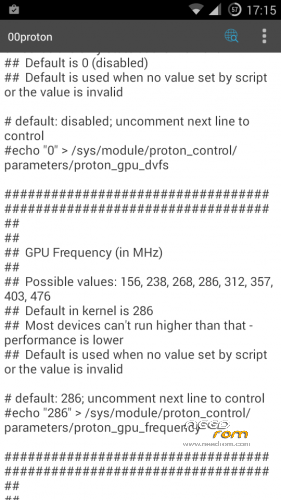
- init.d script to control GPU frequency, voltage and DVFS
- kernel compiled with linaro 4.9.3 toolchain, ROM compiled with SaberMod 4.8
- UI mods for statusbar icons
- Extended power menu
- Working GPS/EPO/A-GPS
- init.d support
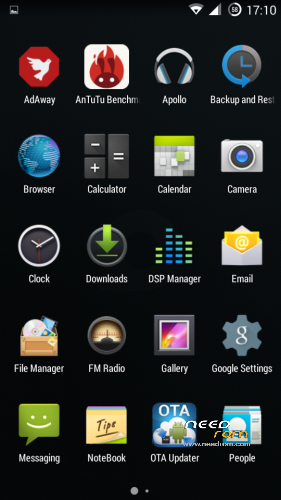
- Calculator, Apollo, DSP Manager, Browser from CM11 (compiled from source)
- Camera shoots in MP4 format. Increased photo quality to 100%.
- Fullscreen caller picture
And many more improvements…
ART is not working, so it is disabled. Could not solve this problem.
For full kernel changelog, visit my github repo: https://github.com/infraredbg/Lenovo_A820_kernel_kk
GPU overclock (works on some A820):
Currently it is only supported via init.d script
Go to /system/etc/init.d and open 00proton with a text editor
Uncomment and change desired value (all values are explained in the script)
Save and make sure the file has correct permissions
Reboot device
You can verify if the GPU frequency have changed in /proc/gpufreq/gpufreq_var_dump
Installation:
If you're currently using one of my DEV roms, it is recommended to do a clean install
It is recommended to use my TWRP 2.8.4.0 recovery (install via Rashr from PlayStore on phone or from FlashTools on PC)
Copy zip on sdcard and optional GApps package and reboot to recovery
Do a full backup of your current ROM including nvram block (IMPORTANT)
Wipe system, data and cache from TWRP. The script does not do automatic format.
Install ROM zip and GApps (optional)
Reboot system (first boot takes time)
Credits:
jwchen for helping me with kernel and testing
hyperion70 for the hint how to fix gralloc mem leak
masterwasome for guides on xda
varunchitre for some initial work on mt6589 kernel
faux123 for dynamic filesync
Christofer83 for prebuilt linaro toolchain
superdragonpt and Dr-Shadow for valuable code which I learned a lot from
mastersanta for finding how to fix USB mounting problem in the beginning
CM11 team
all other people for their guides and information, which I've found over the net
Update:
Uploaded new version of the zip with fixed IMEI backup. Sorry for inconvenience, but that's why I have written in the description to make a full backup.
※Please make a backup of your device before installing or updating ROM
Infrared, could you include in next update patch from 4pda.ru for engeener mode (patching Hardware Testing -> Audio settings)?
If it may be possible, it would be nice to remove the pink spot in the center of the photos, it can be clearly seen if you shoot a white sheet.
Please update your ROM and kernel. This phenomenon occurred long times ago from beta version, it have been fixed.
Pink what?
No pink spots on mine. Just tested on a very white wall.
Pink spot on white at center, lamplight
Any ideas why nfs most wanted not working?
Application has been stopped.
Regards
Am I the only one with problems with the auto-start management?
Each time I reboot, all settings are lost…
My settings are keeped – autostart of YouTube, Maps, Mobileuncle Tools etc. disabled permanently.
I don't understand. I disable Maps, Pinterest and others, and when I reboot, they are enabled again.
Same thing with the preferred messaging application. I select chompSMS, then after the reboot it asks me what app should be used for messages…
Hi nonamexd,
I cannot reproduce pink spot effect. What type of light source you use in your lamp – traditional, led, fluorescent? What if you manually change white balance in camera settings?
Pink spot effect clearly visible under light of traditional filament lamp. Under sun light everything ok.
So It's not so critical, but if it can be possible to fix, it would be nice.
It is not with my phone only, in 4pda.ru forum you can see the same with Proton.KK and as I can see it effect present in other 4.4 ROMs.
I wonder if somebody could advice:
1. Phone alarm sound is short, only one round of the music piece. Right after installation of Proton KK the alarm continued, who knows, for ever. Wife didn't like the default one, and the new melody plays only one round. Don't ask if the original plays correct, I don't remember the name of the sound piece. What to do to get longer alarm?
2. Similar problem with SMS alarm, thought that was a such short alarm right from the beginning. This may be a feature of Android but I would like to have a long alarm in some situations.
3. One day, once I was opening the browser (the one in infrareds package), it didn't open but spat a notice, something like 'Unfortunately browser.apk is stopped' and I couldn't find any mean to start it. Finally I removed the browser.apk and installed Firefox. Everything otherwise OK but a ISP's application (Elisaviihde) to look saved TV programs from ISP's server doesn't anymore work. The application obviously utilizes someway the default browser. What to do to get back the feasibility of Elisa viihde? What is easiest way to get default browser back, it is not a standard Google Play Browser (which doesn't look high ranked)? A full reistall of KK doesn't attract!
Otherwise Infrareds KK is splendid, works like a man's mind, all my respect for Infrared.
Hi impo,
I believe it's a matter of ringtone itself. Find ringtone "Pixar" sounds like "Digital phone" but one plays once, another plays continuesly.
Found in google:
" I just fixed this today for a 3rd party ringtone. Here's what I did but credit goes to something I found on AndroidForums.
– Download and install Audacity (audacity.sourceforge.net)
– Open the ringtone file in Audacity, note you can use mp3/wav files as well, Audacity can convert them into OGG.
– Select Open Metadata Editor for the File Menu
– Add a new tag called ANDROID_LOOP and set the value to 'true'.
– Click OK
– Select Export from the File Menu and select the Save As Type format as Ogg Vorbis Files.
– Click OK through File Save and Metadata dialogue window.
– Copy the new ringtone file onto your phone, reboot and enjoy"
Sorry for off-rom-topic…
Easy. Just open the ROM package in your PC. Find the browser.apk and copy it to system/app on your phone. Then just run/install it. My browser works far better now compared with the old lambda ROM. Stable, solid. Do not remember it ever crashing.
Cheers
demenicis,
reloading browser.apk successful, thank you. But Elisaviihde doesn't work, there must be something else.
artek,
Tried 'Pyxis', it already had ANDROID_LOOP flag; no success repeates only once the melody. There must be something else?
Tnx anyway.
If you reset settings->sounds->profiles->reset to default?