
- Title: Proton KK AOSP
- Listed: July, 2015
- Last modified: 10/22/2017 3:25 am
- Version: 1.0.2 (4.4.2)
You must be logged for ROM download.
106799 total views, 28 today
99 Total favorites
 Member Info
DESCRIPTION
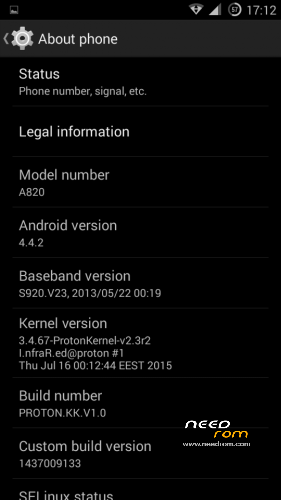
This is a custom KitKat rom for Lenovo A820 compiled from source.
It took me a lot of time to get it to this stage, so if you're porting to another device or do some mods, please have respect and give proper credits to original author.
Update 22.10.2017
Added patch for WPA2 vulnerability. Install from recovery, then wipe cache and dalvik. Reboot.
Key features:
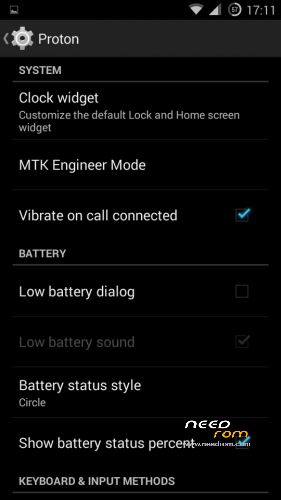
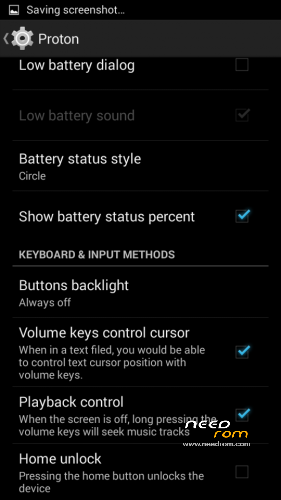
- Proton Settings page with useful options:
—– Vibrate on call connected
—– Low battery sound
—– Low battery dialog
—– Volume keys control text cursor
—– Home key unlock
—– CM11 battery indicators
—– Button backlight control
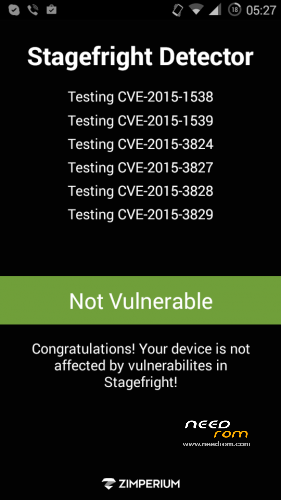
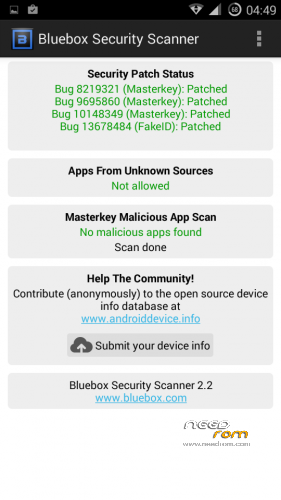
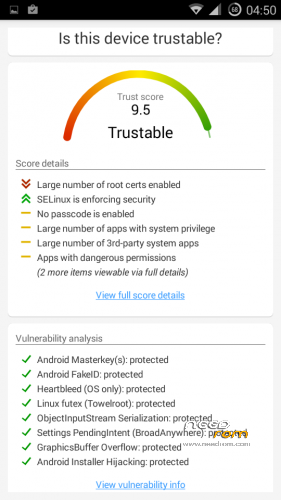
- Fixed vulnerabilities
—– FakeID
—– ObjectInputStream Serialization
—– Settings PendingIntent
—– GraphicsBuffer Overflow
- Adjusted 3G signal indicators levels
- Improved battery life
- Battery tables from S150 exctracted with "reverse-engineering"
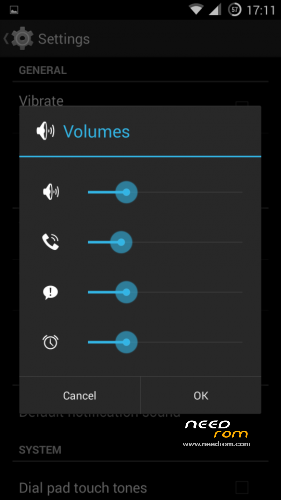
- Unlinked volume sliders and expandable volume dialog
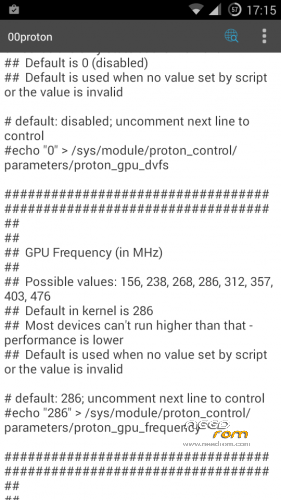
- init.d script to control GPU frequency, voltage and DVFS
- kernel compiled with linaro 4.9.3 toolchain, ROM compiled with SaberMod 4.8
- UI mods for statusbar icons
- Extended power menu
- Working GPS/EPO/A-GPS
- init.d support
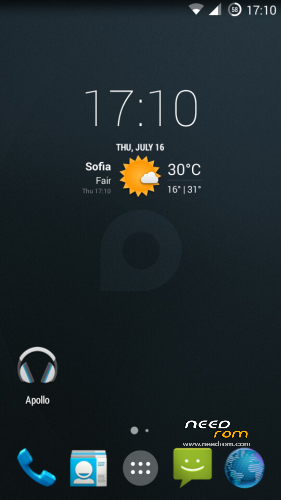
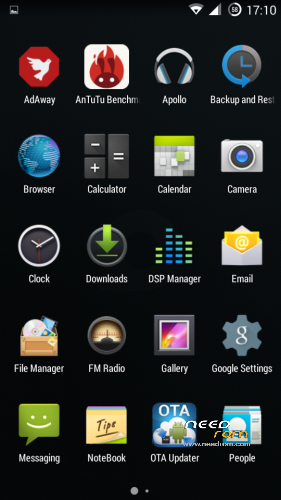
- Calculator, Apollo, DSP Manager, Browser from CM11 (compiled from source)
- Camera shoots in MP4 format. Increased photo quality to 100%.
- Fullscreen caller picture
And many more improvements…
ART is not working, so it is disabled. Could not solve this problem.
For full kernel changelog, visit my github repo: https://github.com/infraredbg/Lenovo_A820_kernel_kk
GPU overclock (works on some A820):
Currently it is only supported via init.d script
Go to /system/etc/init.d and open 00proton with a text editor
Uncomment and change desired value (all values are explained in the script)
Save and make sure the file has correct permissions
Reboot device
You can verify if the GPU frequency have changed in /proc/gpufreq/gpufreq_var_dump
Installation:
If you're currently using one of my DEV roms, it is recommended to do a clean install
It is recommended to use my TWRP 2.8.4.0 recovery (install via Rashr from PlayStore on phone or from FlashTools on PC)
Copy zip on sdcard and optional GApps package and reboot to recovery
Do a full backup of your current ROM including nvram block (IMPORTANT)
Wipe system, data and cache from TWRP. The script does not do automatic format.
Install ROM zip and GApps (optional)
Reboot system (first boot takes time)
Credits:
jwchen for helping me with kernel and testing
hyperion70 for the hint how to fix gralloc mem leak
masterwasome for guides on xda
varunchitre for some initial work on mt6589 kernel
faux123 for dynamic filesync
Christofer83 for prebuilt linaro toolchain
superdragonpt and Dr-Shadow for valuable code which I learned a lot from
mastersanta for finding how to fix USB mounting problem in the beginning
CM11 team
all other people for their guides and information, which I've found over the net
Update:
Uploaded new version of the zip with fixed IMEI backup. Sorry for inconvenience, but that's why I have written in the description to make a full backup.
※Please make a backup of your device before installing or updating ROM
Some ETAS/OTAS.
Okay, tried this on an A820 of unknown origin that I picked up "bricked". Had previously got it running "AOSP v1 by dadi11" with a repartition via the Meteos App. That all seemed to work but I fancied an upgrade to KK, and had read the wonderful things people said about this ROM.
So, I got lazy and thought I'd upgrade by TWRP (I know you told us not to). Got no further than bootlock with alternating logo and message "forbid charging please use lenovo standard battery".
For now I have reverted to "AOSP v1 by dadi11" via the full TWRP backup (I wasn't that lazy!). I will of course have another go by the full flashing route, but having searched the web can find nothing of use on the "forbid charging please use lenovo standard battery" message. Any experience of that before I launch into the full, as directed, upgrade?
Does it have anything to do with the "boot-v2.3r2-undervolt.img" file? I can find nothing on how or where to use that, not even in the otherwise excellent guide.
Any help would be appreciated, I love the thrill of flashing these things, it was lovely to bring the A820 back to life, I'd like to get the most out of it.
If you update from TWRP, you need to wipe system, data and cache manually prior to installation.
The update script does not do it fo you.
I cannot remember if I did wipe so I repeated the flash from TWRP after a wipe. ROM works okay now, briefly flashes the "forbid charging please use lenovo standard battery" but then loads.
Only problem was I lost root, couldn't root via "MTK6589-SuperSU-root" but managed by "MTK Droid Root & Tools". Used a backup of MP0B_001 to get the IMEI back. Bit of a mystery to me at times but I seem to have got there – thanks for your efforts in producing this ROM.
Something seems not quite right.
The ROM has supersu integrated and is fully rooted after proper installation.
Are you sure you installed the full package and you have TWRP 2.8.4.0?
I installed "A820-PROTON.KK.V1.0", "A820-PROTON.KK.V1.0.1_OTA" and "A820-PROTON.KK.V1.0.2_OTA" via "TWRP v2.8.4.0-Rev.1 Lenovo A820 v1.1". For me there was no root, I found this when trying to restore my IMEI. Using "MTK Droid Root & Tools" I rooted the phone.
And all is very good, no further issues after IMEI restoration and the phone is running very nicely.
Again, thanks.
Ah, you need to update supersu binary upon first boot up. It will ask you with dialog/notification in the statusbar. Forgot about that, sorry.
Any ETAs?
No, I can't promise anything. Currently the A820 source is archived to free some space for Redmi Note 2.
You can find the V1.1 version of the rom (Android 4.4.4) on my drive: https://drive.google.com/folde.....=drive_web#list
There's some bug in html5 canvas element, but that's not critical. Some people are reporting extended usage time with this rom, but I'm not sure if it is with the included kernel or another version. My phone lasts about 8 days with Wi-Fi on and all messengers active, but without much screen usage.
You can probably install as update over V1.0.x, but need to clear Email/Exchange apps data first, because they are incompatible. Then again flash gapps ofcourse. You can use opengapps for ARM, Android 4.4. If you decide to try it, please make a full backup of your old installation first.
Then install from TWRP without clearing /data. Wipe system, cache and dalvik only. Install ROM zip, then install gapps if you need. Upon first boot you will be asked to update supersu binary – choose Normal way, not TWRP. Then Launch AdAway and update the hosts file if you want.
Everything else (except Email accounts) should be there and working.
I don't remember all changes, but for example Viper4Android is included (also build from source).
One iportant thing to note is that if you want to use apps like TitaniumBackup, V4A, Xposed you need to uncheck "namespace separation" in supersu settings.
BTW, I think the bug with 2-step google authentication is dtill there, but I haven't tried if it is gone with opengapps installed.
It might be just due to missing lib or something like that.
Hi 'infrared',
With wich version of the rom lasts your phone 8 days (with V1.1 / Android 4.4.4)?
I would like to have same lasting time (now I have max. 1 day only, with no extreme usage (not your rom) ).
Yes, but I don't use it. It just stays on my desk with wi-fi on and messengers/email logged in.
Sometimes it lasts several days, sometimes not much. I don't think it will be much different from previous version with real usage.
A friend of mine reports extended time compared to 1.03, but it might be the same for everyone.
So you say, it not worth to update ( if I'm interested only in lasting time improvement) ?
Such a waited, nostalgic and last update….. My original charger is dead….but the phone is still going! I'm so grateful infrared for all the work. To me the only annoyance is still the proxy sensor with the phone app which does not work. It works for whatsapp calls though. Thanks
"Such a waited, nostalgic and last update…" – maybe under Xmas tree we'll find it
https://youtu.be/ktiSP9LxIAc – have now miui rom, but on Proton same sitotion on kernel 2.5
Yes, I have same blinking. Think, this situation goes from 2 factors: changes in source code of module cust_alsps.c for compatibly and we have special edition a820
I updated from lambda to this rom and its very great, however I don't know if there is something wrong with the supersu.
I used the "All in one Gesture" app which requires root to turn off screen and power and capture screenshot of my a820 as the power button is almost dead. The app works fine in lambda and my another a806 (kitkat rom as well), but not in proton kk after two reboots.
I turned on the log of the supersu, the log of this "AIO Gesture" app shows that a command "exec app_process xxx.jar : app_process not found".
The log of another app "GMD Gesture Control" which has similar usage to me, it uses "runcon u:r:system_app:s0 app_process ***.jar" and it has no problem in invoking the "/system/app_process".
I have tried the "namespace separation" option, both on or off the same, the app will work until two reboots, then it fails. I don't know if this has anything to do with the rom's su. Here is the Google Play link to "AIO Gesture": https://play.google.com/store/.....ios.aiogestures
Note: only those commands that need root in the app has problems, e.g. screen off, power menu, screenshot. The app fails to work after 2~3 reboots
Did you update supersu binary? Upon first start it asks to update supersu binary, you have to agree and select Normal update, not TWRP.
Then it should be fine.
Thanks for your reply. I have updated the supersu binary immediately after flashing the rom but no help. Strange enough only that AIO Gesture is not working correctly. I have also reported this to the app developer and they said they will try to investigate the issue.
My current workaround is decompile that app, and change its execution command prefix from "exec app_process …" to "runcon u:r:system_app:s0 app_process …" LOL
Ok, I will try these days and see if it works for me.
I can confirm it does not work on 4.4.4 too and it breaks Torch functionality as well.