
- Title: Proton KK AOSP
- Listed: July, 2015
- Last modified: 10/22/2017 3:25 am
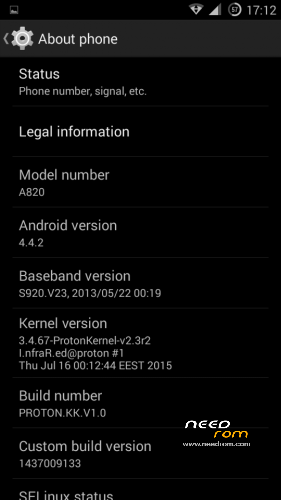
- Version: 1.0.2 (4.4.2)
You must be logged for ROM download.
106798 total views, 27 today
99 Total favorites
 Member Info
DESCRIPTION
This is a custom KitKat rom for Lenovo A820 compiled from source.
It took me a lot of time to get it to this stage, so if you're porting to another device or do some mods, please have respect and give proper credits to original author.
Update 22.10.2017
Added patch for WPA2 vulnerability. Install from recovery, then wipe cache and dalvik. Reboot.
Key features:
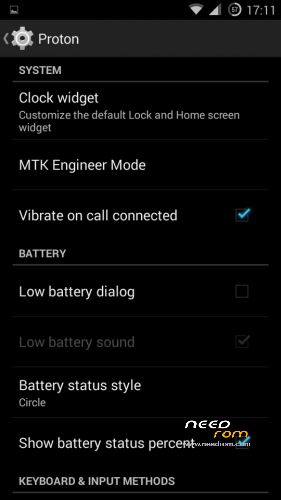
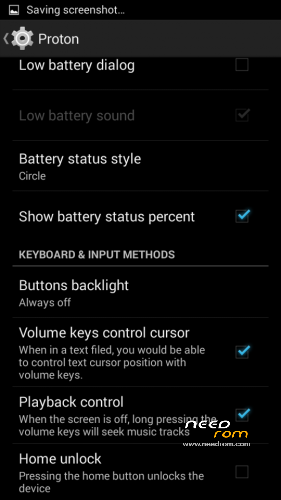
- Proton Settings page with useful options:
—– Vibrate on call connected
—– Low battery sound
—– Low battery dialog
—– Volume keys control text cursor
—– Home key unlock
—– CM11 battery indicators
—– Button backlight control
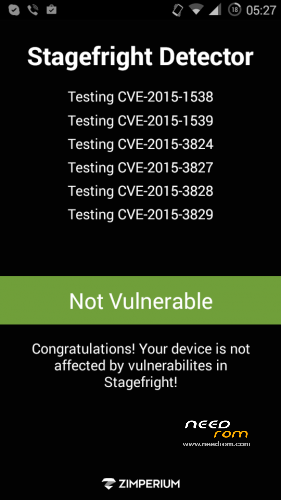
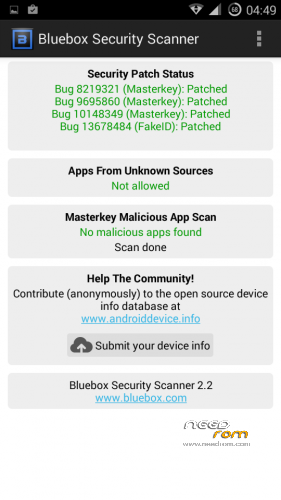
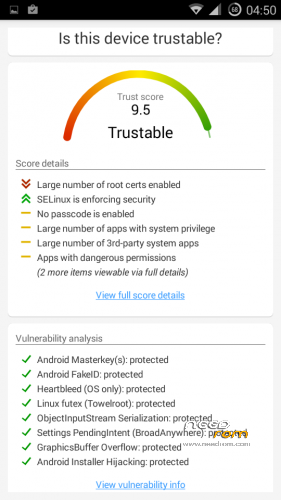
- Fixed vulnerabilities
—– FakeID
—– ObjectInputStream Serialization
—– Settings PendingIntent
—– GraphicsBuffer Overflow
- Adjusted 3G signal indicators levels
- Improved battery life
- Battery tables from S150 exctracted with "reverse-engineering"
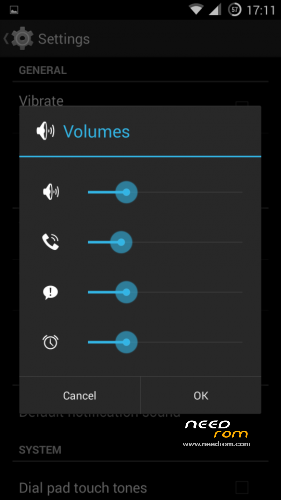
- Unlinked volume sliders and expandable volume dialog
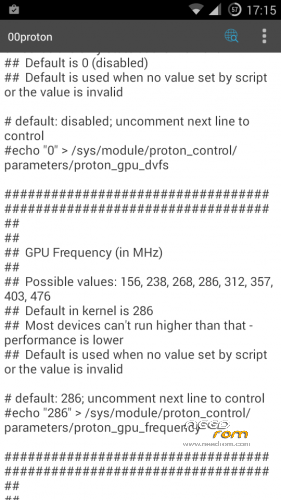
- init.d script to control GPU frequency, voltage and DVFS
- kernel compiled with linaro 4.9.3 toolchain, ROM compiled with SaberMod 4.8
- UI mods for statusbar icons
- Extended power menu
- Working GPS/EPO/A-GPS
- init.d support
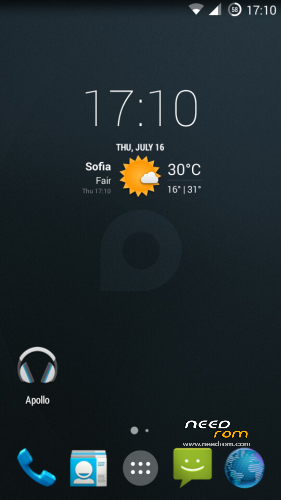
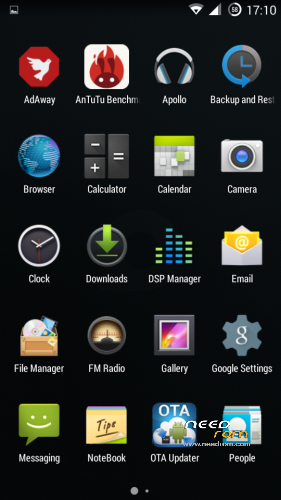
- Calculator, Apollo, DSP Manager, Browser from CM11 (compiled from source)
- Camera shoots in MP4 format. Increased photo quality to 100%.
- Fullscreen caller picture
And many more improvements…
ART is not working, so it is disabled. Could not solve this problem.
For full kernel changelog, visit my github repo: https://github.com/infraredbg/Lenovo_A820_kernel_kk
GPU overclock (works on some A820):
Currently it is only supported via init.d script
Go to /system/etc/init.d and open 00proton with a text editor
Uncomment and change desired value (all values are explained in the script)
Save and make sure the file has correct permissions
Reboot device
You can verify if the GPU frequency have changed in /proc/gpufreq/gpufreq_var_dump
Installation:
If you're currently using one of my DEV roms, it is recommended to do a clean install
It is recommended to use my TWRP 2.8.4.0 recovery (install via Rashr from PlayStore on phone or from FlashTools on PC)
Copy zip on sdcard and optional GApps package and reboot to recovery
Do a full backup of your current ROM including nvram block (IMPORTANT)
Wipe system, data and cache from TWRP. The script does not do automatic format.
Install ROM zip and GApps (optional)
Reboot system (first boot takes time)
Credits:
jwchen for helping me with kernel and testing
hyperion70 for the hint how to fix gralloc mem leak
masterwasome for guides on xda
varunchitre for some initial work on mt6589 kernel
faux123 for dynamic filesync
Christofer83 for prebuilt linaro toolchain
superdragonpt and Dr-Shadow for valuable code which I learned a lot from
mastersanta for finding how to fix USB mounting problem in the beginning
CM11 team
all other people for their guides and information, which I've found over the net
Update:
Uploaded new version of the zip with fixed IMEI backup. Sorry for inconvenience, but that's why I have written in the description to make a full backup.
※Please make a backup of your device before installing or updating ROM
In GApps package you have essential services eg. Play store. Other (G)apps would be waste of time and space as you immediately download the newest versions from the store.
That's what I thought, but wanted to make sure. Thanks
Old user of both old and new RooMS.
ROM is just perfect other then the loud speaker during calls only (otherwise speaker is as loud as it can get, actually good)
Also during calls, My proxy sensor turn screen off when near the phone, then back in after exactly 1 second .
Amazing ROM as I said 10 times though.
For those with reduced battery life issue…you likely have xposed modules, which are great but every now and then mess your system up.
Big. Big….f…ng big advice …learnt with infrared cos I cannot figure out these things….
Install CPU spy. Then reset timers….lock the phone and wait about 30 secs.
If your phone is not in deep sleep for most of the time or not at all then do the following;
Go to system/bin/appprocess…..delete the file and rename the appprocess.orig (renamed by xposed install) back to simply appprocess.
Reboot. Your phone will be going now to deep sleep again.
Simply go to xposed again and install it once again. Reboot for the last time and you are good to go.
Happy Battery life and enjoy xposed but better be careful.
Thanks CPU spy plus and infrared of course.
Cheers.
hi. sometimes i have problem with power button. i need to shut down screen, by pressing power button, but nothing happens. button works good when i need unlock phone. any idea? now i rebooting phone by terminal. after reboot all works good. any ideas/solving?
Press volume buttons, and power button will work again after that
I've installed this yesterday. Skipped all SP_Tools steps (windows 8 needs some additional steps installing Lenovo USB drivers) so, no IMEI backup other than screenshots. Previous ROM had just one IMEI displayed. Current ROM shows 2 IMEI and seems to be in sequence and preserved the SIM1 one so, I guess I had no IMEI issues. Luckily. Was ready to throw the phone away as it was extremely buggy before formatting it so, nothing to lose.
Ironically everything went more than well and I got it working.
- GPS works unbelievably good — older ROM I could assume it didn't work, so bad it was… taken ages to lock position.
- Camera has neat features (like panoramic and angular pics). Previous could barely take photos.
- Didn't notice battery drainage events so far (battery is also new)
- Phone is fast again (well, any fresh install should result in this!)
- FM Radio (I don't remember having it on previous ROM)
- Free space for applications — new partition schema seems MUCH better than older ROM
Previous/older ROM had ~2 years, android 4.2 (breadcrumb?), was A820_Lambda_v2.3.1 with multilang variation.
All works fine! Thanks for excelent work.
I'm having problems with installing apps on the SD card, it keeps placing them into internal memory despite having the SD card selectes as default to install the apps. Any ideas?
Have you repartitioned?
Thank you, repartitioning the file system helped with that.
Great!
Infrared, When new version 1.04 will be available ?
Can't tell exactly, but will see what I can do for this weekend.
Currently testing 4.4.4 and busy with Redmi Note 2.
I found an in-call issue. ROM 1.0.2 (KK 4.4.2).
Proximity sensor briefly blacks screen during call when I cover the sensor (or move head to the phone as usual). Stays black for up to 1 second (or less) and then turns on again as if I had removed cover from the sensor (or moved ear off the phone). From that point, during a conversation all stuff (as expected) happens, including activating airplane mode.
Anyone else having issues with proximity sensor during calls?
I've installed AndroSensor and it reads: 0.4 in when sensor is not covered, and a constant 0 in when I cover it. So the sensor seems to be working alright.
Previous ROM had no issues with proximity sensor (was a very old one, ~2013). It even used to take some time to show screen again when I uncovered the sensor (cause the phone was kind of overloaded/slow).
My girlfriend's experienced the same issue on her phone.
I have not encountered this problem on my phone, instead. Although I seem to have the opposite problem, since the screen does not show up again when I move it away from my ear. I have to wake it up using the power button.
@Sciamano
Your current issue is much like the same I had in old ROM. Seems this might be triggered randomly each ROM install. This is not surprising to me, flash twice, get two different-behaving installs.
I wonder if there's a config file I can edit as root to try and tweak those dialer app settings…
No, it is sensor config. Hardware is not the same (different revision of the same sensor or different OEM manufacturer for the sensor), so they don't behave the same. Similar thing with displays, speakers, chipsets, etc.
Easiest way to fix this atm (until I release the much anticipated update) is:
Settings -> Proton -> MTK Engineer Mode -> Hardware Testing -> Sensor -> Light/Proximity Sensor -> PS Calibration -> Change Threshold
High: 900
Low: 700
Set
Wow, genius infrared. My ear was pressing all buttons you can imagine!
I wonder if there isn't a similar solution for the autobrigthness. it was simply amazing on the previous ROM, with a super smooth transition between level.
I keep changing the parameters via GB display tweaks in the hope to find an usable setting, but it only allows 10 level, whislt in the lambda ROM it seemed more like 100 levels.
when I downloaded 2 different light sensor lux reading apps, them both show how bad the light sensor is, i.e. jumps from 23lux straight to 91, then it crazilly keeps changing…..how come it was perfect before? I can't get my head around this.
back to the proxy sensor, this was quite an issue, but now the it is sorted. Big THANKS.
D.
Well. I got excited with this potential solution…. But no, setting the thresholds did not work. I even tried different values but proxy still acts for 1second then the screen is back on. But still trying now high1000 low 700. Let's see.
Thanks anyway.