
- Title: Proton KK AOSP
- Listed: July, 2015
- Last modified: 10/22/2017 3:25 am
- Version: 1.0.2 (4.4.2)
You must be logged for ROM download.
106797 total views, 26 today
99 Total favorites
 Member Info
DESCRIPTION
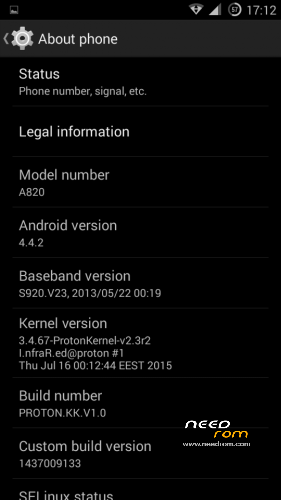
This is a custom KitKat rom for Lenovo A820 compiled from source.
It took me a lot of time to get it to this stage, so if you're porting to another device or do some mods, please have respect and give proper credits to original author.
Update 22.10.2017
Added patch for WPA2 vulnerability. Install from recovery, then wipe cache and dalvik. Reboot.
Key features:
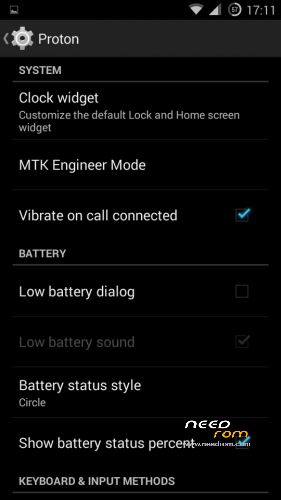
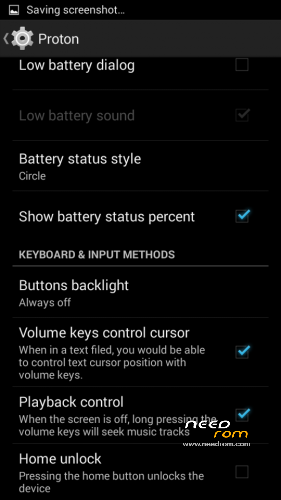
- Proton Settings page with useful options:
—– Vibrate on call connected
—– Low battery sound
—– Low battery dialog
—– Volume keys control text cursor
—– Home key unlock
—– CM11 battery indicators
—– Button backlight control
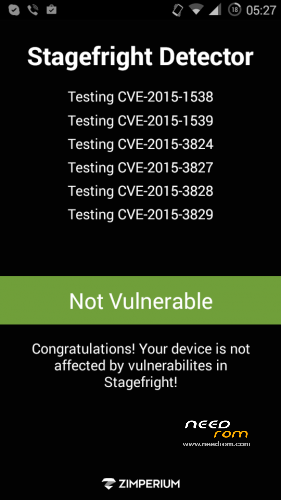
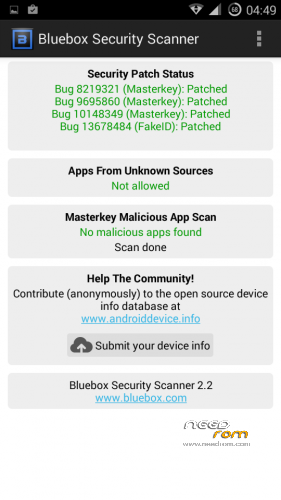
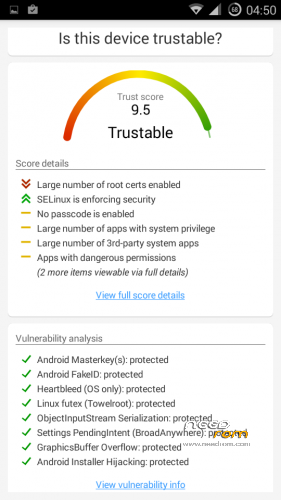
- Fixed vulnerabilities
—– FakeID
—– ObjectInputStream Serialization
—– Settings PendingIntent
—– GraphicsBuffer Overflow
- Adjusted 3G signal indicators levels
- Improved battery life
- Battery tables from S150 exctracted with "reverse-engineering"
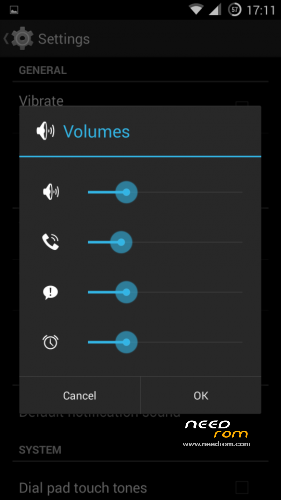
- Unlinked volume sliders and expandable volume dialog
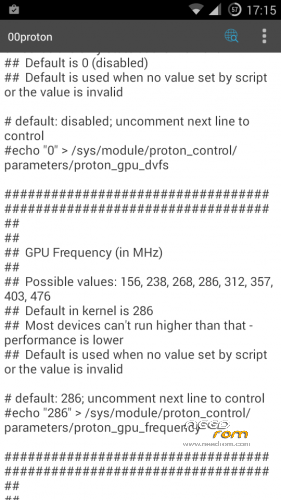
- init.d script to control GPU frequency, voltage and DVFS
- kernel compiled with linaro 4.9.3 toolchain, ROM compiled with SaberMod 4.8
- UI mods for statusbar icons
- Extended power menu
- Working GPS/EPO/A-GPS
- init.d support
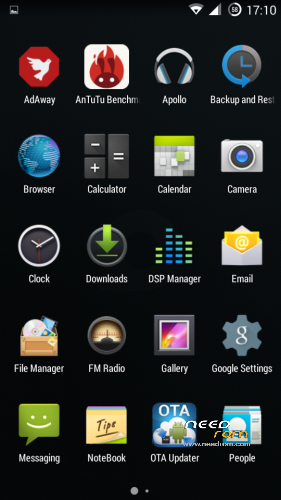
- Calculator, Apollo, DSP Manager, Browser from CM11 (compiled from source)
- Camera shoots in MP4 format. Increased photo quality to 100%.
- Fullscreen caller picture
And many more improvements…
ART is not working, so it is disabled. Could not solve this problem.
For full kernel changelog, visit my github repo: https://github.com/infraredbg/Lenovo_A820_kernel_kk
GPU overclock (works on some A820):
Currently it is only supported via init.d script
Go to /system/etc/init.d and open 00proton with a text editor
Uncomment and change desired value (all values are explained in the script)
Save and make sure the file has correct permissions
Reboot device
You can verify if the GPU frequency have changed in /proc/gpufreq/gpufreq_var_dump
Installation:
If you're currently using one of my DEV roms, it is recommended to do a clean install
It is recommended to use my TWRP 2.8.4.0 recovery (install via Rashr from PlayStore on phone or from FlashTools on PC)
Copy zip on sdcard and optional GApps package and reboot to recovery
Do a full backup of your current ROM including nvram block (IMPORTANT)
Wipe system, data and cache from TWRP. The script does not do automatic format.
Install ROM zip and GApps (optional)
Reboot system (first boot takes time)
Credits:
jwchen for helping me with kernel and testing
hyperion70 for the hint how to fix gralloc mem leak
masterwasome for guides on xda
varunchitre for some initial work on mt6589 kernel
faux123 for dynamic filesync
Christofer83 for prebuilt linaro toolchain
superdragonpt and Dr-Shadow for valuable code which I learned a lot from
mastersanta for finding how to fix USB mounting problem in the beginning
CM11 team
all other people for their guides and information, which I've found over the net
Update:
Uploaded new version of the zip with fixed IMEI backup. Sorry for inconvenience, but that's why I have written in the description to make a full backup.
※Please make a backup of your device before installing or updating ROM
Hi,
Is this open source? @infrared – can you put full rom sources to github? As far as I know, development is now stopped, right?
Source is the leaked eastaeon 6589, but I can't publish to github. First of all it will be removed due to proprietary MTK code and second it is too big.
Best KK Rom for A820. Thank's Infrared
@inrared
>When do you estimate your LP version is ready or A820?
I've never worked on LP for A820. There's no Lollipop for 6589.
Dear Sir,
Hope yuo'll start very soon working for LP to A820 or it's ok as well to straight move on M.
Yours Sincerely
PL
Sorry guys. I’m not being pessimist but just realistic. infrared said numerous times: this development is OVER. the phone is old and is good with kk. Haven’t you bother reading the thread? I wanted to change phone 1 year ago, but the kk kept me going til now…… I’m just waiting for this phone to breakdown…. But no signs yet, it is still perfect so I refuse binning it……
KK is the highest Android version this phone will ever get. Sorry to diappoint you, but there's no MTK support for LP on MT6589.
Since it uses PowerVR GPU, MT6582 (Mali GPU) source can't be used.
Proprietary blobs are needed to make everything work on LP rom and those does not exist.
It might be possible, but it will require enormous amount of work and it's not worth it, because I'm not 100% sure everything could be fixed. Most of other MTK devices that got unofficial LP/CM12 ROMs use Mali GPU. You can check if any other MT6589 is running 5.0 or newer…
We were lucky that the leaked MT6589 source and kernel sources on github were somewhat compatible with A820, due to non-obscure hardware used, but that's all.
Don't forget that other people also tried to boot KK on A820… I was also going to give up when it finally worked, so it was a bit of a luck too.
Maybe we could not have KK now and stuck at ported 4.2, because the most important thing (new KK-compatible kernel) would not exist and without it proper operation is impossible, since all drivers are there.
It is a little sad, but most of the owners alerady moved to newer devices. Just an example:
- My first ROM Lambda has about 10 000 users registered by OTA site
- KK ROM has ~900 users based on the same site and that includes A830 users, I believe
Yes, everybody should know it. But there can be many nice things to on KitKat. For example, merge/implement some customizations widely known from cusom roms like Cyanogenmod. I mean ui improvements. Most of them are most likely hardware independent. This can be done only if all apks and jars are really compiled from source and they didn't ported as binary blobs.
I have no idea if it be easy, or not because I have never seen any mtk sources.
Yes, many things from CM can be integrated, just like all various custom roms based on CM or AOSP with CM additions.
As you can see I already have some things like battery indicator, volume buttons music control, buttons backlight, even some custom things like the low battery dialog options.
It's not that hard to implement, although some things like tinted statusbar need way more modifications on the system level, thanks to the hardcoded/non-standard MTK stuff… It just needs a lot of time. Don't think I will make big modifications to that ROM anymore. I'm only testing a new kernel at the moment.
However, most of these things are in GravityBox, which fully supports MTK AOSP roms.
I ran into another problem:
As the power button is almost dead, I also used the "Gravity Screen On/Off" (https://play.google.com/store/.....tyscreenofffree) app to use proximity sensor to turn on screen. This app supposed to startup automatically, works fine in lambda rom, but only works in proton kk at the begining.
I found that recently this app will not auto startup, so as the "AIO Gesture" that I mentioned in the previous page reply. After further testing, I found that actually it has "not enough time" to startup. When powering on the phone, if the app cannot startup (it has notification on the top when it is running) before the "first auto screen off", then it will not "contiue to startup" until I manually turn on the phone once…
What I tried:
- Increase auto screen off delay: no use, the first screen off delay after the phone boot up is only 30s no matter how i change this setting
- Disable all startup apps in the security setting page (strange enough the "Gravity Screen On/Off" and "AIO Gesture" are not shown on that page), this seems to make the 2 apps startup faster before the "first auto screen off" after boot up, and is my current workaround
This app works fine on my a806 kitkat, so would this be an issue of proton kk rom? I tried with both proton kk 442 and 444, the same.
What do you mean about "continue to startup"?
Do you often restart the phone and it does not start up anymore?
I installed it and rebooted (full reboot, quick boot is disabled) and the app activated.
How should I proceed with testing? It seems to work so far.
I have it installed on a clean system though, no other apps running, except the integrated system apps. Running on a different kernel as well.
By "continue to startup", I mean even if the app did not activate before the "first screen off" after boot up, it should activate, say within 30s after the screen off, then I can use the proximity sensor to turn on the screen, but I can't.
I dont often restart my phone, I have set the "scheduled power on & off" so it power on in the morning and power off in the mid night automatically. Both reboot (full reboot of course) and power on can reproduce this issue.
This problem did not occur on a clean system (I tested with a clean proton kk on my phone), it occurs only when there are more apps that will startup automatically. This makes me guess there is something wrong with the startup service of the rom.
Currently, in the "Auto-start management" of the security setting page, I have a total of 9 apps that will auto start:
- JuiceSSH
- Call Defender
- Yahoo Mail
- MyObservatory
- Facebook
- WhatsApp
- Q9 Input Method
- Messenger
- ColorNote
I only enabled Call Defender, WhatsApp, Messenger, ColorNote to let "AIO Gesture" and "Gravity Screen On/Off" have "enough time to startup" before the "first screen off" after the phone bootup. But sometimes it will still fail. And if I disable all auto start apps, then there will be no problem.
=====
In short, when the "Gravity Screen On/Off" activates, you will see a "Gravity Screen Running" notification. If this notification does not show up before the "first screen off", then the app will not work. Until I manually turn on the phone once, the app "continue to startup" and display this notification, then it will work.
Really thank you very much for your effort!
Just a side note:
I installed "Gravity Screen On/Off" as system app, I have tested it as a user app still the same.
Another insteresting finding is that:
When the "Gravity Screen Running" notification does not show up before the "first screen off", meaning it is not activated, if I flip the phone (face down to table) then flip again (face up), it turns on magically!!
Just a second thought: Would this be the phone's hardware config problem?
- proximity sensor issue: I don't think so because if I dont flip the phone, just cover and uncover the sensor, still cannot turn on the phone
- accelerometer issue: flipping the phone should change this sensor value, will this be the cause of the problem?
Ok, so I really need to install some apps then. I had it full loaded, but accidentally wiped data partition and now don't have a backup. Will have to reinstall everything and see if I can reproduce it.
Thanks for the explanation.
Testing for some days and it seems to work for me :/
Haven't disabled any autostarting app. Do you sometimes have problems with proximity sensro during calls?
Ummm…. I don't have any problems during calls.
May I ask did the "Gravity Screen Running" notification shows up before you phone's "first screen off" after reboot?
If yes, then I think it is my phone's problem because it is already two years old and maybe running slower than before.
Recently I found that the screen will sometimes "flash", seems like it is going to die soon. LOL
Yes, it loads after reboot/power on.
My screen off interval is set to 1 min of inactivity.
I tried to leave it boot without touchung abything – so it boots to lock screen and then display turns off. After that waving/touching infront of the sensor wakes the screen.
Then I tried to reboot, but this time unlock the screen before first display off and it still worked. Maybe you could try with my current kernel.
You can try the kernel I'm using currently (zram enabled): https://drive.google.com/file/.....iew?usp=sharing
Keep in mind it is undervolted though, so it might be problematic on your device. In fact that might be the reason for your app problems – they might be just crashing during load, because your chipset is not 100% stable with that voltage. Many of you know my A820 is kind of "special" – handles way lower voltage than set in kernel and GPU can be overclocked to maximum with lowest voltage.
I tried your beta kernel and still the same as you have predicted. I don't think the app crashed during load because if I manually turn on the screen once, then the app will starting work until I reboot.
You said "undervolted might be the reason for my app problems". I am using your v1.1 dev rom, is the kernel inside undervolted? If yes, can I just flash the kernel in V1.0 rom ?
Tried flashing the original kernel in v1.0 rom, same… /_\
I think its really my phone's problem and I will just give up on this issue
Not enabling the "auto-start" for every apps seems to be my current solution
Anyway really thanks for your help!
Maybe you can try different KK rom, maybe it is some kind of bug I can't catch with my phone usage.
I installed all apps you have listed above, toggether with my apps, but still can't reproduce it. Perhaps it depends on screen app settings as well?
Installing those apps might not have the effect I want though, because I don't really use most of these apps (e.g. no accounts).
Did a short video of one reboot and one power off-on cycle: https://www.youtube.com/watch?.....v=C-WDbibdS2k
Starting from yesterday, my setting of "having as little startup app as possible" didn't work /_\
I installed catlog to read the log today, attached is the log (one is verbose level and the other is warning level)
Download file
=====
You can see that my phone is set to auto bootup at 8:20am
Then at 8:30am it ran my scheduled titanium backup
Then I myself wake up at ~9am
After breakfeast I try to wake my phone at ~9:20am but failed …
I need to use usb to charge and wake it
=====
In particular, there are errors related to the tag "E/Sensors (724)"
Don't know if they are related